

5G
A simple utility to force "NR Only" 5G network mode.
- Developer
- OpenAppsLabs
- License
- GPL-3.0-only
- Package
com.openappslabs.fiveg- Category
- Phone & SMS
- Latest version
- 1.4.0 · Aug 13, 2026
- Minimum Android
- Android 10
Screenshots
Description
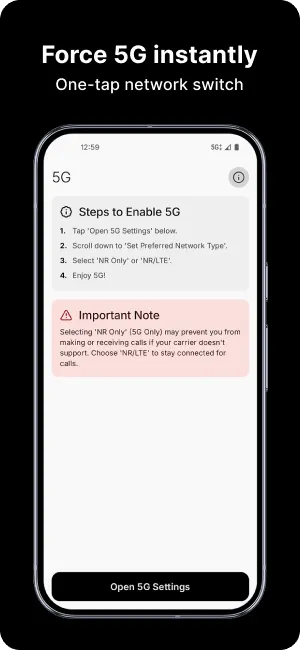
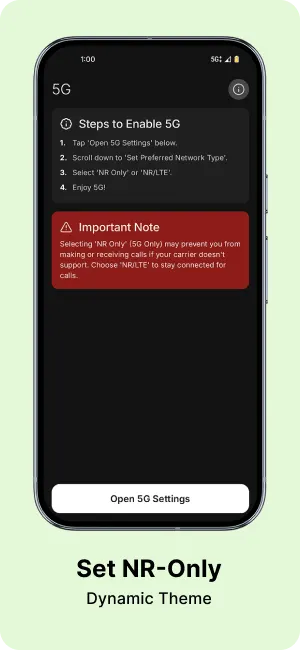
Unlock the full potential of your 5G device with this simple utility. This app allows you to open the hidden system network settings menu, where you can force your device to use "NR Only" (5G Only) mode.
Most devices automatically switch between 5G, 4G, and 3G to save battery or maintain signal. However, this can be annoying if you are in an area with 5G coverage but your phone keeps dropping back to slower LTE speeds. This app helps you lock the connection to 5G.
Features:
• One-tap access to network settings.
• Force "NR Only" to stay on 5G.
• Lightweight and no ads.
Important Note:
Forcing "NR Only" may prevent you from making or receiving calls if your carrier does not support VoNR (Voice over New Radio) or if you are in an area without standalone 5G coverage. Use with caution and switch back to default settings if you experience connectivity issues.
Most devices automatically switch between 5G, 4G, and 3G to save battery or maintain signal. However, this can be annoying if you are in an area with 5G coverage but your phone keeps dropping back to slower LTE speeds. This app helps you lock the connection to 5G.
Features:
• One-tap access to network settings.
• Force "NR Only" to stay on 5G.
• Lightweight and no ads.
Important Note:
Forcing "NR Only" may prevent you from making or receiving calls if your carrier does not support VoNR (Voice over New Radio) or if you are in an area without standalone 5G coverage. Use with caution and switch back to default settings if you experience connectivity issues.
All versions
| Version | Released | Minimum Android | Size |
|---|---|---|---|
| 1.4.0 | Aug 13, 2026 | Android 10 | 2.2 MB |
| 1.3.0 | Jun 7, 2026 | Android 10 | 2.2 MB |
| 1.2.0 | Apr 30, 2026 | Android 10 | 2.2 MB |
How to install an older version of an Android app · How to install an APK file on Android
From the developer (GitHub)
APK files published by the developer on GitHub. They are signed by the developer and may not install over the other builds on this page (different signature). Links open github.com.
Similar apps
-
 Flash Alert (Calls & SMS)
Blink the terminal when receiving a call, SMS or an application notification
-
 Jami
Share, freely and privately
-
 SchildiChat Legacy
Secure messenger for Matrix with a traditional instant messaging experience
-
 Nextcloud SMS
Synchronize your SMS messages with ownCloud
- Session F-Droid Encrypted private messenger
-
 Jitsi Meet
Instant video conferences efficiently adapting to your scale
-
 Linphone - open source SIP client
SIP (VOIP) phone
-
 Silence
Encrypted SMS/MMS conversations made easy!