

OTG Master
Mount VeraCrypt, LUKS, BitLocker and APFS USB drives on non-rooted Android
- Developer
- moylali
- License
- GPL-3.0-or-later
- Package
app.fayaz.otgmaster- Category
- File Encryption & Vault, Security
- Latest version
- 0.5.0 · Nov 11, 2026
- Minimum Android
- Android 8.0
Screenshots
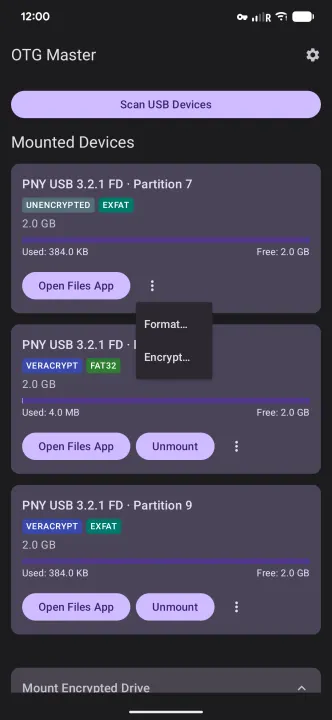
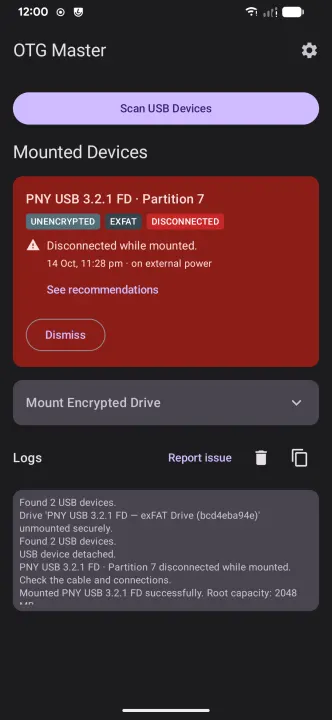
Description
OTG Master lets you mount VeraCrypt, LUKS and BitLocker-encrypted USB drives, and read Mac APFS drives, directly on your Android device — no root required.
Connect an encrypted volume via USB OTG, enter your password or use your fingerprint, and access your encrypted files through Android's built-in Files app. Unmount safely when done.
FEATURES
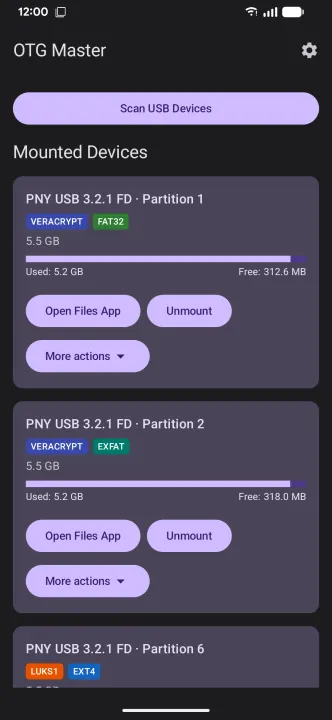
• Multiple Encryption Formats — mount VeraCrypt, LUKS1, LUKS2 and BitLocker volumes (BitLocker with its password or 48-digit recovery key)
• Broad File System Support — read and write files on FAT32, exFAT, NTFS and ext4 partitions
• Mac Drives — read APFS drives, unencrypted or encrypted with a password, case-sensitive or not
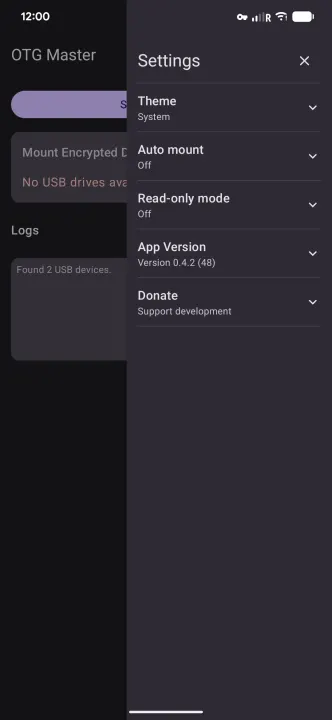
• Read-Only Mode — optionally mount partitions safely without risking accidental modifications
• ext4 Repair — a drive that wasn't unmounted cleanly opens read-only; one tap replays its journal, as Linux would, and makes it writable again
• Auto Mount — automatically unlocks known drives on connect using biometric authentication
• Hub Support — multiple USB drives connected via a hub are all prompted in a single biometric step
• Keyfile Support — use a keyfile in addition to or instead of a password
• Custom PIM — supports non-default PIM values for stronger key derivation
• Cipher Selection — AES, Serpent and Twofish, VeraCrypt's five cascades of them, and SHA-512 or Argon2id key derivation
• Encrypt a Drive — turn a USB partition into a new VeraCrypt volume, with any of those ciphers, a PIM and keyfiles, or a LUKS2 volume for Linux; FAT32, exFAT, ext4 or NTFS inside
• Format — erase a partition in place as FAT32, exFAT, ext4 or NTFS, keeping its encryption and password
• Backups — back up folders between the phone and a drive, as plain copies or incremental snapshots in the standard restic format that restic opens on a computer; browse a backup as a read-only drive; reminders when one is overdue
• Recover Deleted Files — find files deleted from FAT32 and exFAT drives and copy them to the phone; only deleted files are listed, and nothing is written to the drive
• Phones and Cameras — another phone or a camera connected over USB shows up as a drive (read-only)
• Tablet Layout — on a wide screen, mounted drives sit beside the unlock form
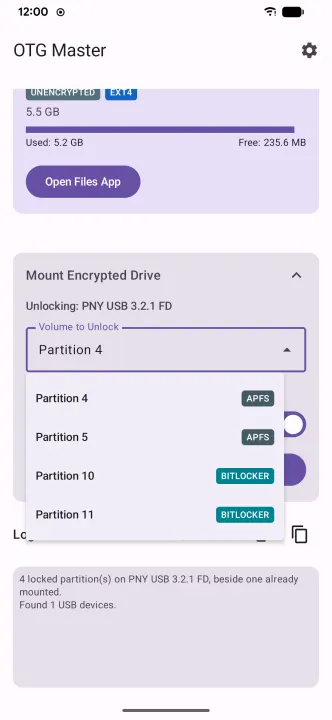
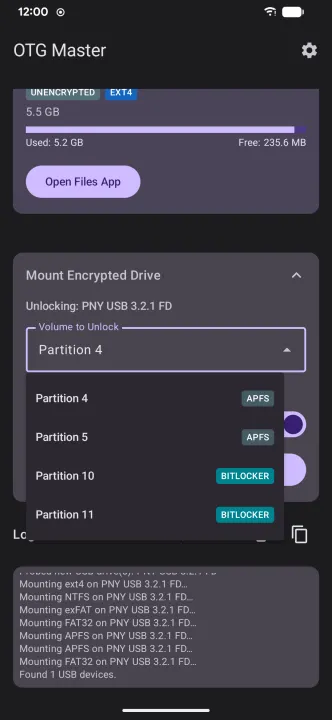
• Partitioned Disks — scans MBR/GPT partition tables and lets you pick the exact volume to unlock
• No Root Required — works on standard, unmodified Android devices
• No Cloud, No Tracking — your files never leave your device
REQUIREMENTS
• Android 8.0 (Oreo) or later
• USB OTG cable or adapter
• A VeraCrypt, LUKS or BitLocker-encrypted USB drive, or an APFS drive from a Mac
OTG Master is free and open source.
Connect an encrypted volume via USB OTG, enter your password or use your fingerprint, and access your encrypted files through Android's built-in Files app. Unmount safely when done.
FEATURES
• Multiple Encryption Formats — mount VeraCrypt, LUKS1, LUKS2 and BitLocker volumes (BitLocker with its password or 48-digit recovery key)
• Broad File System Support — read and write files on FAT32, exFAT, NTFS and ext4 partitions
• Mac Drives — read APFS drives, unencrypted or encrypted with a password, case-sensitive or not
• Read-Only Mode — optionally mount partitions safely without risking accidental modifications
• ext4 Repair — a drive that wasn't unmounted cleanly opens read-only; one tap replays its journal, as Linux would, and makes it writable again
• Auto Mount — automatically unlocks known drives on connect using biometric authentication
• Hub Support — multiple USB drives connected via a hub are all prompted in a single biometric step
• Keyfile Support — use a keyfile in addition to or instead of a password
• Custom PIM — supports non-default PIM values for stronger key derivation
• Cipher Selection — AES, Serpent and Twofish, VeraCrypt's five cascades of them, and SHA-512 or Argon2id key derivation
• Encrypt a Drive — turn a USB partition into a new VeraCrypt volume, with any of those ciphers, a PIM and keyfiles, or a LUKS2 volume for Linux; FAT32, exFAT, ext4 or NTFS inside
• Format — erase a partition in place as FAT32, exFAT, ext4 or NTFS, keeping its encryption and password
• Backups — back up folders between the phone and a drive, as plain copies or incremental snapshots in the standard restic format that restic opens on a computer; browse a backup as a read-only drive; reminders when one is overdue
• Recover Deleted Files — find files deleted from FAT32 and exFAT drives and copy them to the phone; only deleted files are listed, and nothing is written to the drive
• Phones and Cameras — another phone or a camera connected over USB shows up as a drive (read-only)
• Tablet Layout — on a wide screen, mounted drives sit beside the unlock form
• Partitioned Disks — scans MBR/GPT partition tables and lets you pick the exact volume to unlock
• No Root Required — works on standard, unmodified Android devices
• No Cloud, No Tracking — your files never leave your device
REQUIREMENTS
• Android 8.0 (Oreo) or later
• USB OTG cable or adapter
• A VeraCrypt, LUKS or BitLocker-encrypted USB drive, or an APFS drive from a Mac
OTG Master is free and open source.
All versions
| Version | Released | Minimum Android | Size |
|---|---|---|---|
| 0.5.0 | Nov 11, 2026 | Android 8.0 | 12 MB |
| 0.4.2 | Oct 27, 2026 | Android 8.0 | 10.6 MB |
| 0.4.1 | Oct 14, 2026 | Android 8.0 | 20.1 MB |
| 0.4.0 | Oct 2, 2026 | Android 8.0 | 13.7 MB |
| 0.3.12 | Sep 29, 2026 | Android 8.0 | 12.7 MB |
| 0.3.11 | Sep 22, 2026 | Android 8.0 | 12.7 MB |
| 0.3.10 | Jul 31, 2026 | Android 8.0 | 12.7 MB |
| 0.3.9 | Jul 18, 2026 | Android 8.0 | 12.7 MB |
How to install an older version of an Android app · How to install an APK file on Android
From the developer (GitHub)
APK files published by the developer on GitHub. They are signed by the developer and may not install over the other builds on this page (different signature). Links open github.com.
Similar apps
-
 Trigger
Open doors via Wi-Fi using HTTPS/SSH.
-
 KeePassDX Passkey Vault
Manage Passkey / Password in a local and open-source vault
-
 OONI Probe
Measure Internet Censorship, Speed & Performance
-
 PilferShush Jammer
Block unwanted use of onboard microphone
- Port Authority Port scanner
-
 KeePassDroid
KeePass-compatible password safe
-
 Rethink: DNS + Firewall + VPN
Firewall apps, use WireGuard VPN, monitor network, block malware, change DNS.
-
 PCAPdroid
No-root network monitor, firewall and PCAP dumper for Android