

EasySSHFS
Sshfs with ssh client and interface for Android.
- Developer
- Sergey Bobrenok
- License
- MIT
- Package
ru.nsu.bobrofon.easysshfs- Category
- Cloud Storage & File Sync, File Transfer, Internet, System
- Latest version
- 0.5.20 · Nov 4, 2026
- Minimum Android
- Android 5.0
Screenshots
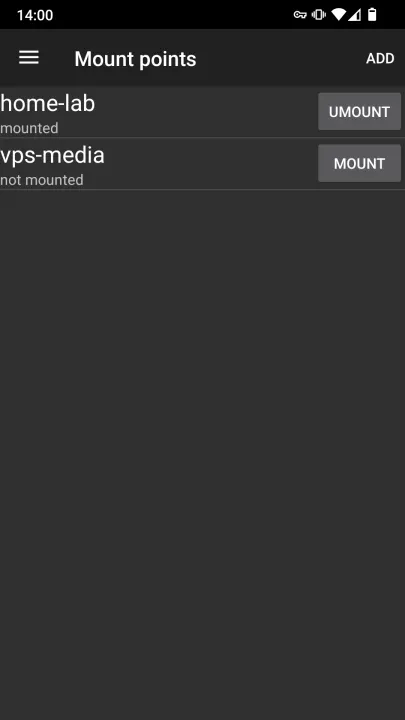
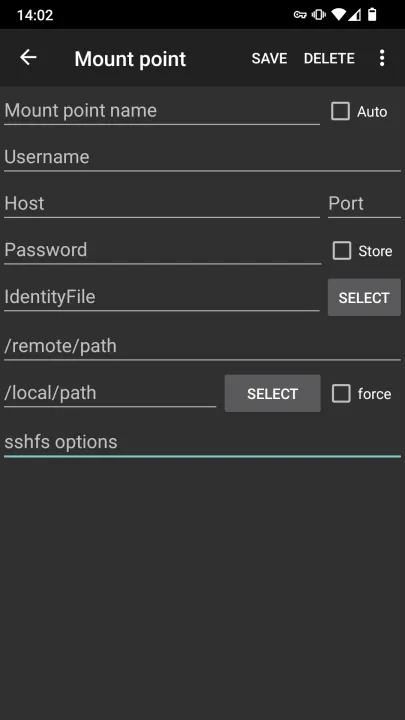
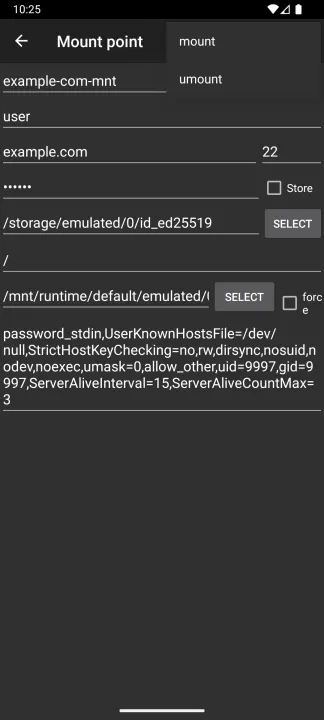
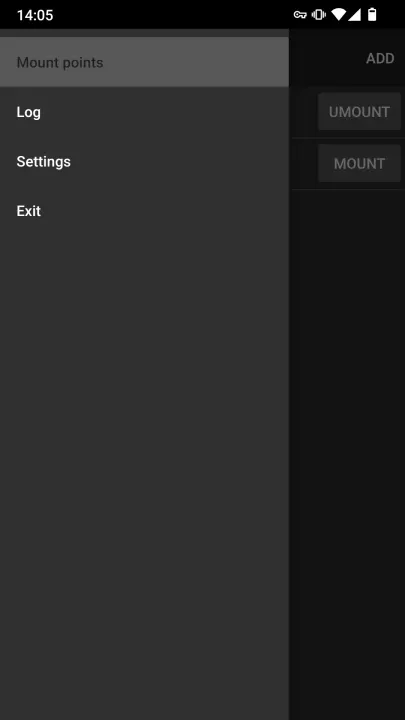
Description
SSH Filesystem is a filesystem client based on the SSH File Transfer Protocol.
Fuse 3.10.5.
Sshfs 3.7.1.
Ssh client from OpenSSH-portable 8.9p (with OpenSSL 1.1.1n).
For using public key authentication add "IdentityFile=" to sshfs options. Password-protected keys are not supported.
Rooted device required (/dev/fuse in android is not allow for users except root).
Application source code: https://github.com/bobrofon/easysshfs
WARNING:
If you just want to have access to the files on your PC from your Android phone, then sshfs is a
VERY bad solution for that problem. You really need to know some internal details about Android
storage implementation to make something useful with sshfs. And EasySSHFS is not intended to hide
all these details from its users. Please try to use any implementation of Android document provider
for sftp protocol (or any other solution to work with sftp) before trying to use sshfs.
NOTE:
• If you are using SuperSu to manage root access and have no effect after mounting done, try to disable "mount namespace separation" option in SuperSU.
• It is highly recommended to create mount points in /data/media/0 on Android 4.2 and /mnt/runtime/default/emulated/0 on Android 6.0 and above.
Fuse 3.10.5.
Sshfs 3.7.1.
Ssh client from OpenSSH-portable 8.9p (with OpenSSL 1.1.1n).
For using public key authentication add "IdentityFile=" to sshfs options. Password-protected keys are not supported.
Rooted device required (/dev/fuse in android is not allow for users except root).
Application source code: https://github.com/bobrofon/easysshfs
WARNING:
If you just want to have access to the files on your PC from your Android phone, then sshfs is a
VERY bad solution for that problem. You really need to know some internal details about Android
storage implementation to make something useful with sshfs. And EasySSHFS is not intended to hide
all these details from its users. Please try to use any implementation of Android document provider
for sftp protocol (or any other solution to work with sftp) before trying to use sshfs.
NOTE:
• If you are using SuperSu to manage root access and have no effect after mounting done, try to disable "mount namespace separation" option in SuperSU.
• It is highly recommended to create mount points in /data/media/0 on Android 4.2 and /mnt/runtime/default/emulated/0 on Android 6.0 and above.
All versions
| Version | Released | Minimum Android | Size |
|---|---|---|---|
| 0.5.20 | Nov 4, 2026 | Android 5.0 | 8.6 MB |
| 0.5.19 | Oct 12, 2026 | Android 5.0 | 8.6 MB |
| 0.5.18 | Jul 28, 2026 | Android 5.0 | 8.9 MB |
| 0.5.17 | Mar 3, 2026 | Android 5.0 | 8.7 MB |
| 0.5.16 | Nov 17, 2025 | Android 4.1 | 8.1 MB |
| 0.5.15-1 | Aug 7, 2025 | Android 4.1 | 12 MB |
| 0.5.15 | Aug 1, 2025 | Android 4.1 | 12 MB |
| 0.5.14 | Feb 23, 2025 | Android 4.1 | 12.1 MB |
| 0.5.13 | Nov 10, 2024 | Android 4.1 | 12 MB |
| 0.5.12 | Jul 23, 2024 | Android 4.1 | 12 MB |
| 0.5.11 | Feb 24, 2024 | Android 4.1 | 12.1 MB |
| 0.5.10 | Sep 12, 2023 | Android 4.1 | 12.1 MB |
| 0.5.9 | Jul 24, 2023 | Android 4.1 | 11.9 MB |
| 0.5.8 | May 7, 2022 | Android 4.1 | 11.9 MB |
How to install an older version of an Android app · How to install an APK file on Android
From the developer (GitHub)
APK files published by the developer on GitHub. They are signed by the developer and may not install over the other builds on this page (different signature). Links open github.com.
Similar apps
-
 Trigger
Open doors via Wi-Fi using HTTPS/SSH.
-
 Dokuwiki Android
Access in local to your dokuwiki
-
 K-9 Mail
Full-featured email client
-
 Screenshot Tile (NoRoot)
Customizable screenshot tool with quick settings shortcut and floating button
-
 Coffee
Keep display awake
-
 Mute reminder
Remind you to mute media
-
 Prepaid Balance
Keep track your prepaid balance
-
 Auto Auto-Rotate
Automatically remembers your auto-rotate setting for every app