

Mullvad VPN: privacy is a universal right
Protect your online privacy with a fast, trustworthy, and easy-to-use VPN.
Promotes non-free network services
- License
- GPL-3.0-or-later
- Package
net.mullvad.mullvadvpn- Category
- Connectivity, Internet, Security, System, VPN & Proxy
- Latest version
- 2026.12 · Oct 2, 2026
- Minimum Android
- Android 9
Screenshots
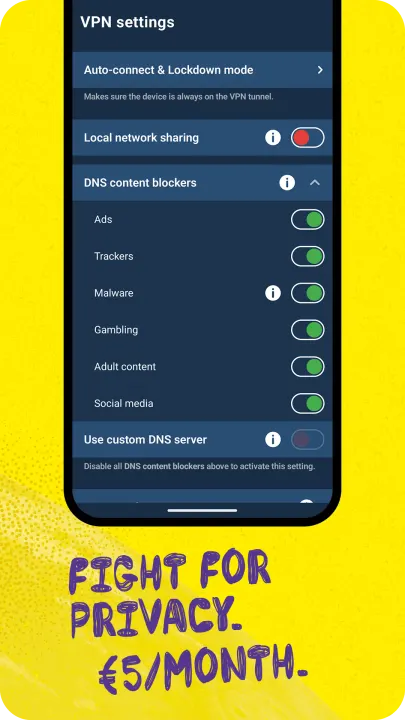
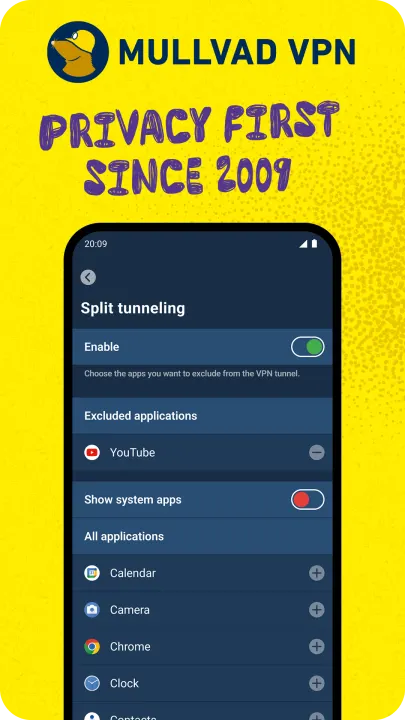
Description
Free the internet from data collection with Mullvad VPN – a service that helps keep your online activity, identity, and location private. Only €5/month.
Get started
1. Install the app.
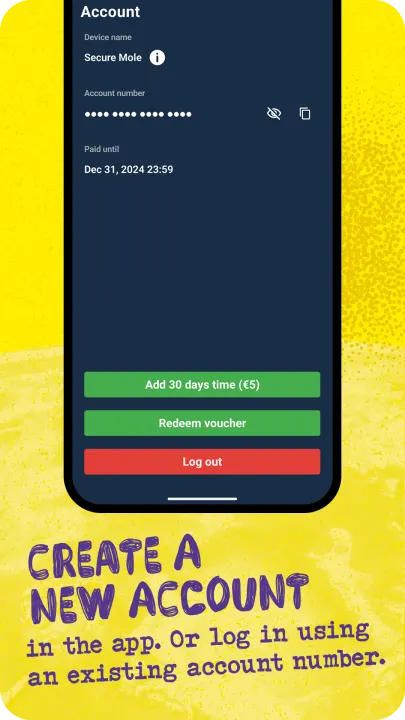
2. Create an account.
3. Add time to your account via our website or vouchers.
To make sure to block third-party cookies and other tracking technologies – use Mullvad VPN together with Mullvad Browser (free of charge).
ANONYMOUS ACCOUNTS – NO ACTIVITY LOGS
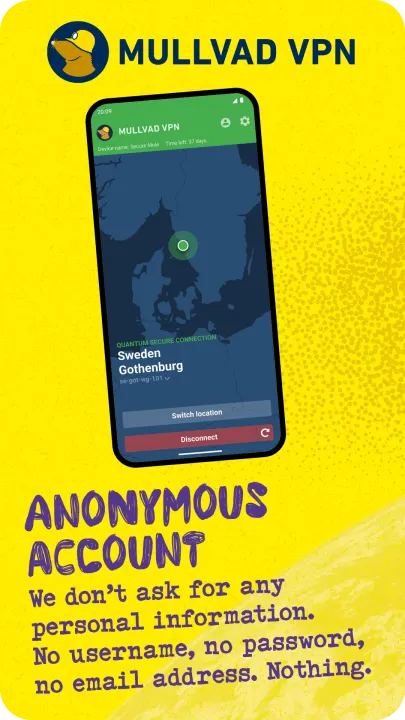
• Creating an account requires no personal info - not even an email address.
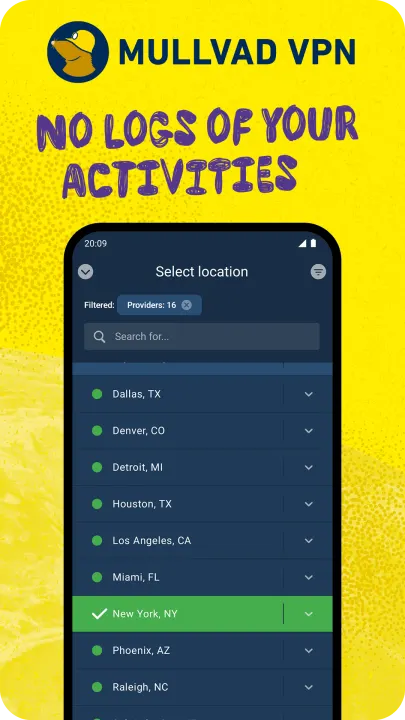
• We keep no activity logs.
• We offer the possibility to pay anonymously with cash or cryptocurrency.
• Bypass geographical restrictions with our global network of VPN servers.
• Our app uses WireGuard, a superior VPN protocol that connects fast and doesn’t drain your battery.
HOW DOES MULLVAD VPN WORK?
With Mullvad VPN, your traffic travels through an encrypted tunnel to one of our VPN servers and then onward to the website you are visiting. In this way, websites will only see our server’s identity instead of yours. Same goes for your ISP (internet service provider); they’ll see that you’re connected to Mullvad, but not your activity.
It also means that all the third-party actors with technology integrated into the various websites you visit can’t sniff out your IP address and use it to track you from one site to another.
Using a trustworthy VPN is a great first step to reclaim your privacy online. In combination with Mullvad Browser you make sure to block third-party cookies and other tracking technologies.
FREE THE INTERNET FROM MASS SURVEILLANCE AND DATA COLLECTION
A free and open society is a society where people have the right to privacy. That’s why we fight for a free internet.
Free from mass surveillance and censorship. Free from big data markets where your personal information is up for sale. Free from authorities mass monitoring every click you make. Free from an infrastructure mapping your whole life. Mullvad VPN and Mullvad Browser is our contribution to the fight.
TELEMETRY AND CRASH REPORTS
The app collects a very minimal amount of telemetry, and it does not in any way tie it to an account number, IP or other identifiable information. Account numbers are used for authentication. App logs are never sent automatically but are rather explicitly sent by the user. App version checks are performed every 24 hours to tell the app if there are any upgrades available and if the currently running version is still supported.
If the split tunneling feature is used, then the app queries your system for a list of all installed applications. This list is only retrieved in the split tunneling view. The list of installed applications is never sent from the device.
Get started
1. Install the app.
2. Create an account.
3. Add time to your account via our website or vouchers.
To make sure to block third-party cookies and other tracking technologies – use Mullvad VPN together with Mullvad Browser (free of charge).
ANONYMOUS ACCOUNTS – NO ACTIVITY LOGS
• Creating an account requires no personal info - not even an email address.
• We keep no activity logs.
• We offer the possibility to pay anonymously with cash or cryptocurrency.
• Bypass geographical restrictions with our global network of VPN servers.
• Our app uses WireGuard, a superior VPN protocol that connects fast and doesn’t drain your battery.
HOW DOES MULLVAD VPN WORK?
With Mullvad VPN, your traffic travels through an encrypted tunnel to one of our VPN servers and then onward to the website you are visiting. In this way, websites will only see our server’s identity instead of yours. Same goes for your ISP (internet service provider); they’ll see that you’re connected to Mullvad, but not your activity.
It also means that all the third-party actors with technology integrated into the various websites you visit can’t sniff out your IP address and use it to track you from one site to another.
Using a trustworthy VPN is a great first step to reclaim your privacy online. In combination with Mullvad Browser you make sure to block third-party cookies and other tracking technologies.
FREE THE INTERNET FROM MASS SURVEILLANCE AND DATA COLLECTION
A free and open society is a society where people have the right to privacy. That’s why we fight for a free internet.
Free from mass surveillance and censorship. Free from big data markets where your personal information is up for sale. Free from authorities mass monitoring every click you make. Free from an infrastructure mapping your whole life. Mullvad VPN and Mullvad Browser is our contribution to the fight.
TELEMETRY AND CRASH REPORTS
The app collects a very minimal amount of telemetry, and it does not in any way tie it to an account number, IP or other identifiable information. Account numbers are used for authentication. App logs are never sent automatically but are rather explicitly sent by the user. App version checks are performed every 24 hours to tell the app if there are any upgrades available and if the currently running version is still supported.
If the split tunneling feature is used, then the app queries your system for a list of all installed applications. This list is only retrieved in the split tunneling view. The list of installed applications is never sent from the device.
All versions
| Version | Released | Minimum Android | Size |
|---|---|---|---|
| 2026.12 | Oct 2, 2026 | Android 9 | 37.2 MB |
| 2026.11 | Sep 25, 2026 | Android 9 | 37.2 MB |
| 2026.10 | Sep 19, 2026 | Android 9 | 37.2 MB |
| 2026.9 | Sep 17, 2026 | Android 9 | 37.3 MB |
| 2026.8 | Jul 18, 2026 | Android 9 | 36.2 MB |
| 2026.7 | Jun 20, 2026 | Android 9 | 36 MB |
| 2026.6 | Jun 10, 2026 | Android 9 | 36 MB |
| 2026.5 | May 7, 2026 | Android 9 | 35.8 MB |
| 2026.4 | Apr 29, 2026 | Android 9 | 35.8 MB |
| 2026.3 | Mar 24, 2026 | Android 8.0 | 31.1 MB |
| 2026.2 | Feb 24, 2026 | Android 8.0 | 30.9 MB |
| 2025.11 | Dec 9, 2025 | Android 8.0 | 30 MB |
| 2025.10 | Nov 25, 2025 | Android 8.0 | 30 MB |
| 2025.9 | Nov 14, 2025 | Android 8.0 | 36.1 MB |
| 2025.6 | Aug 17, 2025 | Android 8.0 | 36.4 MB |
| 2025.5 | Jul 6, 2025 | Android 8.0 | 35.6 MB |
| 2025.4 | Jun 1, 2025 | Android 8.0 | 33 MB |
| 2025.3 | May 6, 2025 | Android 8.0 | 32.9 MB |
| 2025.2 | May 2, 2025 | Android 8.0 | 32.5 MB |
| 2025.1 | Mar 23, 2025 | Android 8.0 | 32.7 MB |
| 2024.9 | Dec 17, 2024 | Android 8.0 | 31.2 MB |
| 2024.8 | Nov 7, 2024 | Android 8.0 | 29.3 MB |
| 2024.8-beta2 | Oct 30, 2024 | Android 8.0 | 29.3 MB |
| 2024.7 | Oct 27, 2024 | Android 8.0 | 29.7 MB |
| 2024.5-beta2 | Sep 29, 2024 | Android 8.0 | 28.7 MB |
| 2024.4 | Sep 16, 2024 | Android 8.0 | 33.6 MB |
| 2024.4-beta2 | Sep 12, 2024 | Android 8.0 | 33.7 MB |
| 2024.3 | Jul 1, 2024 | Android 8.0 | 30.1 MB |
| 2024.3-beta1 | Jun 17, 2024 | Android 8.0 | 30 MB |
| 2024.2 | Jun 15, 2024 | Android 8.0 | 30 MB |
| 2024.2-beta2 | May 14, 2024 | Android 8.0 | 30 MB |
| 2024.2-beta1 | Apr 27, 2024 | Android 8.0 | 30.5 MB |
| 2024.1 | Apr 9, 2024 | Android 8.0 | 30.2 MB |
| 2023.10 | Jan 1, 2024 | Android 8.0 | 29.1 MB |
| 2023.10-beta1 | Dec 16, 2023 | Android 8.0 | 28.2 MB |
| 2023.9 | Dec 10, 2023 | Android 8.0 | 28.2 MB |
| 2023.8 | Dec 3, 2023 | Android 8.0 | 28.2 MB |
| 2023.8-beta1 | Nov 24, 2023 | Android 8.0 | 28.2 MB |
| 2023.7 | Oct 15, 2023 | Android 8.0 | 26.8 MB |
| 2023.6 | Oct 4, 2023 | Android 8.0 | 26.9 MB |
| 2023.5 | Aug 10, 2023 | Android 8.0 | 26 MB |
| 2023.4 | Jul 24, 2023 | Android 8.0 | 26 MB |
| 2023.3 | Jul 20, 2023 | Android 8.0 | 26 MB |
| 2023.2 | Jun 2, 2023 | Android 8.0 | 25.8 MB |
| 2023.1 | May 19, 2023 | Android 8.0 | 25.8 MB |
| 2022.3 | Nov 16, 2022 | Android 8.0 | 29.2 MB |
| 2022.2 | Oct 22, 2022 | Android 8.0 | 29.4 MB |
| 2022.1 | Mar 4, 2022 | Android 8.0 | 22.4 MB |
| 2022.1-beta3 | Feb 11, 2022 | Android 8.0 | 22.9 MB |
| 2022.1-beta2 | Feb 1, 2022 | Android 8.0 | 22.9 MB |
| 2021.1 | May 11, 2021 | Android 7.0 | 21.3 MB |
| 2021.1-beta1 | Apr 9, 2021 | Android 7.0 | 21.5 MB |
| 2020.8-beta1 | Dec 19, 2020 | Android 7.0 | 19.3 MB |
| 2020.6-beta2 | Aug 31, 2020 | Android 7.0 | 19.4 MB |
| 2020.6-beta1 | Aug 22, 2020 | Android 7.0 | 19 MB |
| 2020.5-beta2 | Jun 22, 2020 | Android 7.0 | 43 MB |
How to install an older version of an Android app · How to install an APK file on Android
From the developer (GitHub)
APK files published by the developer on GitHub. They are signed by the developer and may not install over the other builds on this page (different signature). Links open github.com.
Similar apps
-
 Trigger
Open doors via Wi-Fi using HTTPS/SSH.
-
 Dokuwiki Android
Access in local to your dokuwiki
-
 K-9 Mail
Full-featured email client
-
 Screenshot Tile (NoRoot)
Customizable screenshot tool with quick settings shortcut and floating button
-
 Coffee
Keep display awake
-
 Mute reminder
Remind you to mute media
-
 Prepaid Balance
Keep track your prepaid balance
-
 Auto Auto-Rotate
Automatically remembers your auto-rotate setting for every app