

8Vim Keyboard
A small screen keyboard inspired by VIM and 8Pen
- Developer
- Ravi Agarwal
- License
- Apache-2.0
- Package
inc.flide.vi8- Category
- Keyboard & IME, System
- Latest version
- 0.17.5 · Jul 1, 2024
- Minimum Android
- Android 7.0
Screenshots
Description
8Vim
Usability Guide
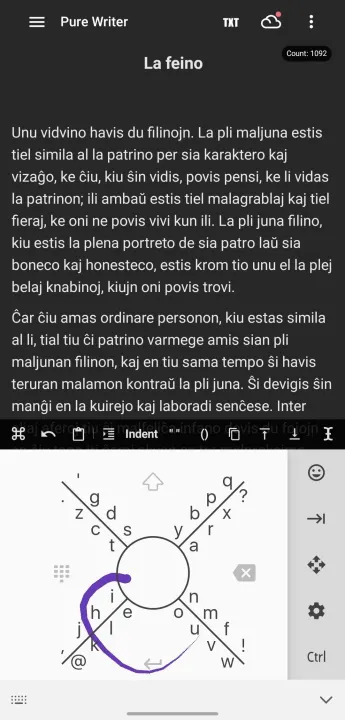
So, what capabilities does 8Vim have? Once you know how to type with this thing (Learn how to type with this original [8Pen-game video](https://www.youtube.com/watch?v=99vsUF4NuLk), you must know the following
Basic Needed Stuff
Right Sector acts as a backspace Key.
Bottom Sector acts as a Enter Key.
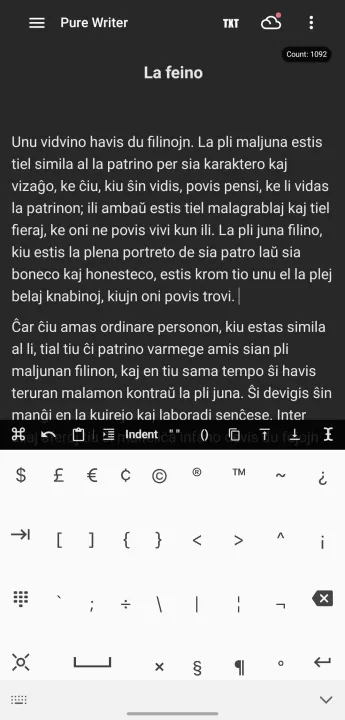
Top Sector acts as a combination of SHIFT and CAPS_LOCK Key, i.e, Press once Shift is active, Press Twice CAPS is active and Press once more and everything is back to usual.
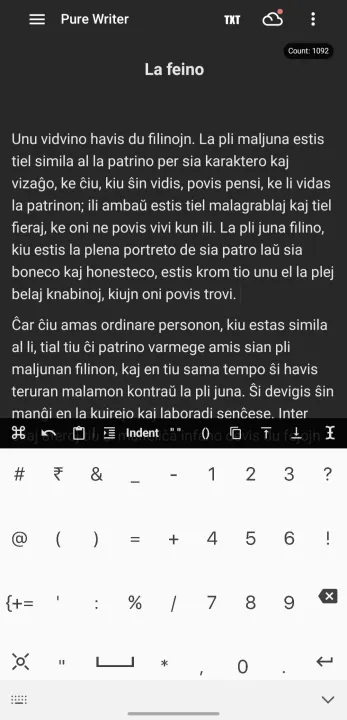
Left Sector acts as the button that takes you to the Number Pad.
Cursor Movements
If you move your finger from the centre-circle to any sector and stay, the cursor movement will be emulated. For example, if you swipe from circle->right, the cursor will move right. You get the picture.
Selection
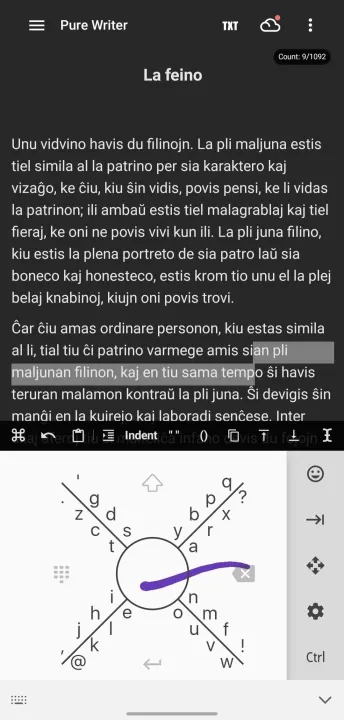
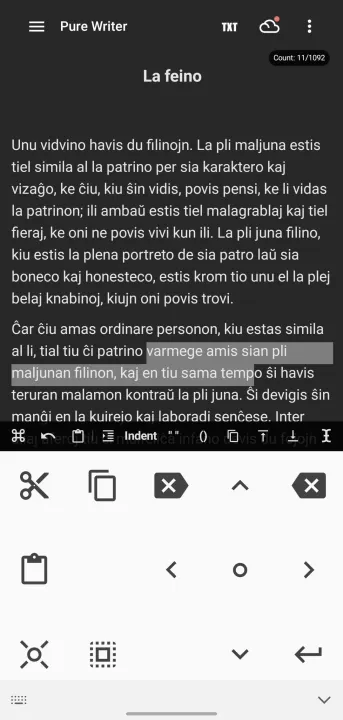
There is selection built in to the keyboard. if you move your finger from the right sector to the circle, the cursor will start moving left and selecting everything in it's path. once you release, a selection keyboard will open up for various stupidities to do.
Paste Functionality
Moving your finger from right->circle->lift-your-finger performs a paste. whatever is in the clipboard.
Usability Guide
So, what capabilities does 8Vim have? Once you know how to type with this thing (Learn how to type with this original [8Pen-game video](https://www.youtube.com/watch?v=99vsUF4NuLk), you must know the following
Basic Needed Stuff
Right Sector acts as a backspace Key.
Bottom Sector acts as a Enter Key.
Top Sector acts as a combination of SHIFT and CAPS_LOCK Key, i.e, Press once Shift is active, Press Twice CAPS is active and Press once more and everything is back to usual.
Left Sector acts as the button that takes you to the Number Pad.
Cursor Movements
If you move your finger from the centre-circle to any sector and stay, the cursor movement will be emulated. For example, if you swipe from circle->right, the cursor will move right. You get the picture.
Selection
There is selection built in to the keyboard. if you move your finger from the right sector to the circle, the cursor will start moving left and selecting everything in it's path. once you release, a selection keyboard will open up for various stupidities to do.
Paste Functionality
Moving your finger from right->circle->lift-your-finger performs a paste. whatever is in the clipboard.
All versions
| Version | Released | Minimum Android | Size |
|---|---|---|---|
| 0.17.5 | Jul 1, 2024 | Android 7.0 | 6.5 MB |
| 0.17.4 | Jun 15, 2024 | Android 7.0 | 6.5 MB |
| 0.17.3 | Jun 12, 2024 | Android 7.0 | 6.5 MB |
| 0.16.3 | Nov 20, 2023 | Android 7.0 | 5.8 MB |
| 0.16.2 | Oct 25, 2023 | Android 7.0 | 5.8 MB |
| 0.16.1 | Oct 20, 2023 | Android 7.0 | 5.8 MB |
| 0.14.0 | Aug 17, 2023 | Android 7.0 | 3.4 MB |
| iteration-13 | Jun 12, 2023 | Android 5.0 | 3.3 MB |
| iteration-12.2 | Jun 10, 2023 | Android 5.0 | 3.3 MB |
| iteration-12 | Jun 2, 2023 | Android 5.0 | 3.3 MB |
| iteration-11 | Apr 6, 2023 | Android 5.0 | 2.3 MB |
| iteration-9 | Feb 4, 2022 | Android 5.0 | 2.2 MB |
| iteration-8 | Jan 7, 2022 | Android 5.0 | 2.2 MB |
| iteration-7 | May 20, 2021 | Android 5.0 | 2.1 MB |
| iteration-6 | Feb 26, 2021 | Android 5.0 | 1.8 MB |
| iteration-5 | Oct 31, 2020 | Android 4.1 | 1.9 MB |
| iteration-3 | Oct 26, 2020 | Android 4.1 | 2 MB |
How to install an older version of an Android app · How to install an APK file on Android
From the developer (GitHub)
APK files published by the developer on GitHub. They are signed by the developer and may not install over the other builds on this page (different signature). Links open github.com.
Similar apps
-
 Screenshot Tile (NoRoot)
Customizable screenshot tool with quick settings shortcut and floating button
-
 Coffee
Keep display awake
-
 Mute reminder
Remind you to mute media
-
 Prepaid Balance
Keep track your prepaid balance
-
 Auto Auto-Rotate
Automatically remembers your auto-rotate setting for every app
-
 Drowser
Simple background app killer
-
 Scrambled Exif
Remove the metadata from your pictures before sharing them
-
 WaveUp
Turn on the display by waving