

Noise Cancelling
Turn off noise cancellation on Bose headphones
- License
- MIT
- Package
dev.danjackson.noisecancel- Category
- Multimedia
- Latest version
- 1.5 · Jun 14, 2022
- Minimum Android
- Android 5.0
Screenshots
Description
This app allows you to quickly turn off noise cancellation on Bose Noise Cancelling Headphones 700 (NC 700) and Bose QC 35 (QC35) headphones. It also allows a (less-useful) change of mode on Bose QC Earbuds and Bose QC 45 headphones (but not able to fully disable active noise cancellation on these devices).
For example, the Bose Noise Cancelling Headphones 700 can cycle through noise cancellation presets, but these are on a scale from actively passing external sound through, to cancelling out external sound. In a very quiet room, any setting on this scale can result in an audible hiss, and you may not want any active pass-through/cancelling at all, but just the source sound.
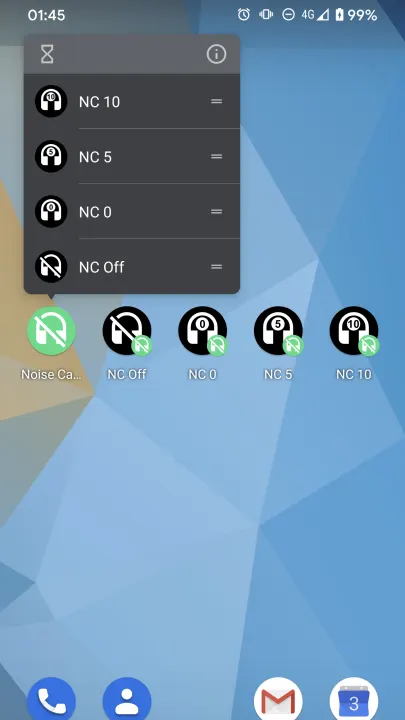
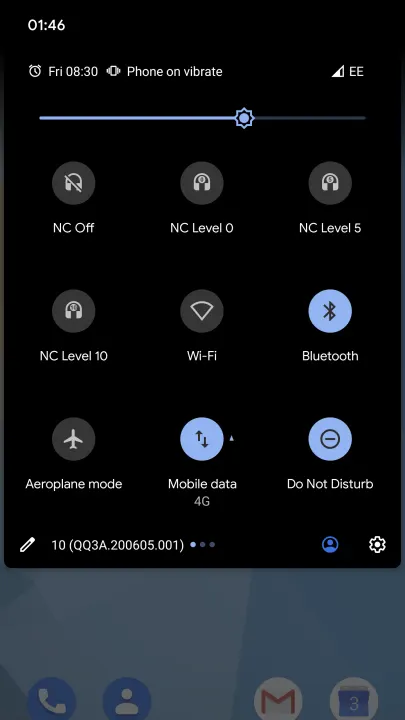
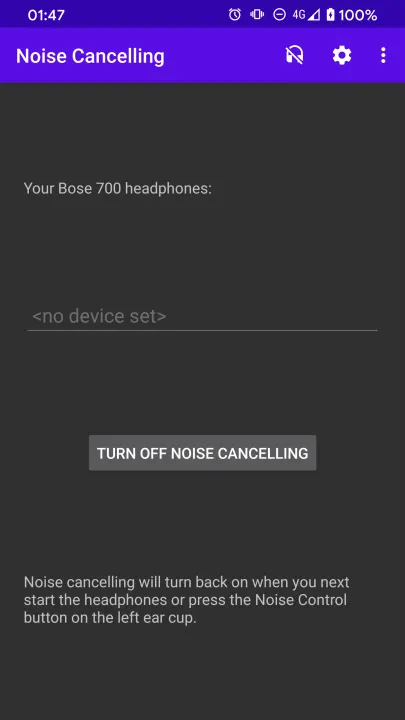
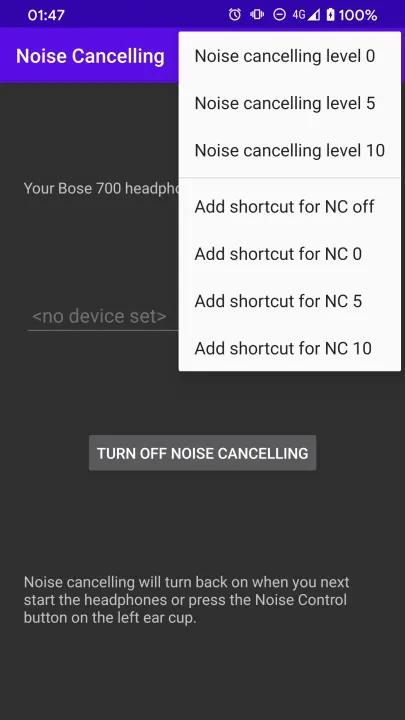
This app allows you to turn off noise cancellation, either in the app, or by adding a quick settings tile, or adding a single touch shortcut you can pin to your launcher.
Noise cancelling will turn back on if you alter the noise control settings on the headphones, or when you next turn the headphones on.
For example, the Bose Noise Cancelling Headphones 700 can cycle through noise cancellation presets, but these are on a scale from actively passing external sound through, to cancelling out external sound. In a very quiet room, any setting on this scale can result in an audible hiss, and you may not want any active pass-through/cancelling at all, but just the source sound.
This app allows you to turn off noise cancellation, either in the app, or by adding a quick settings tile, or adding a single touch shortcut you can pin to your launcher.
Noise cancelling will turn back on if you alter the noise control settings on the headphones, or when you next turn the headphones on.
All versions
| Version | Released | Minimum Android | Size |
|---|---|---|---|
| 1.5 | Jun 14, 2022 | Android 5.0 | 4.6 MB |
| 1.4 | May 29, 2022 | Android 5.0 | 4.6 MB |
How to install an older version of an Android app · How to install an APK file on Android
From the developer (GitHub)
APK files published by the developer on GitHub. They are signed by the developer and may not install over the other builds on this page (different signature). Links open github.com.
Similar apps
-
 Screenshot Tile (NoRoot)
Customizable screenshot tool with quick settings shortcut and floating button
-
 Enhanced Music Controller Lite
Remote controller for Onkyo devices
-
 Classical Music Tagger
A plain audio file metadata editor especially for classical music
-
 Kreate
A multilingual YouTube Music frontend for Android, prioritize performance.
-
 Ultrasonic
A music streaming client for Subsonic servers
-
 Sensors2OSC
Send sensor data via Open Sound Control (OSC).
-
 SicMu Player
Folder based music player. Shows and follows folder hierarchy.
-
 RootlessJamesDSP
System-wide JamesDSP implementation for non-rooted devices