

Remember: Notes & Reminders
Notes, tasks, and reminders that keep coming back until they are done.
- Developer
- Bikram Agarwal
- License
- GPL-3.0-only
- Package
dev.bikram.remember.gh- Category
- Note, Shopping List, Task
- Latest version
- 1.10.0 · Oct 6, 2026
- Minimum Android
- Android 12
Screenshots
Description
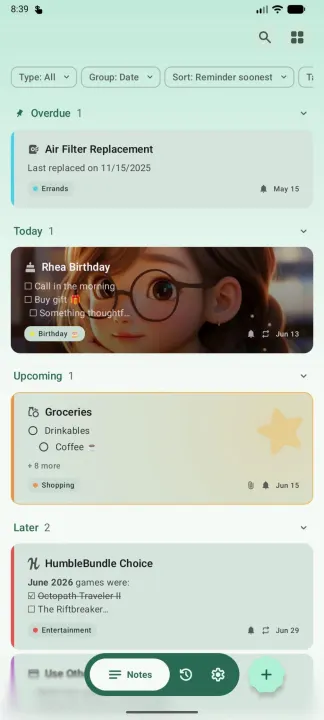
Remember is built around one simple idea: if you dismiss a reminder without finishing the task, it comes back. No important item disappears just because you accidentally swiped away a notification.
Mark the note done, and the reminder is gone for good.
━━ 📌 REMINDERS THAT STICK ━━
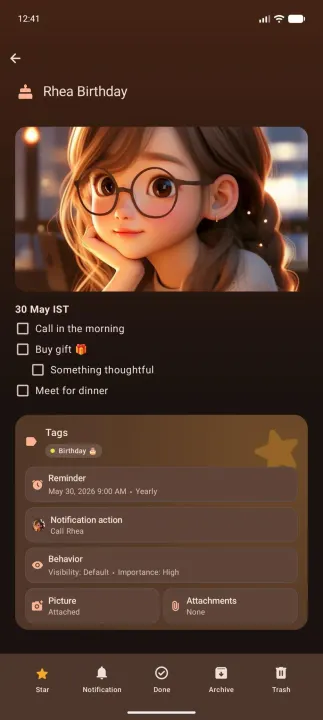
Automatically restore accidentally dismissed reminder notifications until they are actually done. Choose from normal reminders, high-importance reminders with heads-up alerts, critical reminders that ring like an alarm every 15 minutes until done, or a quiet summary notification that keeps overdue and upcoming items pinned in your notification shade.
━━ 🔔 NOTIFICATION ACTIONS ━━
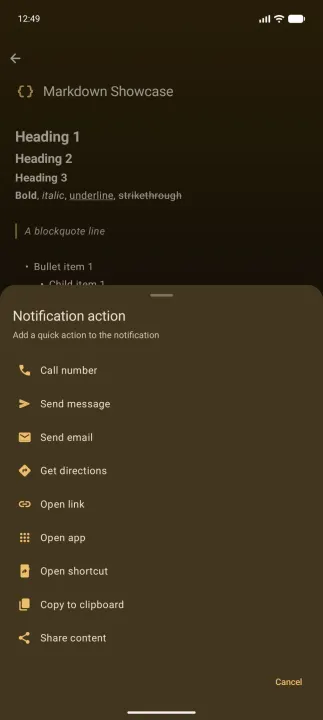
Add useful one-tap actions directly to reminder notifications so you can act without opening the app:
• Call, Message, or Email
• Get Directions
• Open a link, app, or shortcut
• Copy text or Share content
━━ 💤 NATURAL REMINDER PRESETS ━━
Set reminders and snooze with Timing (named times such as soon, later today, this evening etc.) or Duration (lengths of time such as 30 mins, 6 hours etc.). A custom date and time are always available.
━━ 📅 RECURRING SCHEDULES ━━
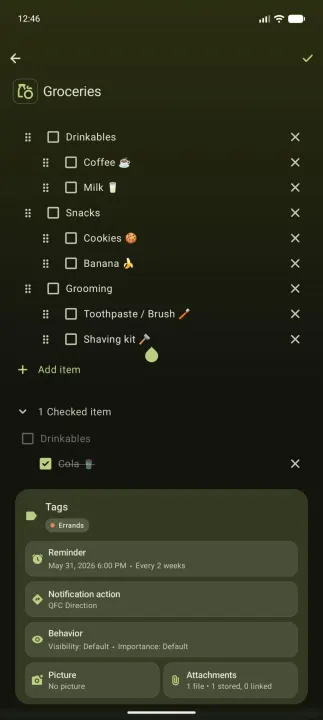
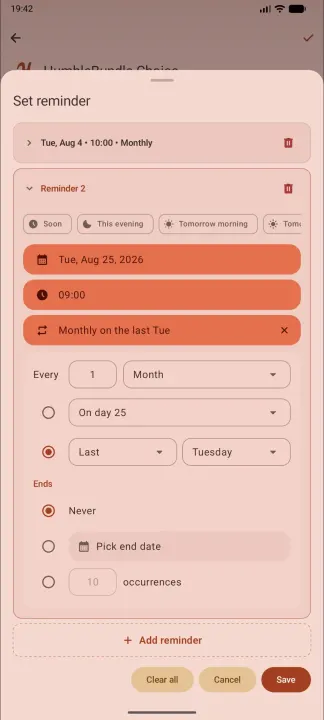
Create hourly, daily, weekly, monthly, or yearly reminders. Remember also supports richer calendar-style patterns like "the last Friday of every month", with optional end dates or occurrence counts.
━━ 📝 MARKDOWN NOTES AND CHECKLISTS ━━
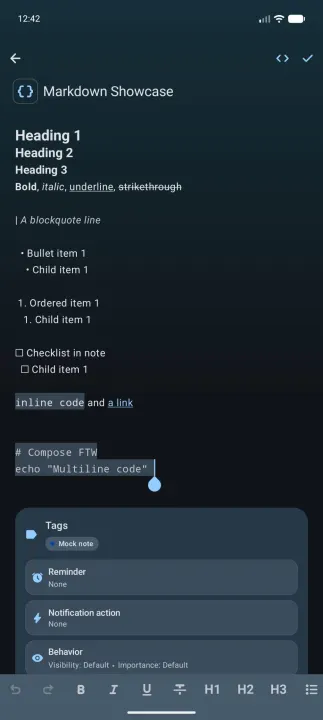
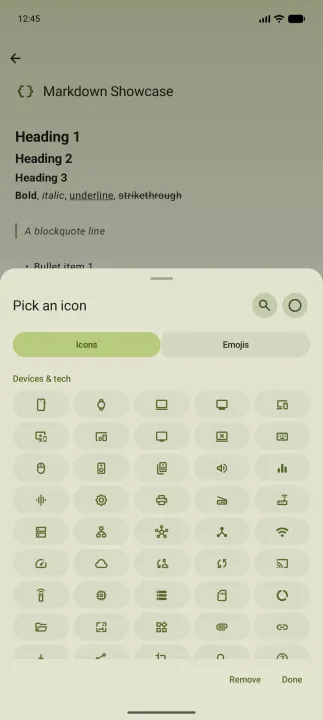
Write rich markdown notes with headings, bold, italics, underline, links, and code blocks. Build nested checklists for groceries, packing lists, project steps, or anything else that benefits from structure.
━━ 🔍 ORGANIZE AND FIND THINGS ━━
Use tags, stars, archive, trash, full-text search, filters, sorting, and bulk actions to keep your notes manageable.
━━ 📱 WIDGETS AND QUICK CAPTURE ━━
Home screen widgets for upcoming reminders, starred/pinned/tagged notes, and quick capture. A persistent notification or the quick setting tiles can keep note creation one tap away at all times.
━━ ☁️ IMPORT FROM GOOGLE TASKS OR TASKS.ORG ━━
Move into Remember from Google Tasks using a connected account or a Google Takeout file. Or bring your data from tasks.org. Import is read-only; Remember does not modify or delete your Google Tasks / Tasks.org data.
━━ 💾 BACKUP AND RESTORE ━━
Export your notes and settings to a backup, optionally including attached media. Restore when moving to a new device, or import a backup to merge notes into your current collection.
━━ 🎨 MAKE IT YOURS ━━
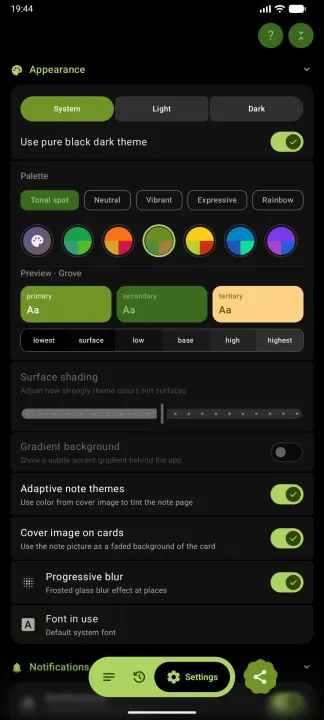
Choose Material You wallpaper colors, hand-tuned color presets, your own custom colors & fonts, palette styles, gradient backgrounds, black OLED mode, cover images, and more. Theming is deep - the app can look and feel very different from any other notes app on your phone.
━━ 🔒 PRIVATE BY DEFAULT ━━
Your notes are stored entirely locally. Zero tracking, analytics, or automated background telemetry. No data leaves your phone without your explicit action (such as optional update checks or manually exporting a backup).
Mark the note done, and the reminder is gone for good.
━━ 📌 REMINDERS THAT STICK ━━
Automatically restore accidentally dismissed reminder notifications until they are actually done. Choose from normal reminders, high-importance reminders with heads-up alerts, critical reminders that ring like an alarm every 15 minutes until done, or a quiet summary notification that keeps overdue and upcoming items pinned in your notification shade.
━━ 🔔 NOTIFICATION ACTIONS ━━
Add useful one-tap actions directly to reminder notifications so you can act without opening the app:
• Call, Message, or Email
• Get Directions
• Open a link, app, or shortcut
• Copy text or Share content
━━ 💤 NATURAL REMINDER PRESETS ━━
Set reminders and snooze with Timing (named times such as soon, later today, this evening etc.) or Duration (lengths of time such as 30 mins, 6 hours etc.). A custom date and time are always available.
━━ 📅 RECURRING SCHEDULES ━━
Create hourly, daily, weekly, monthly, or yearly reminders. Remember also supports richer calendar-style patterns like "the last Friday of every month", with optional end dates or occurrence counts.
━━ 📝 MARKDOWN NOTES AND CHECKLISTS ━━
Write rich markdown notes with headings, bold, italics, underline, links, and code blocks. Build nested checklists for groceries, packing lists, project steps, or anything else that benefits from structure.
━━ 🔍 ORGANIZE AND FIND THINGS ━━
Use tags, stars, archive, trash, full-text search, filters, sorting, and bulk actions to keep your notes manageable.
━━ 📱 WIDGETS AND QUICK CAPTURE ━━
Home screen widgets for upcoming reminders, starred/pinned/tagged notes, and quick capture. A persistent notification or the quick setting tiles can keep note creation one tap away at all times.
━━ ☁️ IMPORT FROM GOOGLE TASKS OR TASKS.ORG ━━
Move into Remember from Google Tasks using a connected account or a Google Takeout file. Or bring your data from tasks.org. Import is read-only; Remember does not modify or delete your Google Tasks / Tasks.org data.
━━ 💾 BACKUP AND RESTORE ━━
Export your notes and settings to a backup, optionally including attached media. Restore when moving to a new device, or import a backup to merge notes into your current collection.
━━ 🎨 MAKE IT YOURS ━━
Choose Material You wallpaper colors, hand-tuned color presets, your own custom colors & fonts, palette styles, gradient backgrounds, black OLED mode, cover images, and more. Theming is deep - the app can look and feel very different from any other notes app on your phone.
━━ 🔒 PRIVATE BY DEFAULT ━━
Your notes are stored entirely locally. Zero tracking, analytics, or automated background telemetry. No data leaves your phone without your explicit action (such as optional update checks or manually exporting a backup).
All versions
| Version | Released | Minimum Android | Size |
|---|---|---|---|
| 1.10.0 | Oct 6, 2026 | Android 12 | 8.4 MB |
| 1.9.2 | Sep 28, 2026 | Android 12 | 8.3 MB |
| 1.8.0 | Sep 21, 2026 | Android 12 | 8.3 MB |
| 1.7.0 | Sep 16, 2026 | Android 12 | 8.3 MB |
| 1.6.0 | Sep 14, 2026 | Android 12 | 8.2 MB |
| 1.5.0 | Sep 7, 2026 | Android 12 | 8.1 MB |
| 1.4.0 | Sep 3, 2026 | Android 12 | 8.1 MB |
| 1.3.2 | Aug 23, 2026 | Android 12 | 8 MB |
| 1.3.1 | Aug 17, 2026 | Android 12 | 8 MB |
| 1.3.0 | Aug 13, 2026 | Android 12 | 8 MB |
| 1.2.4 | Aug 5, 2026 | Android 12 | 8 MB |
| 1.2.3 | Aug 3, 2026 | Android 12 | 8 MB |
| 1.2.2 | Jul 31, 2026 | Android 12 | 8 MB |
| 1.2.1 | Jul 28, 2026 | Android 12 | 8 MB |
| 1.2.0 | Jul 26, 2026 | Android 12 | 8 MB |
| 1.1.9 | Jul 15, 2026 | Android 12 | 7.9 MB |
| 1.1.7 | Jul 10, 2026 | Android 12 | 8.6 MB |
| 1.1.6 | Jul 3, 2026 | Android 12 | 8.6 MB |
How to install an older version of an Android app · How to install an APK file on Android
From the developer (GitHub)
APK files published by the developer on GitHub. They are signed by the developer and may not install over the other builds on this page (different signature). Links open github.com.
v1.10.0
· Oct 4, 2026
remember-v1.10.0-fdroid.apk
8.4 MB remember-v1.10.0-github.apk
8.6 MB remember-v1.10.0-offline.apk
8.3 MB v1.9.2
· Sep 26, 2026
remember-v1.9.2-fdroid.apk
8.3 MB remember-v1.9.2-github.apk
8.6 MB remember-v1.9.2-offline.apk
8.3 MB Similar apps
-
 NoNonsense Notes
A simple notepad and to-do app with an excellent navigation
-
 Butterfly
Take notes, draw freely, and organize ideas across an endless workspace
-
 Linwood Butterfly Nightly
Take notes, draw freely, and organize ideas across an endless workspace
-
 Nextcloud Notes
View and edit notes on Nextcloud
-
 Standard Notes
An end-to-end encrypted note-taking app for digitalists and professionals
-
 OpenTasks
Keep track of your list of goals
- Kolab Notes Write notes and sync them with Kolab
-
 WHPH • Work Hard Play Hard
Unified productivity: tasks, habits, time & app tracking, notes, analytics.