

DrawAnywhere
Floating canvas for drawing, annotating, and highlighting over other apps.
- Developer
- shezik
- License
- AGPL-3.0-or-later
- Package
com.shezik.drawanywhere- Category
- Draw, Science & Education
- Latest version
- 2.3 · Jun 10, 2026
- Minimum Android
- Android 8.0
Screenshots
Description
DrawAnywhere lets you sketch, annotate, and highlight directly on top of any screen — great for video courses, tutorials, and presentations.
Drawing tools
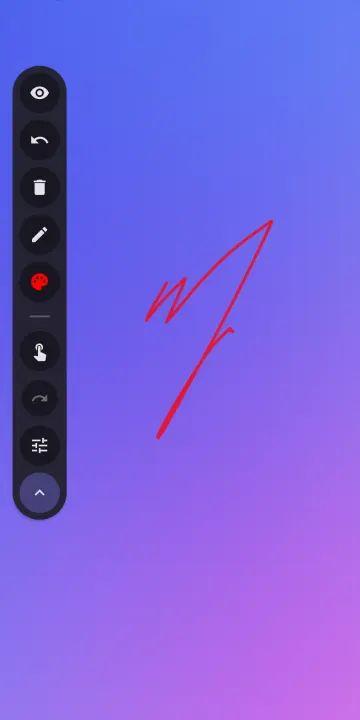
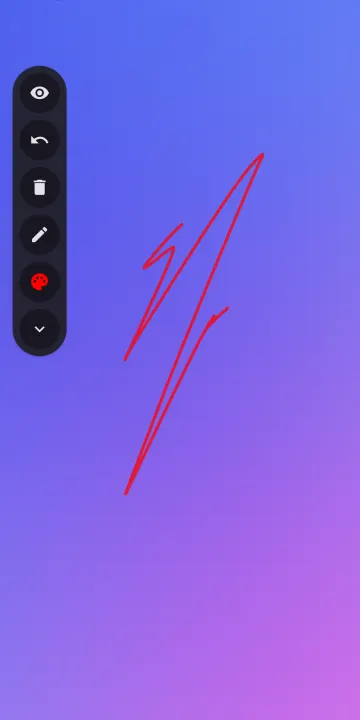
• Freehand pen, rectangle, ellipse, and laser pointer
• Pixel eraser; stroke eraser via stylus button
• 50-step undo/redo
• HSV color wheel, 18 presets, recent colors, hex input
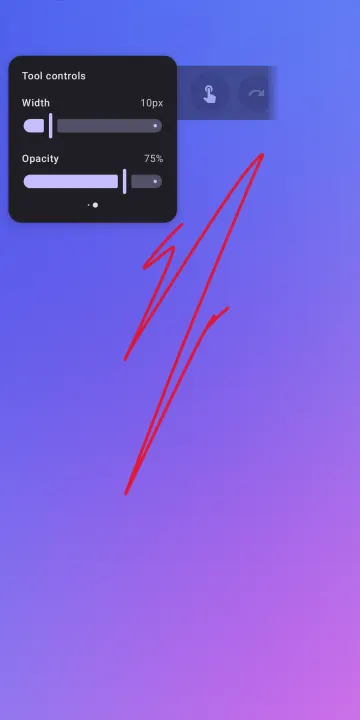
• Stroke width and opacity sliders
Canvas and gestures
• Infinite canvas — pan and pinch-to-zoom freely
• Three-level lock (none, zoom only, all) with HUD indicator
• Two-finger pinch: zoom | double-tap: reset zoom | triple-tap: reset position
• Three-finger double-tap: toggle passthrough | triple-tap: hide canvas
Toolbar
• Horizontal and vertical layout, draggable anywhere via long‑press
• Auto-dims after 3 seconds of inactivity
• Hide canvas or pass touch events through to the app below
• Finger-drawing toggle for stylus-only mode
Convenience
• Quick Settings tile to toggle the service
• Drag the toolbar to the bottom of the screen to close the app
• Second-launch closes the service
• Brush hover preview while drawing
Tips
• Turn on Clear canvas on hide to auto-clear when hiding the canvas (passthrough is also disabled).
• Turn off Open canvas on start to hide the canvas on startup.
Source: https://github.com/DrawAnywhere/DrawAnywhere
Drawing tools
• Freehand pen, rectangle, ellipse, and laser pointer
• Pixel eraser; stroke eraser via stylus button
• 50-step undo/redo
• HSV color wheel, 18 presets, recent colors, hex input
• Stroke width and opacity sliders
Canvas and gestures
• Infinite canvas — pan and pinch-to-zoom freely
• Three-level lock (none, zoom only, all) with HUD indicator
• Two-finger pinch: zoom | double-tap: reset zoom | triple-tap: reset position
• Three-finger double-tap: toggle passthrough | triple-tap: hide canvas
Toolbar
• Horizontal and vertical layout, draggable anywhere via long‑press
• Auto-dims after 3 seconds of inactivity
• Hide canvas or pass touch events through to the app below
• Finger-drawing toggle for stylus-only mode
Convenience
• Quick Settings tile to toggle the service
• Drag the toolbar to the bottom of the screen to close the app
• Second-launch closes the service
• Brush hover preview while drawing
Tips
• Turn on Clear canvas on hide to auto-clear when hiding the canvas (passthrough is also disabled).
• Turn off Open canvas on start to hide the canvas on startup.
Source: https://github.com/DrawAnywhere/DrawAnywhere
All versions
| Version | Released | Minimum Android | Size |
|---|---|---|---|
| 2.3 | Jun 10, 2026 | Android 8.0 | 2.3 MB |
| 2.2 | Jun 9, 2026 | Android 8.0 | 2.3 MB |
| 1.2 | Nov 3, 2025 | Android 8.0 | 2.3 MB |
| 1.1 | Aug 21, 2025 | Android 8.0 | 2.3 MB |
How to install an older version of an Android app · How to install an APK file on Android
From the developer (GitHub)
APK files published by the developer on GitHub. They are signed by the developer and may not install over the other builds on this page (different signature). Links open github.com.
Similar apps
-
 Converter NOW: Unit Converter
A simple, immediate and fast unit converter!
-
 Braincup - Brain Training
Train your focus, memory and math skills.
-
 Butterfly
Take notes, draw freely, and organize ideas across an endless workspace
-
 Linwood Butterfly Nightly
Take notes, draw freely, and organize ideas across an endless workspace
-
 microMathematics Plus
Computer algebra system
-
 GCompris
Multi-Activity Educational game for children 2 to 10
-
 TimeTable
Timetable viewer for VULCAN
-
 Open Note Scanner
Scan documents, handwritten notes or arts