

Wristotle Companion
Voice control for Pebble watches — on-device by default, no account.
- Developer
- Lazy Devs
- License
- AGPL-3.0-only
- Package
com.lazydevs.wristotle- Category
- Phone & SMS, Speech Recognizer, System
- Latest version
- 1.23.0 · Oct 8, 2026
- Minimum Android
- Android 7.0
Screenshots
Description
Wristotle turns your Pebble watch's dictation button into a voice command surface on your phone — calls, texts, reminders, alarms, music control, notes, tasks, meetings, weather, sports, world clock, calculator, a morning brief, and an Ask-Agent path that can hit any MCP server you configure.
Everything runs on-device by default. Optional cloud Whisper / self-hosted speech-to-text endpoint and optional Anthropic or OpenAI-compatible LLM if you want them. Baseline doesn't phone home; no account, no tracking, AGPLv3-licensed.
Works with microPebble and Core Devices (rePebble).
Voice commands (one-liners):
• Calls — "call John"
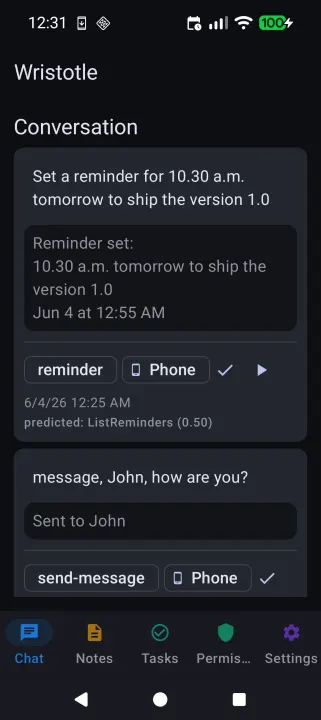
• Messages — "text Sarah I'll be late" / "whatsapp Mom dinner at 7"
• Reminders — "remind me to take meds in 20 minutes" (incl. persistent "nag me" reminders)
• Meetings — "schedule a meeting with Sam tomorrow at 3" / "what's on my calendar"
• Alarms — "set an alarm for 6:30 am" (phone / watch / both)
• Timers — "set a timer for 10 minutes"
• Music — "play Spotify" / "pause" / "next"
• Apps — "open Maps" / "launch Audible"
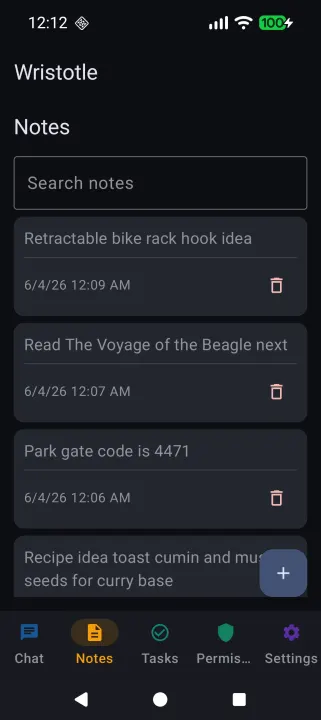
• Notes — "make a note buy milk" (text + audio)
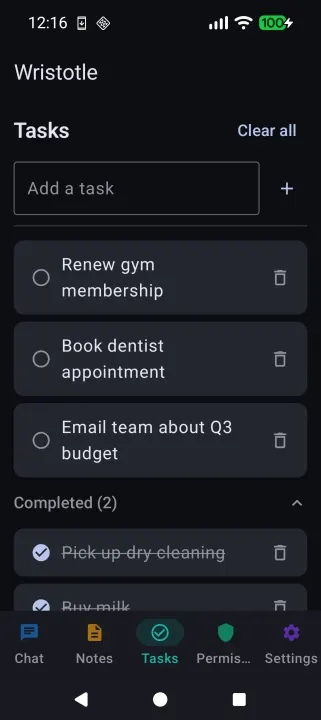
• Tasks — "add task pick up dry cleaning"
• Weather — "weather in Tokyo" / "what's the weather"
• Sports — "when do the Warriors play next" / "did Arsenal win"
• World clock — "what time is it in Berlin"
• Calculator — "what's 15% of 80"
• Morning brief — "what's my morning brief"
• Ask Agent — "ask agent what's on my calendar tomorrow"
• Find phone — "find my phone"
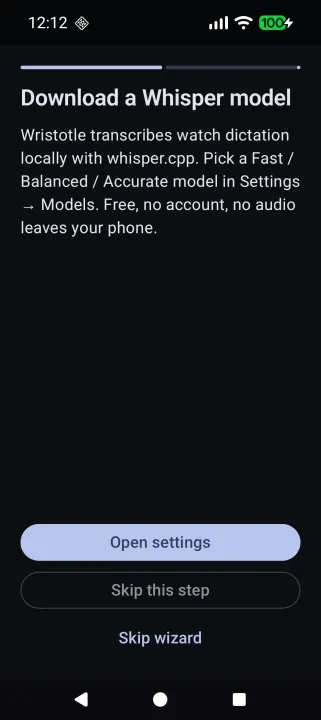
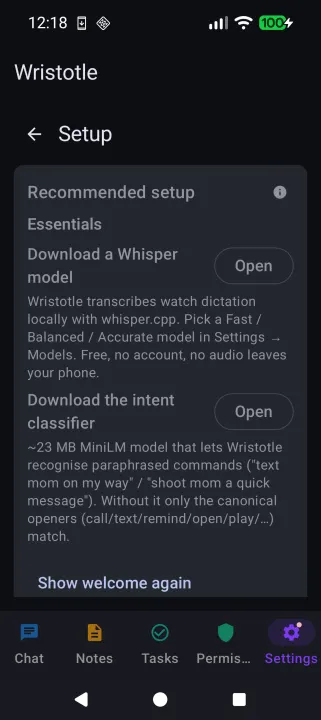
A first-launch welcome wizard walks new users through the optional setup that unlocks the full app — Whisper speech model download, on-device intent classifier model, runtime permissions, installed-app indexing.
Other things worth knowing:
• Watch cards — sports, weather, and meeting replies render as full-screen cards on the watch (colour band shows the action, icon shows the subject); pick which kinds show in settings
• Speak replies on the watch — optional on-device or cloud text-to-speech reads answers aloud on supported watches
• Confirm-before-send for destructive actions (toggle in settings or say "confirm" in your query) previews destination + body before any call / message goes out
• Conversation history with optional audio capture
• Contact aliases — "call dad" stores the mapping so it survives phonebook re-orders
• App aliases — "play tunes" -> Spotify
• Custom Ask-Agent triggers — "Jarvis, what's the weather"
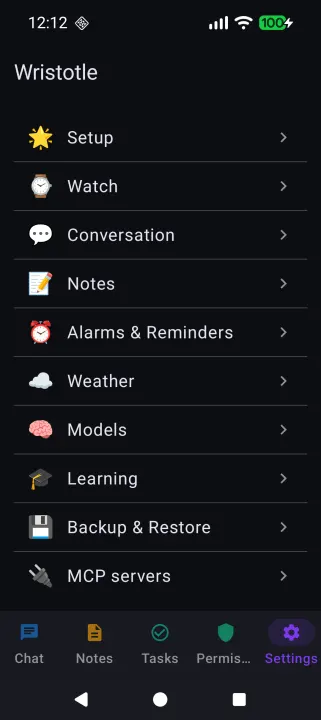
• STT providers — on-device Whisper, OpenAI-compatible HTTP endpoint (Groq, Cloudflare, Speaches, whisper.cpp-server, ...), or composite failover
• Backup & Restore — per-entity JSON ZIP with optional AES-256
• MCP client — Streaming-HTTP-by-default with SSE fallback; the Ask-Agent loop aggregates tools across enabled servers
You'll need the Wristotle watch app on your Pebble too — install it from the Rebble appstore (microPebble) or the Core Devices appstore.
Full feature list, install guide, and troubleshooting at https://wristotle.codeberg.page/
Everything runs on-device by default. Optional cloud Whisper / self-hosted speech-to-text endpoint and optional Anthropic or OpenAI-compatible LLM if you want them. Baseline doesn't phone home; no account, no tracking, AGPLv3-licensed.
Works with microPebble and Core Devices (rePebble).
Voice commands (one-liners):
• Calls — "call John"
• Messages — "text Sarah I'll be late" / "whatsapp Mom dinner at 7"
• Reminders — "remind me to take meds in 20 minutes" (incl. persistent "nag me" reminders)
• Meetings — "schedule a meeting with Sam tomorrow at 3" / "what's on my calendar"
• Alarms — "set an alarm for 6:30 am" (phone / watch / both)
• Timers — "set a timer for 10 minutes"
• Music — "play Spotify" / "pause" / "next"
• Apps — "open Maps" / "launch Audible"
• Notes — "make a note buy milk" (text + audio)
• Tasks — "add task pick up dry cleaning"
• Weather — "weather in Tokyo" / "what's the weather"
• Sports — "when do the Warriors play next" / "did Arsenal win"
• World clock — "what time is it in Berlin"
• Calculator — "what's 15% of 80"
• Morning brief — "what's my morning brief"
• Ask Agent — "ask agent what's on my calendar tomorrow"
• Find phone — "find my phone"
A first-launch welcome wizard walks new users through the optional setup that unlocks the full app — Whisper speech model download, on-device intent classifier model, runtime permissions, installed-app indexing.
Other things worth knowing:
• Watch cards — sports, weather, and meeting replies render as full-screen cards on the watch (colour band shows the action, icon shows the subject); pick which kinds show in settings
• Speak replies on the watch — optional on-device or cloud text-to-speech reads answers aloud on supported watches
• Confirm-before-send for destructive actions (toggle in settings or say "confirm" in your query) previews destination + body before any call / message goes out
• Conversation history with optional audio capture
• Contact aliases — "call dad" stores the mapping so it survives phonebook re-orders
• App aliases — "play tunes" -> Spotify
• Custom Ask-Agent triggers — "Jarvis, what's the weather"
• STT providers — on-device Whisper, OpenAI-compatible HTTP endpoint (Groq, Cloudflare, Speaches, whisper.cpp-server, ...), or composite failover
• Backup & Restore — per-entity JSON ZIP with optional AES-256
• MCP client — Streaming-HTTP-by-default with SSE fallback; the Ask-Agent loop aggregates tools across enabled servers
You'll need the Wristotle watch app on your Pebble too — install it from the Rebble appstore (microPebble) or the Core Devices appstore.
Full feature list, install guide, and troubleshooting at https://wristotle.codeberg.page/
All versions
| Version | Released | Minimum Android | Size |
|---|---|---|---|
| 1.23.0 | Oct 8, 2026 | Android 7.0 | 32.9 MB |
| 1.22.0 | Sep 15, 2026 | Android 7.0 | 32.8 MB |
| 1.21.0 | Sep 14, 2026 | Android 7.0 | 32.8 MB |
| 1.18.0 | Sep 12, 2026 | Android 7.0 | 32.7 MB |
| 1.17.1 | Sep 7, 2026 | Android 7.0 | 32.7 MB |
| 1.17.0 | Aug 27, 2026 | Android 7.0 | 32.7 MB |
| 1.16.2 | Aug 12, 2026 | Android 7.0 | 32.7 MB |
| 1.16.1 | Aug 1, 2026 | Android 7.0 | 32.7 MB |
| 1.16.0 | Jul 26, 2026 | Android 7.0 | 32.7 MB |
How to install an older version of an Android app · How to install an APK file on Android
Similar apps
-
 Screenshot Tile (NoRoot)
Customizable screenshot tool with quick settings shortcut and floating button
-
 Coffee
Keep display awake
-
 Mute reminder
Remind you to mute media
-
 Prepaid Balance
Keep track your prepaid balance
-
 Auto Auto-Rotate
Automatically remembers your auto-rotate setting for every app
-
 Drowser
Simple background app killer
-
 Scrambled Exif
Remove the metadata from your pictures before sharing them
-
 WaveUp
Turn on the display by waving