

Caffeinate
keep your phone's screen On while developing
- Developer
- AbdAlMoniem AlHifnawy
- License
- GPL-3.0-only
- Package
com.hifnawy.caffeinate- Category
- System
- Latest version
- 2.2.0 · Dec 9, 2025
- Minimum Android
- Android 7.0
Screenshots
Description
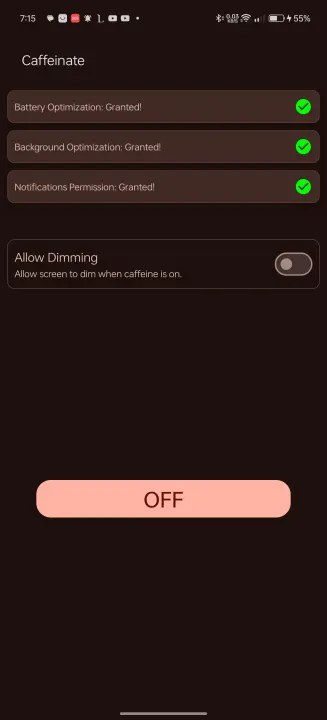
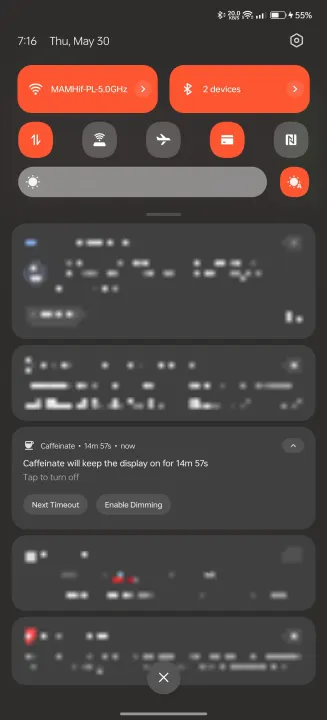
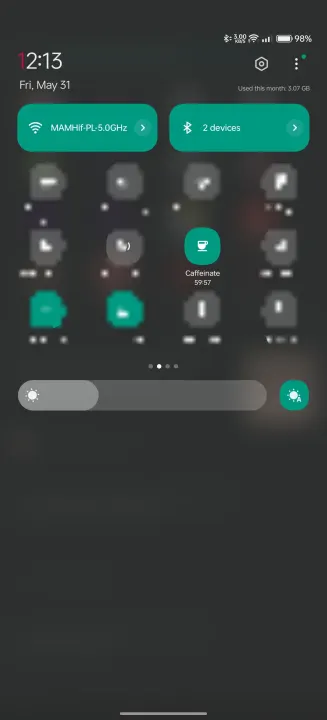
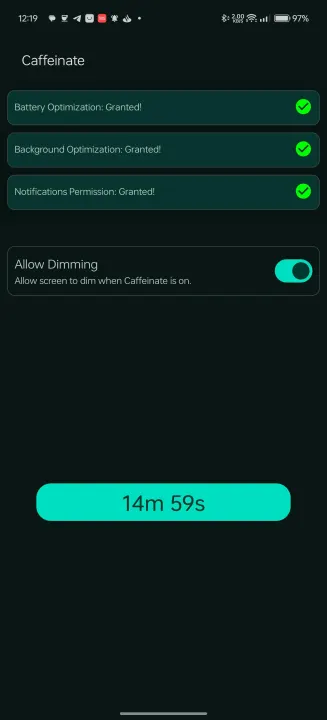
Caffeinate is an App that helps android developers to keep their phone's display awake without having to change the device settings. It can be toggled at various places:
• a tile in the quick settings, the place that holds the toggles for e.g. Wi-Fi and Bluetooth. Requires Android 7 or higher.
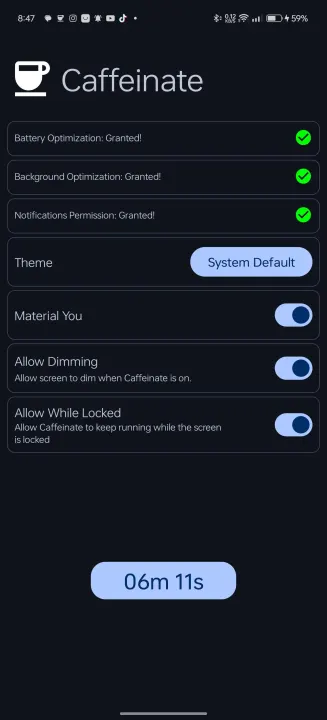
• a button in the app itself
Features
• Uses android's WakeLock Class with either SCREEN_DIM_WAKE_LOCK or SCREEN_BRIGHT_WAKE_LOCK lock level based on user settings
• Timeout period is configurable
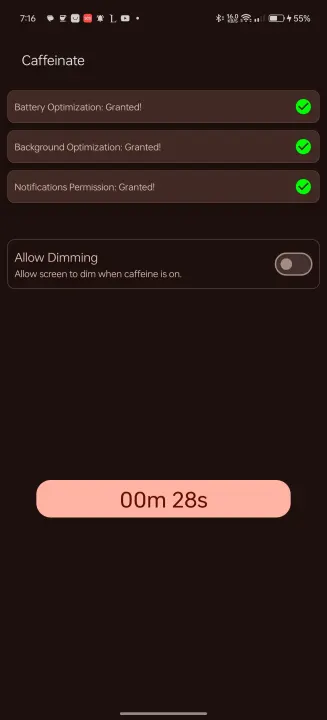
• Switch timeouts from the quick settings tile or the button in the app. clicking them, selects the next timeout and after 1 second the timeout will start, if the quick settings tile or the button are clicked after starting, the timeout will stop.
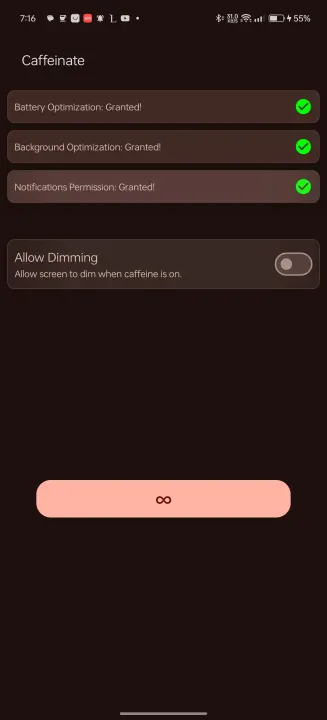
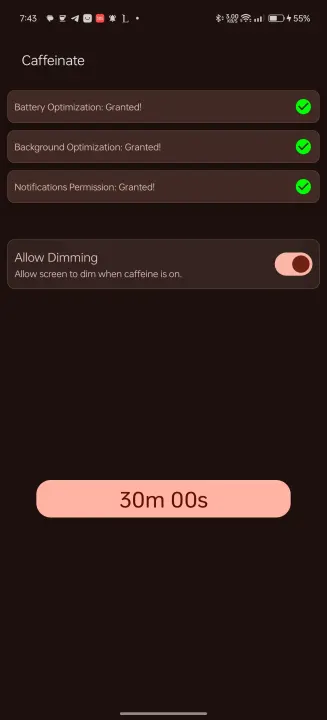
• Available timeouts are [30 seconds, 05 minutes, 10 minutes, 15 minutes, 30 minutes, 60 minutes, Ꝏ]
• An option to enable the screen to dim while the WakeLock is acquired
• An option to enable holding the WakeLock if the screen is locked, so that the screen will keep on after unlocking, default behaviour is that the WakeLock is released when the screen is locked
• Multiple theming options [light, dark, system default and material you]
• a tile in the quick settings, the place that holds the toggles for e.g. Wi-Fi and Bluetooth. Requires Android 7 or higher.
• a button in the app itself
Features
• Uses android's WakeLock Class with either SCREEN_DIM_WAKE_LOCK or SCREEN_BRIGHT_WAKE_LOCK lock level based on user settings
• Timeout period is configurable
• Switch timeouts from the quick settings tile or the button in the app. clicking them, selects the next timeout and after 1 second the timeout will start, if the quick settings tile or the button are clicked after starting, the timeout will stop.
• Available timeouts are [30 seconds, 05 minutes, 10 minutes, 15 minutes, 30 minutes, 60 minutes, Ꝏ]
• An option to enable the screen to dim while the WakeLock is acquired
• An option to enable holding the WakeLock if the screen is locked, so that the screen will keep on after unlocking, default behaviour is that the WakeLock is released when the screen is locked
• Multiple theming options [light, dark, system default and material you]
All versions
| Version | Released | Minimum Android | Size |
|---|---|---|---|
| 2.2.0 | Dec 9, 2025 | Android 7.0 | 2.1 MB |
| 2.1.0 | Dec 29, 2024 | Android 7.0 | 2.1 MB |
| 1.8.0 | Nov 16, 2024 | Android 7.0 | 4.9 MB |
| 1.7.5 | Nov 14, 2024 | Android 7.0 | 4.9 MB |
| 1.7.2 | Nov 12, 2024 | Android 7.0 | 4.9 MB |
| 1.6.7 | Nov 7, 2024 | Android 7.0 | 4.9 MB |
| 1.6.0 | Nov 5, 2024 | Android 7.0 | 4.9 MB |
| 1.4.5 | Jun 15, 2024 | Android 7.0 | 4.7 MB |
| 1.4.0 | Jun 12, 2024 | Android 7.0 | 4.7 MB |
How to install an older version of an Android app · How to install an APK file on Android
From the developer (GitHub)
APK files published by the developer on GitHub. They are signed by the developer and may not install over the other builds on this page (different signature). Links open github.com.
Similar apps
-
 Screenshot Tile (NoRoot)
Customizable screenshot tool with quick settings shortcut and floating button
-
 Coffee
Keep display awake
-
 Mute reminder
Remind you to mute media
-
 Prepaid Balance
Keep track your prepaid balance
-
 Auto Auto-Rotate
Automatically remembers your auto-rotate setting for every app
-
 Drowser
Simple background app killer
-
 Scrambled Exif
Remove the metadata from your pictures before sharing them
-
 WaveUp
Turn on the display by waving