

Defang
Launcher that puts speed bumps between you and the apps engineered against you
- Developer
- Scandiking
- License
- GPL-3.0-only
- Package
com.defang.launcher- Category
- Launcher
- Latest version
- 0.1.24 · Oct 31, 2026
- Minimum Android
- Android 8.0
Screenshots
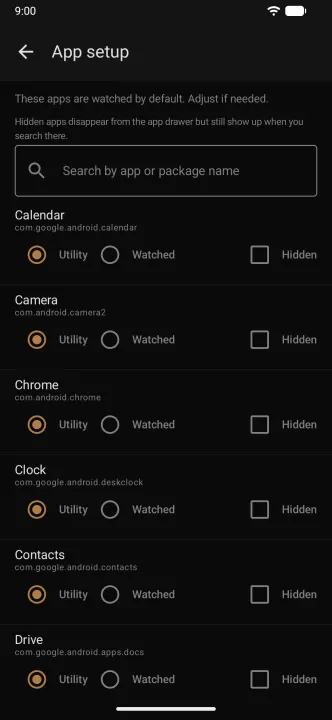
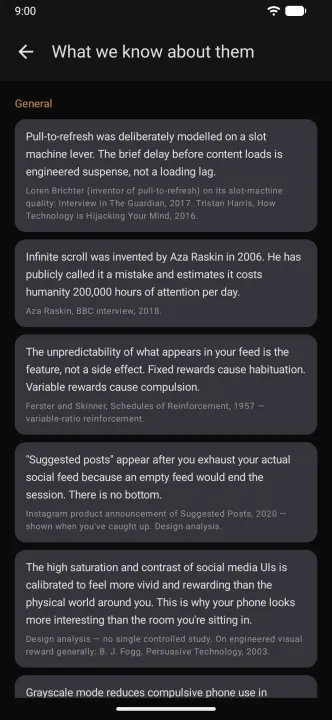
Description
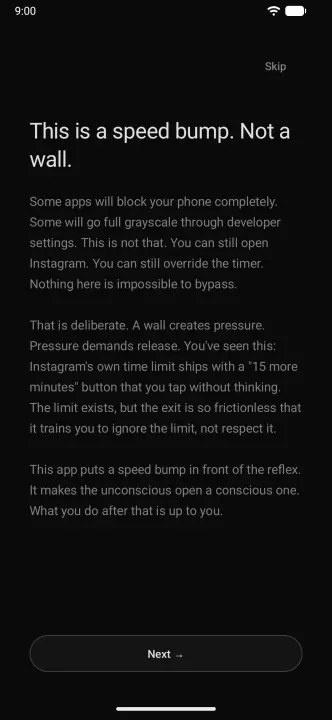
Defang is an Android launcher with an anti-dark-pattern friction layer. It is a speed bump, not a wall: you can still open Instagram, you can still override the timer. Nothing here is impossible to bypass — that is deliberate. A wall breeds circumvention; a speed bump breeds pause.
What it does:
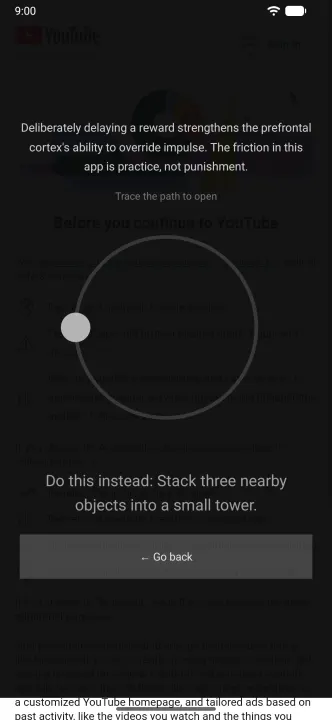
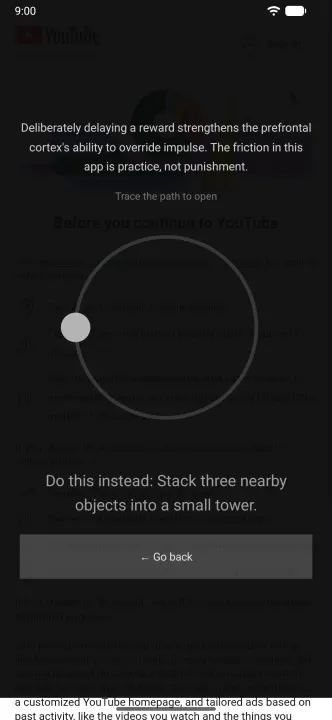
• Intent gate — tapping a watched app shows a full-screen pause with a countdown before "Open anyway" activates. Declare what you came for, or go back.
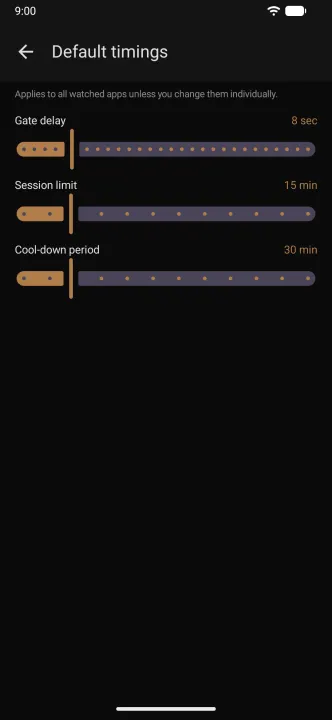
• Session timer — a small overlay counts down your own preset limit. At zero, the end card appears. Extending costs friction: a 30-second wait, a written reason, and it works once per day. No "15 more minutes" button to tap into oblivion.
• Cool-down — after a session ends, reopening is locked for a period you chose in advance.
• Per-app grayscale — watched apps render colorless while your camera, maps, and photos keep their colors.
• Notification batching — pings from watched apps arrive as a muted summary at times you pick, not when an engagement model predicts you're vulnerable. Real contacts always come through.
• Awareness tidbits — short, specific, sourced facts about the machinery: variable reward schedules, notification timing optimization, what the algorithm selects for. They did this to you; the least you can do is know how.
• Offline prompts — when a session ends, a small physical suggestion. "Tidy the coffee table" is not a joke; it's a completable task with honest dopamine.
• Usage report — weekly time per app, per day, and how often "just checking a DM" became a 20-minute scroll. Evidence, not guilt.
Utility apps — camera, calculator, phone, maps — open instantly, always. The launcher never gets in the way of your life; it gets in the way of the loop.
No telemetry. All data stays on the device. English and Norwegian.
Requires the accessibility service (foreground app detection), notification access (batching), and display-over-apps permission (overlays). Per-app grayscale needs a one-time adb grant of WRITE_SECURE_SETTINGS — the app works without it, minus that feature.
What it does:
• Intent gate — tapping a watched app shows a full-screen pause with a countdown before "Open anyway" activates. Declare what you came for, or go back.
• Session timer — a small overlay counts down your own preset limit. At zero, the end card appears. Extending costs friction: a 30-second wait, a written reason, and it works once per day. No "15 more minutes" button to tap into oblivion.
• Cool-down — after a session ends, reopening is locked for a period you chose in advance.
• Per-app grayscale — watched apps render colorless while your camera, maps, and photos keep their colors.
• Notification batching — pings from watched apps arrive as a muted summary at times you pick, not when an engagement model predicts you're vulnerable. Real contacts always come through.
• Awareness tidbits — short, specific, sourced facts about the machinery: variable reward schedules, notification timing optimization, what the algorithm selects for. They did this to you; the least you can do is know how.
• Offline prompts — when a session ends, a small physical suggestion. "Tidy the coffee table" is not a joke; it's a completable task with honest dopamine.
• Usage report — weekly time per app, per day, and how often "just checking a DM" became a 20-minute scroll. Evidence, not guilt.
Utility apps — camera, calculator, phone, maps — open instantly, always. The launcher never gets in the way of your life; it gets in the way of the loop.
No telemetry. All data stays on the device. English and Norwegian.
Requires the accessibility service (foreground app detection), notification access (batching), and display-over-apps permission (overlays). Per-app grayscale needs a one-time adb grant of WRITE_SECURE_SETTINGS — the app works without it, minus that feature.
All versions
| Version | Released | Minimum Android | Size |
|---|---|---|---|
| 0.1.24 | Oct 31, 2026 | Android 8.0 | 1.9 MB |
| 0.1.23 | Oct 27, 2026 | Android 8.0 | 1.9 MB |
| 0.1.22 | Oct 15, 2026 | Android 8.0 | 1.8 MB |
| 0.1.21 | Oct 12, 2026 | Android 8.0 | 1.8 MB |
| 0.1.20 | Sep 29, 2026 | Android 8.0 | 1.8 MB |
| 0.1.19 | Sep 22, 2026 | Android 8.0 | 2.3 MB |
| 0.1.17 | Aug 26, 2026 | Android 8.0 | 2.3 MB |
| 0.1.15 | Aug 21, 2026 | Android 8.0 | 2.2 MB |
| 0.1.14 | Aug 11, 2026 | Android 8.0 | 2.2 MB |
| 0.1.11 | Aug 1, 2026 | Android 8.0 | 2.2 MB |
| 0.1.10 | Jul 31, 2026 | Android 8.0 | 2 MB |
| 0.1.7 | Jul 29, 2026 | Android 8.0 | 2 MB |
| 0.1.5 | Jul 19, 2026 | Android 8.0 | 1.9 MB |
| 0.1.4 | Jul 18, 2026 | Android 8.0 | 1.9 MB |
How to install an older version of an Android app · How to install an APK file on Android
From the developer (GitHub)
APK files published by the developer on GitHub. They are signed by the developer and may not install over the other builds on this page (different signature). Links open github.com.
Similar apps
-
 KISS Launcher
Blazingly fast launcher focused on search
-
 Olauncher
Minimal launcher app with daily new wallpaper
- Taskbar Use a start menu to access apps
-
 Activity Launcher
Create shortcuts for apps and activities
-
 Discreet Launcher
Enjoy a clean home screen while accessing everything in an instant
-
 MX3 Launcher
Minimal launcher screen for Google TV
-
 G2L
Gesture Launcher
-
 PaperLaunch: Side launcher
Side launcher in material design that launches apps with one gesture