

Vault Explorer
Encrypted container explorer: VeraCrypt, LUKS, BitLocker, Cryptomator, gocryptfs
- Developer
- R0b0To
- License
- GPL-3.0-or-later
- Package
com.aeidolon.vaultexplorer- Category
- File Encryption & Vault
- Latest version
- 1.39.0 · Nov 4, 2026
- Minimum Android
- Android 8.0
Screenshots
Description
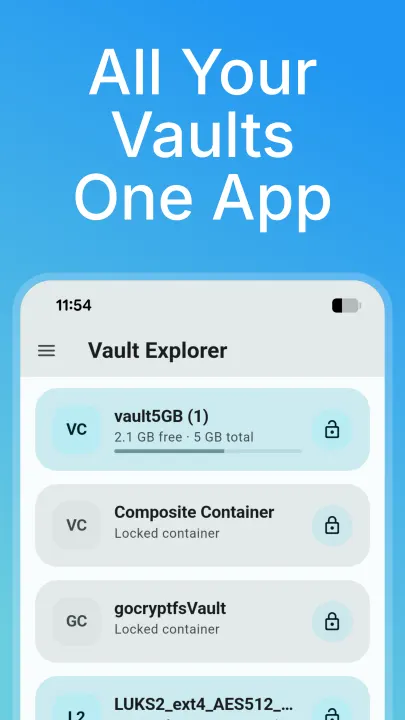
Vault Explorer opens and browses encrypted containers and vaults directly
on your device -- VeraCrypt/TrueCrypt, LUKS, BitLocker, Cryptomator,
gocryptfs, and CryFS, plus VHD/VHDX images -- without exporting your
files unencrypted to shared storage.
Features:
• Read/write NTFS, FAT/exFAT, and ext2/3/4 filesystems inside a container
• VeraCrypt/LUKS/BitLocker unlock, including cascaded ciphers and hidden volumes
• Cryptomator, gocryptfs, and CryFS directory-vault support
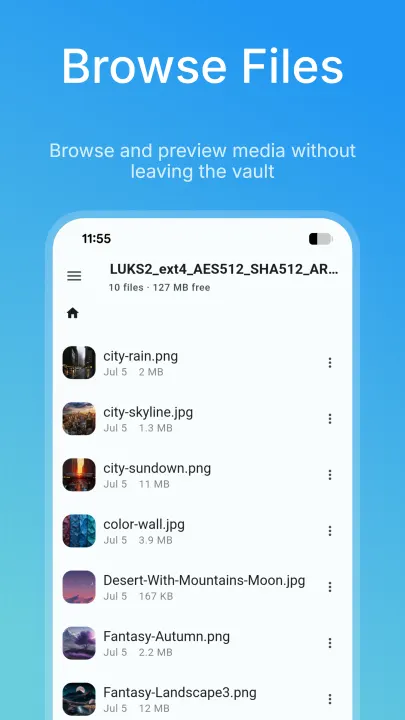
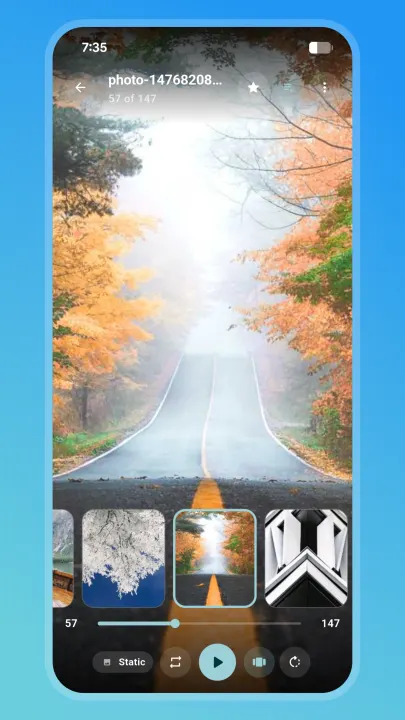
• Built-in viewers and editors for photos, video/audio, PDF, HTML, Markdown, and text/code, plus an image editor and archive browser (ZIP, 7-Zip, RAR, TAR and more)
• Vault camera -- shoot photos and video straight into a container, with background recording and a Quick Settings tile/shortcut
• Item Vault -- an encrypted password manager built into your container
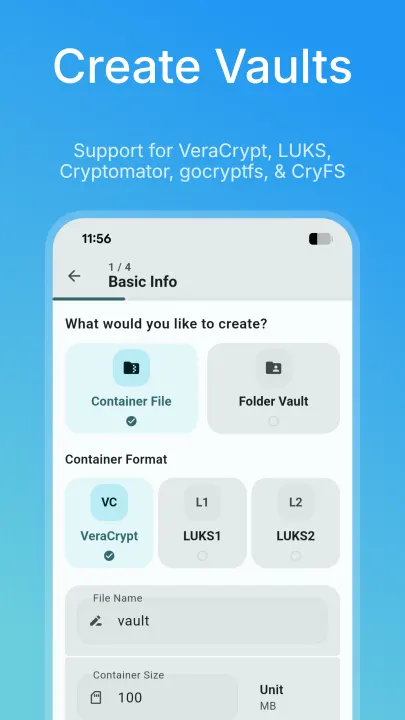
• Create new encrypted containers and USB volumes, up to 8 mounted at once
• Password, PIN, pattern, or biometric unlock
• Storage locations for device storage, SD cards, and cloud document providers, plus auto-sync between a vault and a folder
• Emergency panic and duress unlock -- lock vaults, wipe credentials, or wipe the app's own data
• Mask Mode -- optionally disguise the app as a real, working local file manager on the home screen; hold the title for 2 seconds to reach your real vault
• Optional local automation for Tasker/MacroDroid (Beta) -- no network involved
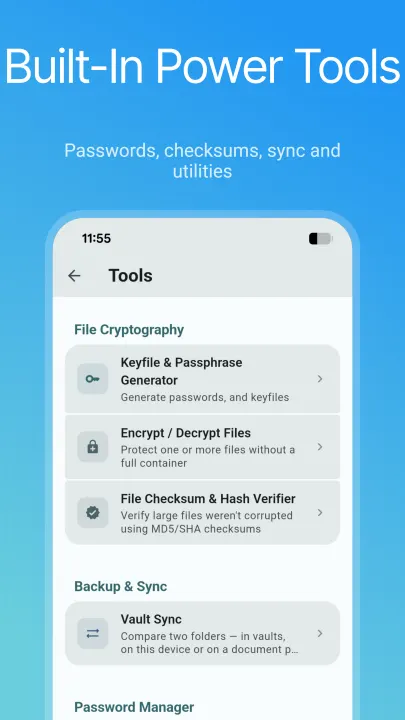
• Tools: keyfile/passphrase generator, file encryptor, hash verifier, vault sync, storage analyzer, duplicate finder, split & join, header backup, and container repair
Vault Explorer does not collect or transmit any data -- it has no INTERNET
permission at all. All decryption happens locally on your device, in
memory wherever possible. The few operations that need a scratch file keep it
in private app storage and wipe it afterwards. Files only leave a vault when
you (or an automation you enabled) export, share, or sync them.
Mask Mode only changes the app's home-screen name, icon, and front screen for
situations where someone else may pick up your device. The disguised file
manager is a genuine, working browser for your device's own storage, not a
way to hide activity from other people.
on your device -- VeraCrypt/TrueCrypt, LUKS, BitLocker, Cryptomator,
gocryptfs, and CryFS, plus VHD/VHDX images -- without exporting your
files unencrypted to shared storage.
Features:
• Read/write NTFS, FAT/exFAT, and ext2/3/4 filesystems inside a container
• VeraCrypt/LUKS/BitLocker unlock, including cascaded ciphers and hidden volumes
• Cryptomator, gocryptfs, and CryFS directory-vault support
• Built-in viewers and editors for photos, video/audio, PDF, HTML, Markdown, and text/code, plus an image editor and archive browser (ZIP, 7-Zip, RAR, TAR and more)
• Vault camera -- shoot photos and video straight into a container, with background recording and a Quick Settings tile/shortcut
• Item Vault -- an encrypted password manager built into your container
• Create new encrypted containers and USB volumes, up to 8 mounted at once
• Password, PIN, pattern, or biometric unlock
• Storage locations for device storage, SD cards, and cloud document providers, plus auto-sync between a vault and a folder
• Emergency panic and duress unlock -- lock vaults, wipe credentials, or wipe the app's own data
• Mask Mode -- optionally disguise the app as a real, working local file manager on the home screen; hold the title for 2 seconds to reach your real vault
• Optional local automation for Tasker/MacroDroid (Beta) -- no network involved
• Tools: keyfile/passphrase generator, file encryptor, hash verifier, vault sync, storage analyzer, duplicate finder, split & join, header backup, and container repair
Vault Explorer does not collect or transmit any data -- it has no INTERNET
permission at all. All decryption happens locally on your device, in
memory wherever possible. The few operations that need a scratch file keep it
in private app storage and wipe it afterwards. Files only leave a vault when
you (or an automation you enabled) export, share, or sync them.
Mask Mode only changes the app's home-screen name, icon, and front screen for
situations where someone else may pick up your device. The disguised file
manager is a genuine, working browser for your device's own storage, not a
way to hide activity from other people.
All versions
| Version | Released | Minimum Android | Size |
|---|---|---|---|
| 1.39.0 (3 builds) | Nov 4, 2026 | Android 8.0 | 26.3 MB |
| 1.38.0 (3 builds) | Oct 31, 2026 | Android 8.0 | 26.1 MB |
| 1.37.2 (3 builds) | Oct 27, 2026 | Android 8.0 | 25.9 MB |
| 1.35.0 (3 builds) | Oct 25, 2026 | Android 8.0 | 25.8 MB |
| 1.34.0 (3 builds) | Oct 22, 2026 | Android 8.0 | 25.6 MB |
| 1.33.0 (3 builds) | Oct 16, 2026 | Android 8.0 | 25.4 MB |
| 1.32.0 (3 builds) | Oct 14, 2026 | Android 8.0 | 25.2 MB |
| 1.31.0 (3 builds) | Oct 12, 2026 | Android 8.0 | 24.8 MB |
| 1.30.4 (3 builds) | Oct 8, 2026 | Android 8.0 | 21.1 MB |
| 1.30.2 (3 builds) | Oct 6, 2026 | Android 8.0 | 21.1 MB |
| 1.30.1 (3 builds) | Oct 5, 2026 | Android 8.0 | 21 MB |
| 1.30.0 (3 builds) | Oct 4, 2026 | Android 8.0 | 21 MB |
| 1.29.2 (3 builds) | Oct 3, 2026 | Android 8.0 | 21 MB |
| 1.29.0 (3 builds) | Oct 2, 2026 | Android 8.0 | 21 MB |
| 1.26.0 (3 builds) | Oct 1, 2026 | Android 8.0 | 20.8 MB |
| 1.25.0 (3 builds) | Sep 27, 2026 | Android 8.0 | 19.1 MB |
| 1.24.1 (3 builds) | Sep 26, 2026 | Android 8.0 | 19.1 MB |
| 1.23.0 (3 builds) | Sep 23, 2026 | Android 8.0 | 18.8 MB |
| 1.22.0 (3 builds) | Sep 22, 2026 | Android 8.0 | 18.8 MB |
| 1.21.0 (2 builds) | Sep 21, 2026 | Android 8.0 | 18.6 MB |
| 1.20.0 (3 builds) | Sep 20, 2026 | Android 8.0 | 18.6 MB |
| 1.19.0 (3 builds) | Sep 18, 2026 | Android 8.0 | 18.5 MB |
| 1.18.0 (3 builds) | Sep 16, 2026 | Android 8.0 | 18.4 MB |
| 1.17.0 (3 builds) | Sep 15, 2026 | Android 8.0 | 18.3 MB |
| 1.16.0 (3 builds) | Sep 14, 2026 | Android 8.0 | 18.2 MB |
| 1.15.0 (3 builds) | Sep 11, 2026 | Android 8.0 | 18.1 MB |
| 1.14.0 (3 builds) | Sep 7, 2026 | Android 8.0 | 18.1 MB |
| 1.13.1 (3 builds) | Aug 31, 2026 | Android 8.0 | 17.2 MB |
| 1.13.0 (3 builds) | Aug 30, 2026 | Android 8.0 | 16.9 MB |
| 1.12.0 (3 builds) | Aug 29, 2026 | Android 8.0 | 16.5 MB |
| 1.11.1 (3 builds) | Aug 27, 2026 | Android 8.0 | 16.5 MB |
| 1.10.0 (3 builds) | Aug 27, 2026 | Android 8.0 | 16.5 MB |
| 1.9.1 (3 builds) | Aug 26, 2026 | Android 8.0 | 16.3 MB |
| 1.8.0 (3 builds) | Aug 23, 2026 | Android 8.0 | 16.2 MB |
| 1.7.1 (3 builds) | Aug 21, 2026 | Android 8.0 | 16.1 MB |
| 1.4.0 (3 builds) | Aug 17, 2026 | Android 8.0 | 16.3 MB |
| 1.3.0 (3 builds) | Aug 16, 2026 | Android 8.0 | 16.3 MB |
How to install an older version of an Android app · How to install an APK file on Android
From the developer (GitHub)
APK files published by the developer on GitHub. They are signed by the developer and may not install over the other builds on this page (different signature). Links open github.com.
v1.40.0
· Nov 2, 2026
VaultExplorer-v1.40.0-arm64.apk
26.4 MB VaultExplorer-v1.40.0-armeabi.apk
26.1 MB VaultExplorer-v1.40.0-x64.apk
27.7 MB debug-latest
Pre-release · Nov 2, 2026
VaultExplorer-v1.39.0-debug-arm64.apk
86.5 MB VaultExplorer-v1.39.0-debug-armeabi.apk
80.5 MB VaultExplorer-v1.39.0-debug-x64.apk
84.1 MB v1.39.0
· Oct 31, 2026
VaultExplorer-v1.39.0-arm64.apk
26.3 MB VaultExplorer-v1.39.0-armeabi.apk
26.1 MB VaultExplorer-v1.39.0-x64.apk
27.6 MB Similar apps
-
 KeePassDX Passkey Vault
Manage Passkey / Password in a local and open-source vault
-
 Amarok
Hide your private Files and APPs with a single click.
-
 Note Crypt Pro
Keep your notes safe and secure
-
 DroidFS
Store & access your files securely
-
 Valv
An encrypted gallery vault for Android devices
-
 Anemo
A private local storage utility application for android.
-
 Cryptomator
Put a lock on your cloud: Take the security of your data into your own hands
-
 Image Toolbox
Edit, create & convert images with powerful AI — your all-in-one studio