

Gardine
A minimalistic one-touch app switcher
- License
- GPL-3.0-only
- Package
by.yauhenl.gardine- Category
- System
- Latest version
- 0.4 · Oct 2, 2020
- Minimum Android
- Android 5.0
Screenshots
Description
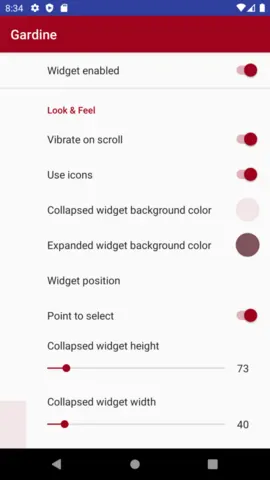
It is a floating widget on a upper right cornet of a screen.
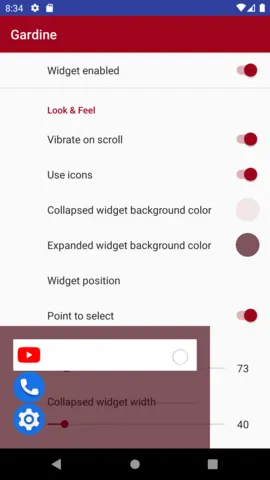
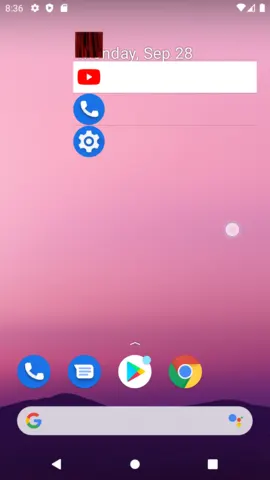
You swipe it left, but don't release a finger, and a list of recent apps will appear.
The most recent app is always on the top of a stack.
Then moving finger up or down you highlight a desired app you want to bring back to a foreground.
By releasing a finger a selected app will be restored.
On the first run Gardine will request an "Accessibility service" permission in order to track switch between applications and a permission to display as a floating widget above all other windows.
You swipe it left, but don't release a finger, and a list of recent apps will appear.
The most recent app is always on the top of a stack.
Then moving finger up or down you highlight a desired app you want to bring back to a foreground.
By releasing a finger a selected app will be restored.
On the first run Gardine will request an "Accessibility service" permission in order to track switch between applications and a permission to display as a floating widget above all other windows.
All versions
| Version | Released | Minimum Android | Size |
|---|---|---|---|
| 0.4 | Oct 2, 2020 | Android 5.0 | 2.5 MB |
| 0.3 | Sep 30, 2020 | Android 5.0 | 2.5 MB |
| 0.2 | Sep 24, 2020 | Android 5.0 | 2.5 MB |
| 0.1 | Aug 31, 2020 | Android 5.0 | 1.3 MB |
How to install an older version of an Android app · How to install an APK file on Android
Similar apps
-
 Screenshot Tile (NoRoot)
Customizable screenshot tool with quick settings shortcut and floating button
-
 Coffee
Keep display awake
-
 Mute reminder
Remind you to mute media
-
 Prepaid Balance
Keep track your prepaid balance
-
 Auto Auto-Rotate
Automatically remembers your auto-rotate setting for every app
-
 Drowser
Simple background app killer
-
 Scrambled Exif
Remove the metadata from your pictures before sharing them
-
 WaveUp
Turn on the display by waving