

MoasdaWiki
Privacy-Friendly Knowledge Management App
- Developer
- Herbert Reiter
- License
- GPL-3.0-only
- Package
net.moasdawiki.app- Category
- Writing
- Latest version
- 3.9.7.3 · Sep 3, 2026
- Minimum Android
- Android 13
Screenshots
Description
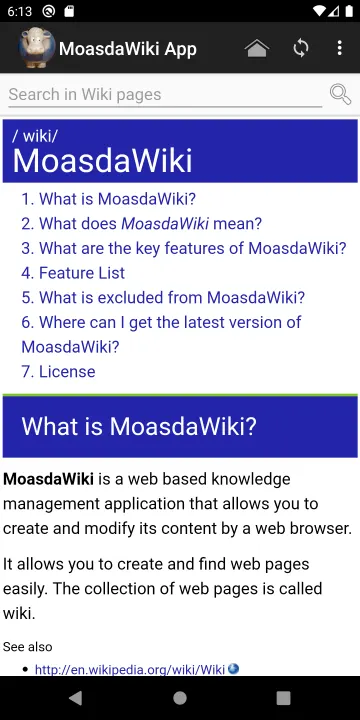
MoasdaWiki App is a privacy-friendly frontend for the MoasdaWiki Server
knowledge management tool. It mirrors the Wiki content on your mobile device.
Features:
• Synchronizes the content from your MoasdaWiki Server instance.
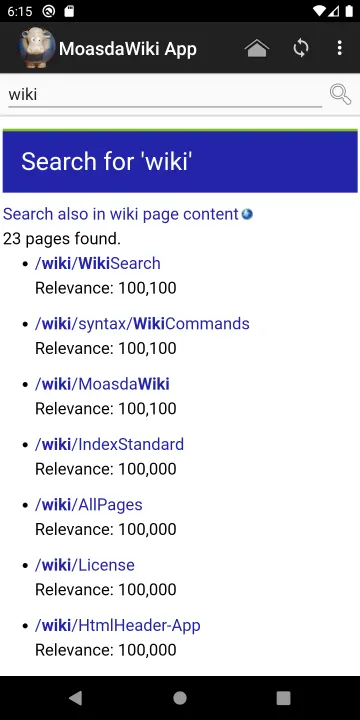
• Fast full text search.
• Calendar integration: Shows birthdays and events in the mobile calendar.
• Data privacy by design: Directly connects to your server instance in your private network. No trackers, never establishes a cloud connection.
Synchronize content with a MoasdaWiki Server:
1. Download MoasdaWiki Server from https://moasdawiki.net/.
2. Set up a MoasdaWiki Server instance in your LAN.
3. Enable LAN access to the server: Edit the repository file config.txt and change the setting authentication.onlylocalhost = false. Restart the server afterwards.
4. Install the MoasdaWiki App.
5. In the app you can see a hint that it has to be configured first. Press on that hint.
6. Press on "Host name" and enter the host name or IP address of the server instance, e.g. 192.168.1.101. Press OK.
7. In the status section below you should see "Needs authorization at server". Otherwise check host name and port again.
8. On server side open the Wiki page in a browser, click on "Help" and "Synchronization".
9. You can see a list of devices and synchronization sessions. Check the device name and click on "Grant".
10. Back in the app press the back button on the upper left corner to get back to the main dialog. Now you can see a hint that the app has to be synchronized. Press on that hint.
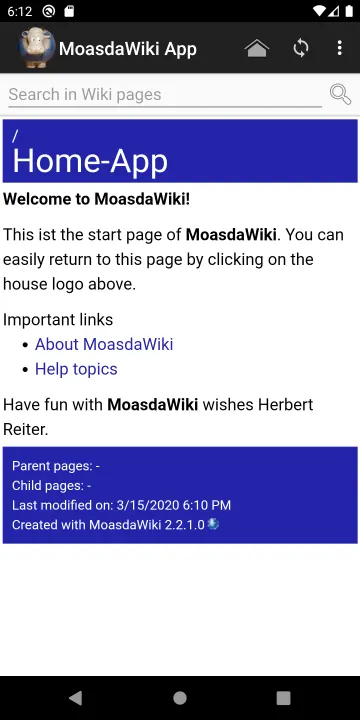
11. Now you should have all the server content also in the app and you can see the "Home-App" wiki page.
Hint: Content cannot be modified within the app as it is no fun to type Wiki syntax on the mobile device, changes have to be done via the MoasdaWiki Server.
knowledge management tool. It mirrors the Wiki content on your mobile device.
Features:
• Synchronizes the content from your MoasdaWiki Server instance.
• Fast full text search.
• Calendar integration: Shows birthdays and events in the mobile calendar.
• Data privacy by design: Directly connects to your server instance in your private network. No trackers, never establishes a cloud connection.
Synchronize content with a MoasdaWiki Server:
1. Download MoasdaWiki Server from https://moasdawiki.net/.
2. Set up a MoasdaWiki Server instance in your LAN.
3. Enable LAN access to the server: Edit the repository file config.txt and change the setting authentication.onlylocalhost = false. Restart the server afterwards.
4. Install the MoasdaWiki App.
5. In the app you can see a hint that it has to be configured first. Press on that hint.
6. Press on "Host name" and enter the host name or IP address of the server instance, e.g. 192.168.1.101. Press OK.
7. In the status section below you should see "Needs authorization at server". Otherwise check host name and port again.
8. On server side open the Wiki page in a browser, click on "Help" and "Synchronization".
9. You can see a list of devices and synchronization sessions. Check the device name and click on "Grant".
10. Back in the app press the back button on the upper left corner to get back to the main dialog. Now you can see a hint that the app has to be synchronized. Press on that hint.
11. Now you should have all the server content also in the app and you can see the "Home-App" wiki page.
Hint: Content cannot be modified within the app as it is no fun to type Wiki syntax on the mobile device, changes have to be done via the MoasdaWiki Server.
All versions
| Version | Released | Minimum Android | Size |
|---|---|---|---|
| 3.9.7.3 | Sep 3, 2026 | Android 13 | 9.1 MB |
| 3.9.7.1 | Aug 3, 2026 | Android 13 | 8.4 MB |
| 3.9.7.0 | Jan 3, 2026 | Android 13 | 7.3 MB |
| 3.9.5.1 | Sep 3, 2025 | Android 13 | 7.2 MB |
| 3.9.5.0 | Jul 11, 2025 | Android 9 | 6.8 MB |
| 3.9.3.0 | Jan 10, 2025 | Android 9 | 6.8 MB |
| 3.9.1.1 | Nov 7, 2024 | Android 9 | 6.8 MB |
| 3.9.1.0 | Oct 7, 2024 | Android 9 | 6.8 MB |
| 3.7.1.1 | May 17, 2024 | Android 9 | 6.8 MB |
| 3.7.1.0 | Jan 3, 2024 | Android 9 | 6.8 MB |
| 3.6.3.1 | Nov 19, 2023 | Android 9 | 6.8 MB |
| 3.6.3.0 | Nov 17, 2023 | Android 9 | 6.8 MB |
| 3.6.2.1 | Aug 14, 2023 | Android 9 | 6.8 MB |
| 3.6.1.0 | May 5, 2023 | Android 9 | 3.4 MB |
| 3.6.0.0 | Jan 5, 2023 | Android 9 | 3.5 MB |
| 3.5.1.0 | Jan 1, 2023 | Android 9 | 3.5 MB |
| 3.5.0.1 | Oct 17, 2022 | Android 9 | 3.5 MB |
| 3.5.0.0 | Oct 13, 2022 | Android 9 | 3.5 MB |
| 3.4.4.0 | Apr 17, 2022 | Android 9 | 3.5 MB |
| 3.2.1.0 | Jan 2, 2022 | Android 9 | 3.5 MB |
| 2.6.1.0 | Jun 14, 2021 | Android 8.0 | 1.7 MB |
| 2.6.0.0 | May 17, 2021 | Android 8.0 | 1.7 MB |
| 2.5.2.1 | May 15, 2021 | Android 8.0 | 1.7 MB |
| 2.5.2.0 | Mar 3, 2021 | Android 8.0 | 1.7 MB |
| 2.5.1.0 | Feb 3, 2021 | Android 8.0 | 1.7 MB |
| 2.4.4.0 | Jan 29, 2021 | Android 8.0 | 1.7 MB |
| 2.4.3.0 | Jan 7, 2021 | Android 8.0 | 1.7 MB |
| 2.4.2.0 | Jan 1, 2021 | Android 8.0 | 1.7 MB |
| 2.3.3.0 | Oct 13, 2020 | Android 8.0 | 1.7 MB |
| 2.3.1.0 | Sep 24, 2020 | Android 8.0 | 1.7 MB |
| 2.2.1.1 | Sep 13, 2020 | Android 8.0 | 1.7 MB |
| 2.2.1.0 | Aug 21, 2020 | Android 8.0 | 1.7 MB |
How to install an older version of an Android app · How to install an APK file on Android
Similar apps
-
 NoNonsense Notes
A simple notepad and to-do app with an excellent navigation
-
 Butterfly
Take notes, draw freely, and organize ideas across an endless workspace
-
 Linwood Butterfly Nightly
Take notes, draw freely, and organize ideas across an endless workspace
-
 Thunderbird: Free Your Inbox
Thunderbird is a 100% open source, privacy focused email app.
-
 Thunderbird Beta for Testers
Thunderbird is a 100% open source, privacy focused email app.
-
 Nextcloud Notes
View and edit notes on Nextcloud
-
 Poet Assistant
Dictionary and TTS tools for editing poems
-
 BeeCount Knitting Counter
Knitting row counter