

MinimalSF
Minimal launcher built for speed: type one letter, your app is already open.
- Developer
- Dhiraj J S
- License
- MIT
- Package
io.github.dhiraj_j_s.minimalsf- Category
- Digital Wellbeing, Launcher
- Latest version
- 1.3.2 · Nov 11, 2026
- Minimum Android
- Android 8.0
Screenshots
Description
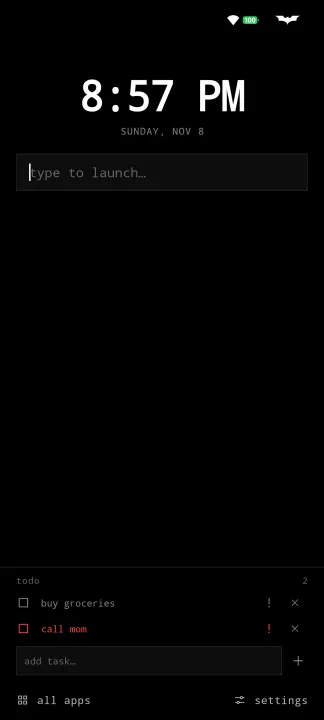
MinimalSF is a minimal launcher built for one thing: speed. Type a letter or two and your app is already open, often before you finish the name. No icon hunting, no clutter, just a black & white home screen that gets out of your way. The whole app is under 1 MB.
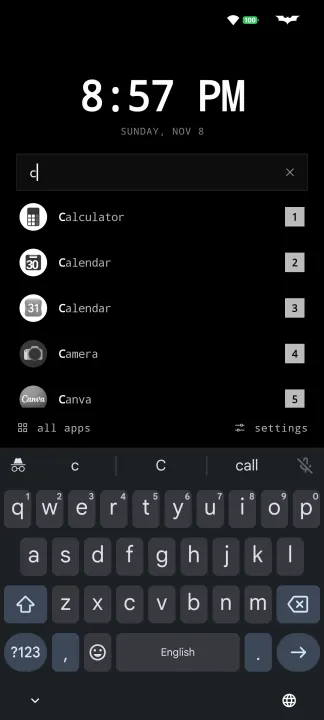
Type to launch
• Keyboard is ready the moment you're home
• One match opens by itself, with a delay you set (down to 0ms)
• Several matches are numbered: type w2 to open the 2nd result for w
• Enter opens the top result; results are ranked by best match
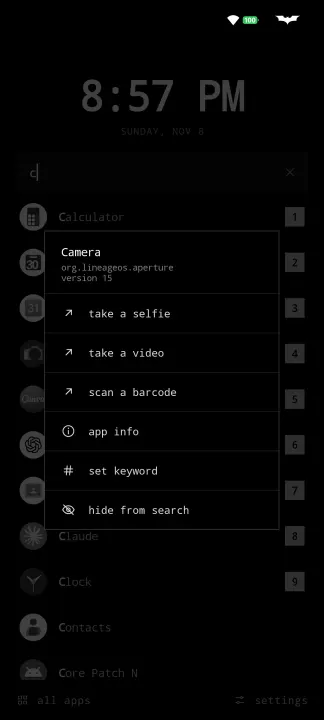
• Custom keywords per app (wa for WhatsApp), optionally replacing the app's name in search, and hide apps from search
Gestures
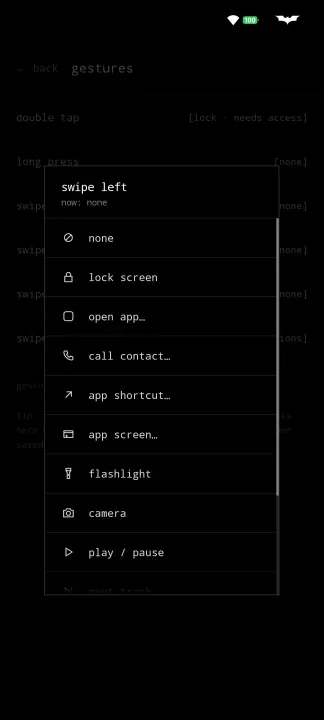
• Double tap, long press and swipes in four directions
• Open an app (search for it by name), call a contact, run a shortcut or open a specific app screen
• Flashlight, camera, music controls, lock screen, notifications, quick settings
• Saves "add to home screen" shortcuts from other apps, including Activity Launcher
Home screen
• Show only what you want: hide the clock, date, screen time, music bar, todo list or buttons
• Large clock (tap for alarms) and date, with optional screen time and RAM use
• Optional now playing bar: tap to play/pause, swipe to skip
• Inline todo list: mark tasks important, undo a removal, long press to edit
• Landscape layout for full and floating keyboards
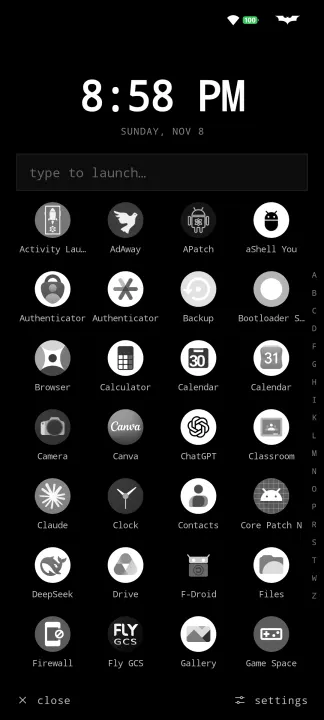
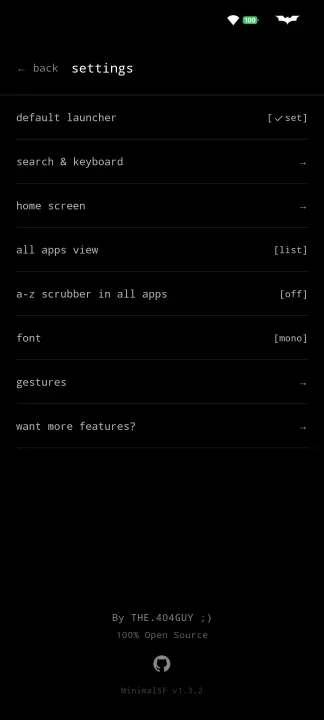
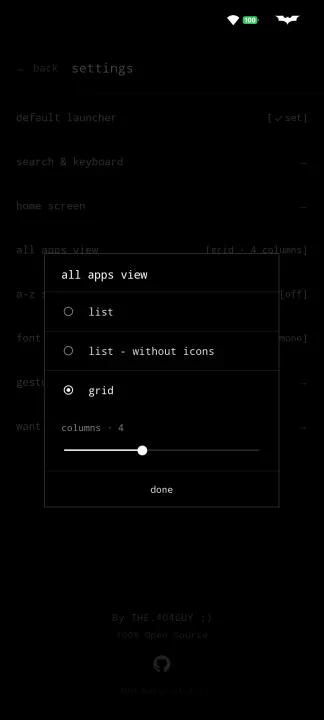
• All apps as a list, a list without icons, or a grid, with an optional A-Z scrubber; includes work profile and dual apps
Make it yours
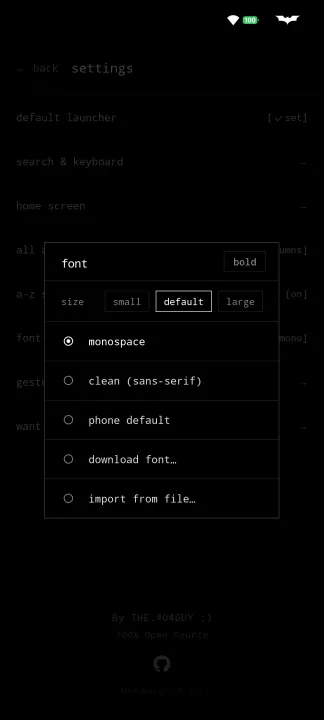
• Fonts: monospace, clean, your phone's font, free Google Fonts, or import a .ttf/.otf, plus bold
• Font and clock size, 12/24h clock, search bar at the top or bottom
Want more?
• The optional MinimalSF Extended plugin adds open in freeform, force stop, clear cache or data and freeze to the long press menu (through Shizuku or root)
• It also brings extras that stay out of the launcher itself: coloured icons, a hidden search bar, turning off auto-launch, and choosing what the long press menu shows
• Without it, MinimalSF stays exactly as it is
Private
• No internet permission, no ads, no analytics, no tracking
• Everything stays on your device
Optional features need permissions you grant yourself: accessibility (only to lock the screen), notification access (now playing bar) and usage access (screen time). Font downloads use Google Play services when it's installed.
Type to launch
• Keyboard is ready the moment you're home
• One match opens by itself, with a delay you set (down to 0ms)
• Several matches are numbered: type w2 to open the 2nd result for w
• Enter opens the top result; results are ranked by best match
• Custom keywords per app (wa for WhatsApp), optionally replacing the app's name in search, and hide apps from search
Gestures
• Double tap, long press and swipes in four directions
• Open an app (search for it by name), call a contact, run a shortcut or open a specific app screen
• Flashlight, camera, music controls, lock screen, notifications, quick settings
• Saves "add to home screen" shortcuts from other apps, including Activity Launcher
Home screen
• Show only what you want: hide the clock, date, screen time, music bar, todo list or buttons
• Large clock (tap for alarms) and date, with optional screen time and RAM use
• Optional now playing bar: tap to play/pause, swipe to skip
• Inline todo list: mark tasks important, undo a removal, long press to edit
• Landscape layout for full and floating keyboards
• All apps as a list, a list without icons, or a grid, with an optional A-Z scrubber; includes work profile and dual apps
Make it yours
• Fonts: monospace, clean, your phone's font, free Google Fonts, or import a .ttf/.otf, plus bold
• Font and clock size, 12/24h clock, search bar at the top or bottom
Want more?
• The optional MinimalSF Extended plugin adds open in freeform, force stop, clear cache or data and freeze to the long press menu (through Shizuku or root)
• It also brings extras that stay out of the launcher itself: coloured icons, a hidden search bar, turning off auto-launch, and choosing what the long press menu shows
• Without it, MinimalSF stays exactly as it is
Private
• No internet permission, no ads, no analytics, no tracking
• Everything stays on your device
Optional features need permissions you grant yourself: accessibility (only to lock the screen), notification access (now playing bar) and usage access (screen time). Font downloads use Google Play services when it's installed.
All versions
| Version | Released | Minimum Android | Size |
|---|---|---|---|
| 1.3.2 | Nov 11, 2026 | Android 8.0 | 793.9 KB |
| 1.2.2 | Oct 16, 2026 | Android 8.0 | 1.6 MB |
How to install an older version of an Android app · How to install an APK file on Android
From the developer (GitHub)
APK files published by the developer on GitHub. They are signed by the developer and may not install over the other builds on this page (different signature). Links open github.com.
Similar apps
-
 KISS Launcher
Blazingly fast launcher focused on search
-
 Olauncher
Minimal launcher app with daily new wallpaper
- Taskbar Use a start menu to access apps
-
 Activity Launcher
Create shortcuts for apps and activities
-
 Discreet Launcher
Enjoy a clean home screen while accessing everything in an instant
-
 ProcrastiLearn
Block distracting apps until you review a spaced-repetition flashcard
-
 MX3 Launcher
Minimal launcher screen for Google TV
-
 G2L
Gesture Launcher