

Burkan
Keeps your Galaxy S23 on the Vulkan renderer, even after a restart
- Developer
- Mohammed Barq AL Layl
- License
- Apache-2.0
- Package
io.github.barqallayl.burkan- Category
- System
- Latest version
- 1.1.1 · Oct 25, 2026
- Minimum Android
- Android 13
Screenshots
Description
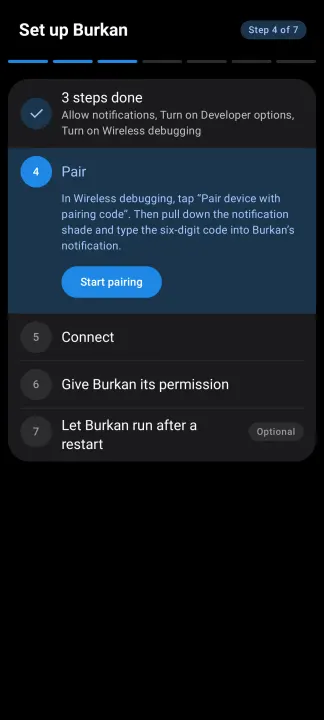
Burkan keeps your Galaxy S23 on Vulkan, the faster way for the phone to draw its screen. Set it up once, in a few minutes, and it looks after itself from then on, even after a restart. No computer needed.
Normally, switching a phone to Vulkan means plugging it into a computer and typing commands, and doing that again every time the phone restarts, because a restart puts everything back. Burkan does the same job from inside the phone, by itself.
What it does
• Turns Vulkan back on after every restart, as soon as the phone is on Wi-Fi. You do not need to open it.
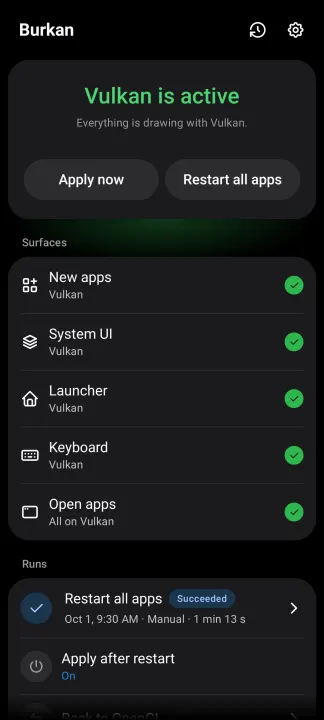
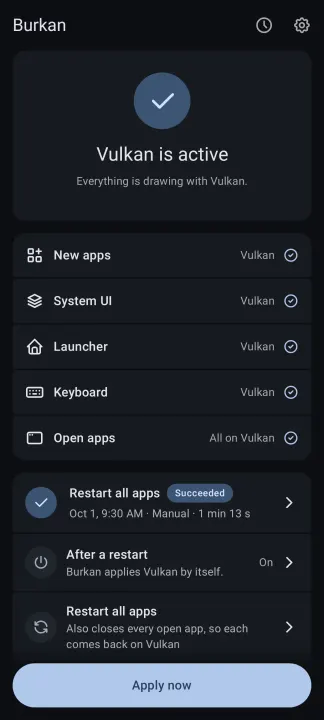
• Shows you whether Vulkan is active, and for which parts of the phone. If it cannot check, it says why in plain words.
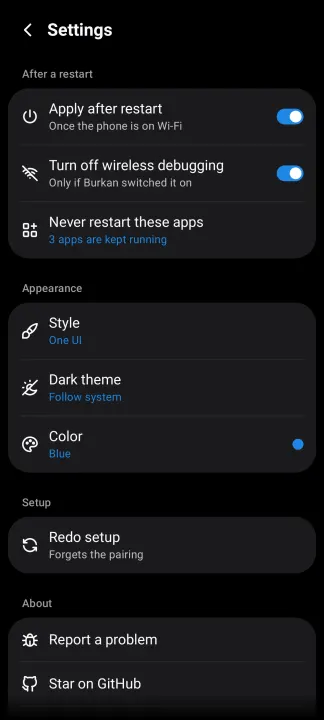
• Apply now switches to Vulkan on the spot. Restart all apps also reopens your apps so they pick it up. You can choose apps that should never be restarted.
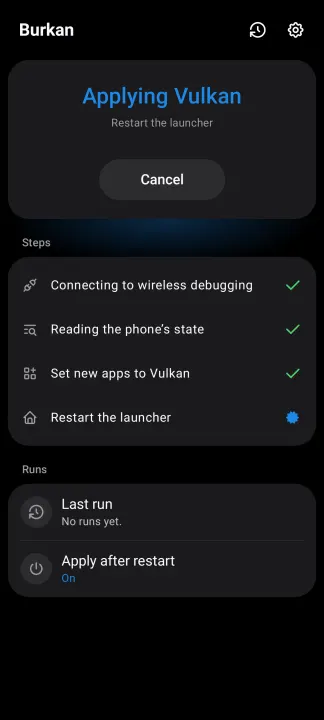
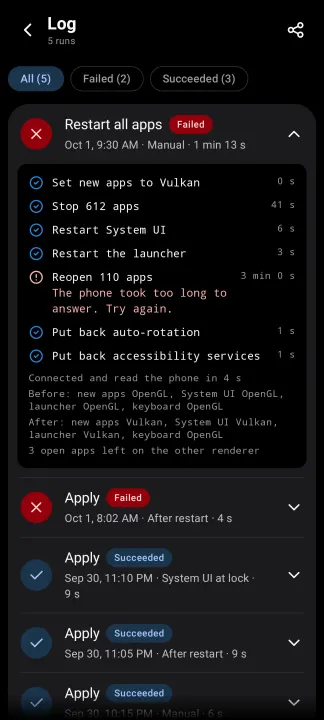
• Shows each step while it works, and keeps a log of the last 50 runs.
• Comes in two looks: One UI, after Samsung's own apps, and Material. Both have a light and a dark theme.
What you need
• A Galaxy S23, S23+ or S23 Ultra. Burkan opens on other phones with a warning, but it is not tested there.
• Android 13 or newer.
• Wi-Fi. Burkan works through the phone's own wireless debugging, which Android only allows on a Wi-Fi network.
Good to know
• No root, no computer and no other apps are needed.
• Burkan only talks to your own phone. It does not go online and collects nothing.
• If anything looks odd, restart the phone and it is back to normal. Samsung and Google do not officially support forcing Vulkan.
Normally, switching a phone to Vulkan means plugging it into a computer and typing commands, and doing that again every time the phone restarts, because a restart puts everything back. Burkan does the same job from inside the phone, by itself.
What it does
• Turns Vulkan back on after every restart, as soon as the phone is on Wi-Fi. You do not need to open it.
• Shows you whether Vulkan is active, and for which parts of the phone. If it cannot check, it says why in plain words.
• Apply now switches to Vulkan on the spot. Restart all apps also reopens your apps so they pick it up. You can choose apps that should never be restarted.
• Shows each step while it works, and keeps a log of the last 50 runs.
• Comes in two looks: One UI, after Samsung's own apps, and Material. Both have a light and a dark theme.
What you need
• A Galaxy S23, S23+ or S23 Ultra. Burkan opens on other phones with a warning, but it is not tested there.
• Android 13 or newer.
• Wi-Fi. Burkan works through the phone's own wireless debugging, which Android only allows on a Wi-Fi network.
Good to know
• No root, no computer and no other apps are needed.
• Burkan only talks to your own phone. It does not go online and collects nothing.
• If anything looks odd, restart the phone and it is back to normal. Samsung and Google do not officially support forcing Vulkan.
All versions
| Version | Released | Minimum Android | Size |
|---|---|---|---|
| 1.1.1 | Oct 25, 2026 | Android 13 | 7.1 MB |
| 1.1.0 | Oct 22, 2026 | Android 13 | 7 MB |
How to install an older version of an Android app · How to install an APK file on Android
From the developer (GitHub)
APK files published by the developer on GitHub. They are signed by the developer and may not install over the other builds on this page (different signature). Links open github.com.
v1.2.0
· Nov 12, 2026
Burkan-1.2.0-arm64-v8a.apk
7.2 MB Burkan-1.2.0-armeabi-v7a.apk
6.3 MB Burkan-1.2.0-universal.apk
12 MB Burkan-1.2.0-x86_64.apk
7.5 MB Similar apps
-
 Screenshot Tile (NoRoot)
Customizable screenshot tool with quick settings shortcut and floating button
-
 Coffee
Keep display awake
-
 Mute reminder
Remind you to mute media
-
 Prepaid Balance
Keep track your prepaid balance
-
 Auto Auto-Rotate
Automatically remembers your auto-rotate setting for every app
-
 Drowser
Simple background app killer
-
 Scrambled Exif
Remove the metadata from your pictures before sharing them
-
 WaveUp
Turn on the display by waving