

Smart Radio Telescope
Control an Az/El/polarization radio telescope mount over your local WiFi
- Developer
- Radio Science Institute
- License
- GPL-3.0-or-later
- Package
eu.radio_science_institute.smart_radio_telescope- Category
- Science & Education
- Latest version
- 1.1 · Oct 2, 2026
- Minimum Android
- Android 8.0
Screenshots
Description
Smart Radio Telescope is the mobile client for a self-built satellite-dish radio
telescope with a motorised Azimuth / Elevation / Polarization mount. It
connects over your local WiFi to the telescope's Raspberry Pi controller and
turns a phone into its control station.
SKY VIEW AND RADIO MAPS
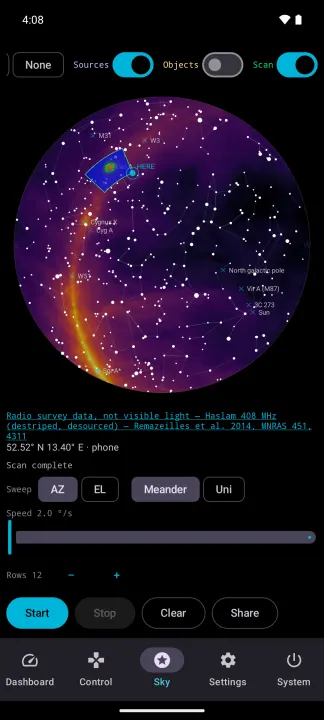
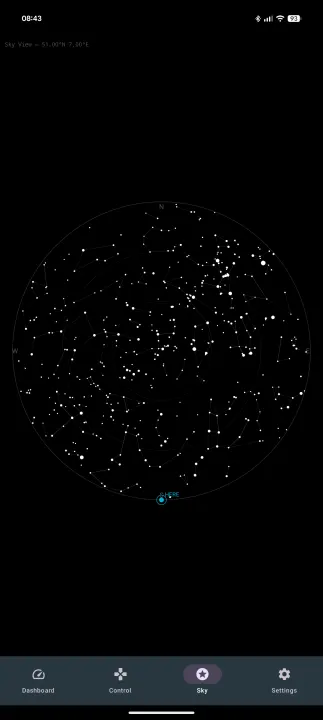
• All-sky dome with stars, constellations and the dish's current pointing
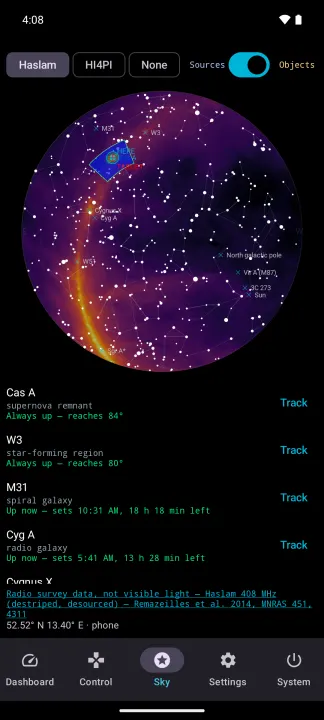
• Radio sky overlays from the Haslam 408 MHz and HI4PI hydrogen-line surveys,
so you can see where the sky is bright at radio wavelengths
• Object catalogue with the Sun, the Moon and radio targets such as Cas A,
Cygnus X, W51, IC 443, M31 and 3C 273, each with a short description and
its rise and set times
• Tap a star or object to point the dish at it
RASTER SCANS
• Drag a rectangle on the sky to map it
• Choose the sweep axis, the pattern, the speed and the number of rows
• Watch the map fill in as a live heatmap while the dish sweeps
• Share the finished scan as an image
SOURCE TRACKING
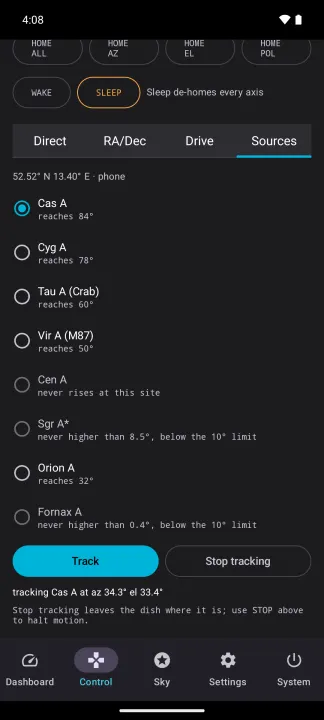
• Eight bright radio sources ready to observe: Cas A, Cyg A, Tau A, Vir A,
Cen A, Sgr A*, Orion A and Fornax A
• Shows which of them rise high enough at your site
• One tap starts tracking; the mount follows the source across the sky
MOUNT CONTROL
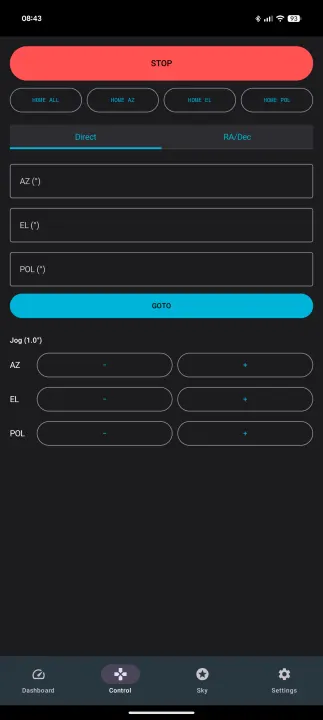
• Big STOP button, homing of all axes or one at a time, wake and sleep
• Go to horizontal (Az/El/Pol) or equatorial (RA/Dec) coordinates, or track
an RA/Dec position
• Travel-range hints and warnings before a target would hit an endstop
• Step buttons with a configurable step size
• Virtual joystick for driving azimuth and elevation by hand: the speed
follows your finger, the dish stops the moment you let go, and a red rim
shows when an axis has reached its travel limit
LIVE TELEMETRY
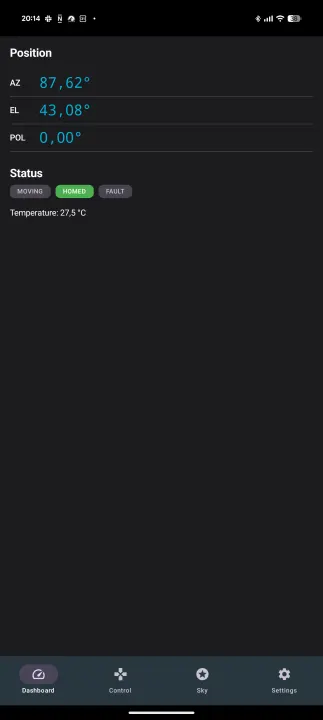
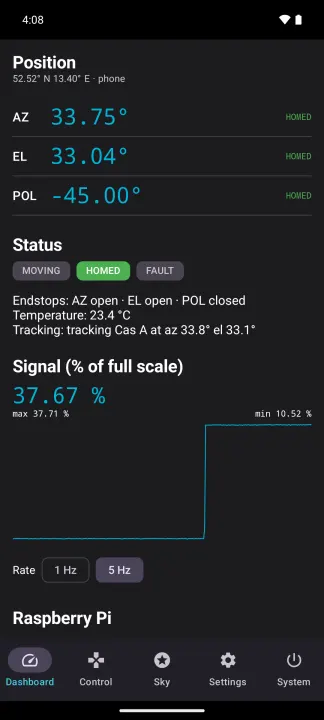
• Position, motion and homing state of each axis, pushed live from the mount
• Endstop switch levels and the motor controller's temperature
• Live radio signal chart with minimum and maximum
• A clear banner when telemetry goes stale or the mount refuses a command
SYSTEM
• Health of the Raspberry Pi: temperature, load per core, memory, disk and
uptime, plus the firmware and backend versions
• Clean shutdown of the Pi from the app, with a confirmation step
• Works in portrait and landscape
HARDWARE COMPANION
This is a hardware companion app: it does nothing on its own. It requires the
matching open-source telescope hardware and Raspberry Pi backend, which are
part of the same project. The app talks only to a device you run yourself on
your own network — it contacts no external servers, and nothing it reads
leaves that network. For development and classroom demos, the project also
ships a simulator that stands in for the mount.
LOCATION
While the telescope's backend knows no better position than its fallback,
the app asks for the phone's location once per connection — and offers a
button to ask again — and sends it only to that backend. The backend uses
it for pointing, shows it to the telescope's other clients and writes it to
its log; it does not keep it past a restart. The app itself stores no
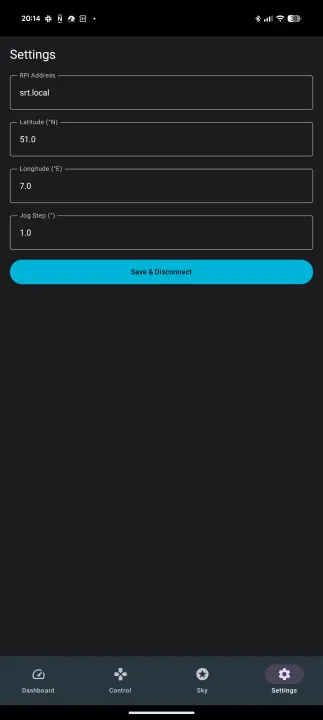
location. You can also enter the site by hand in the settings; a phone or
GPS position takes precedence over a hand entry.
Built as a school demonstrator for radio astronomy.
telescope with a motorised Azimuth / Elevation / Polarization mount. It
connects over your local WiFi to the telescope's Raspberry Pi controller and
turns a phone into its control station.
SKY VIEW AND RADIO MAPS
• All-sky dome with stars, constellations and the dish's current pointing
• Radio sky overlays from the Haslam 408 MHz and HI4PI hydrogen-line surveys,
so you can see where the sky is bright at radio wavelengths
• Object catalogue with the Sun, the Moon and radio targets such as Cas A,
Cygnus X, W51, IC 443, M31 and 3C 273, each with a short description and
its rise and set times
• Tap a star or object to point the dish at it
RASTER SCANS
• Drag a rectangle on the sky to map it
• Choose the sweep axis, the pattern, the speed and the number of rows
• Watch the map fill in as a live heatmap while the dish sweeps
• Share the finished scan as an image
SOURCE TRACKING
• Eight bright radio sources ready to observe: Cas A, Cyg A, Tau A, Vir A,
Cen A, Sgr A*, Orion A and Fornax A
• Shows which of them rise high enough at your site
• One tap starts tracking; the mount follows the source across the sky
MOUNT CONTROL
• Big STOP button, homing of all axes or one at a time, wake and sleep
• Go to horizontal (Az/El/Pol) or equatorial (RA/Dec) coordinates, or track
an RA/Dec position
• Travel-range hints and warnings before a target would hit an endstop
• Step buttons with a configurable step size
• Virtual joystick for driving azimuth and elevation by hand: the speed
follows your finger, the dish stops the moment you let go, and a red rim
shows when an axis has reached its travel limit
LIVE TELEMETRY
• Position, motion and homing state of each axis, pushed live from the mount
• Endstop switch levels and the motor controller's temperature
• Live radio signal chart with minimum and maximum
• A clear banner when telemetry goes stale or the mount refuses a command
SYSTEM
• Health of the Raspberry Pi: temperature, load per core, memory, disk and
uptime, plus the firmware and backend versions
• Clean shutdown of the Pi from the app, with a confirmation step
• Works in portrait and landscape
HARDWARE COMPANION
This is a hardware companion app: it does nothing on its own. It requires the
matching open-source telescope hardware and Raspberry Pi backend, which are
part of the same project. The app talks only to a device you run yourself on
your own network — it contacts no external servers, and nothing it reads
leaves that network. For development and classroom demos, the project also
ships a simulator that stands in for the mount.
LOCATION
While the telescope's backend knows no better position than its fallback,
the app asks for the phone's location once per connection — and offers a
button to ask again — and sends it only to that backend. The backend uses
it for pointing, shows it to the telescope's other clients and writes it to
its log; it does not keep it past a restart. The app itself stores no
location. You can also enter the site by hand in the settings; a phone or
GPS position takes precedence over a hand entry.
Built as a school demonstrator for radio astronomy.
All versions
| Version | Released | Minimum Android | Size |
|---|---|---|---|
| 1.1 | Oct 2, 2026 | Android 8.0 | 14.6 MB |
| 1.0 | Aug 23, 2026 | Android 8.0 | 11.8 MB |
How to install an older version of an Android app · How to install an APK file on Android
Similar apps
-
 Converter NOW: Unit Converter
A simple, immediate and fast unit converter!
-
 Braincup - Brain Training
Train your focus, memory and math skills.
-
 microMathematics Plus
Computer algebra system
-
 GCompris
Multi-Activity Educational game for children 2 to 10
-
 TimeTable
Timetable viewer for VULCAN
-
 Open Note Scanner
Scan documents, handwritten notes or arts
- Democracy Droid Watch "Democracy Now The war and peace report"
-
 QuickDic
Offline translation dictionary