

LiteraPlayer
Audiobook player for Android
- Developer
- praecipitator
- License
- GPL-3.0-only
- Package
de.praecipitator.literaplayer- Category
- Multimedia
- Latest version
- 1.2 · Nov 8, 2026
- Minimum Android
- Android 13
Screenshots
Description
LiteraPlayer
LiteraPlayer was made to do one thing: play audiobooks from the file system. You give it access to a folder on your device, put audiobooks into it, and it plays them. No internet access, no accounts, no tracking, no ads, no AI slop.
Usage
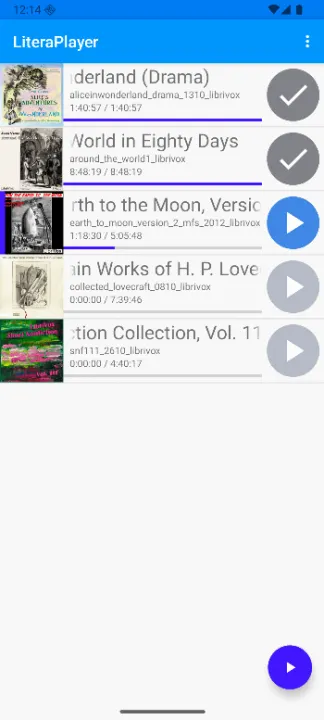
When you first start the app, you will need to point it to a directory where your audiobooks are stored. Each audiobook must have it's own subfolder within this directory, containing the audio files and optionally a cover image. After that, you should see a list of all of your books. To play one, tap on it's play button on the right. Or tap the entry itself, and start playback from there.
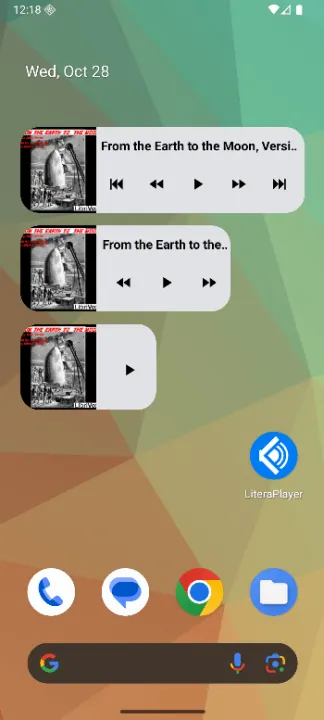
The app will remember the last book you played. You can resume it by pressing the floating play button to the bottom right of the main screen. If you use the homescreen widget, you can also use that to start playback without even opening the app.
If you added new books to your audiobook directory, you might need to resynchronize the app. To do this, simply swipe downwards on the main list, or select "Refresh Audiobooks" from the menu in the top right corner. The app will compare it's internal database to the file system, adding what you added, and removing what you deleted. (The latter can be disabled in the settings)
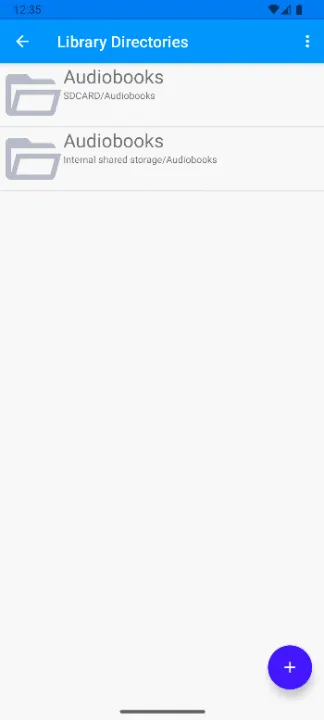
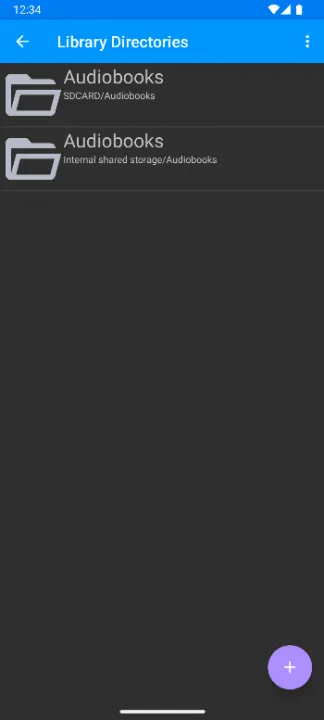
You can also add more than one source directory. The app will then combine the books of all of them into one unified list. Keep in mind that if you remove a directory, all the books within it will be removed from the app (but not from the file system)!
Features
• Fully offline: the app doesn't even request the internet permission.
• No file manager permission: the app will only request permissions for the folders you give it, not for the entire file system.
• Supports pretty much any format Android is capable of playing.
• Available in three languages: english, german, russian.
• If available, the title and cover of a book are fetched from the audio file metadata. If an image exists within the book's folder, it will always be used instead.
• Media player controls as a notification and on the lockscreen while playback is in progress, with configurable quick actions.
• Playback can also be controlled through buttons on connected headphones, if available.
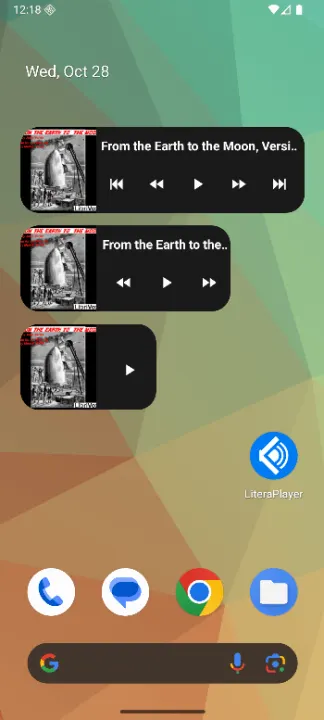
• A responsive homescreen widget to control playback of the current audiobook.
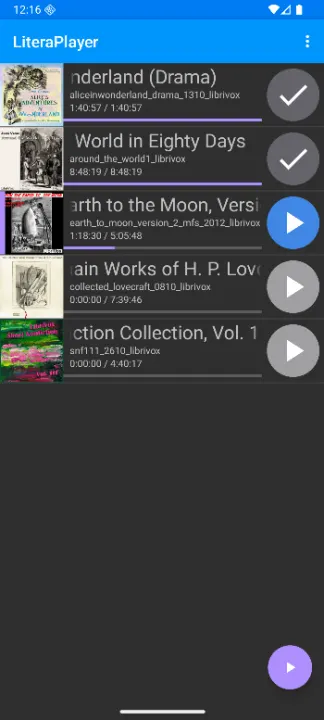
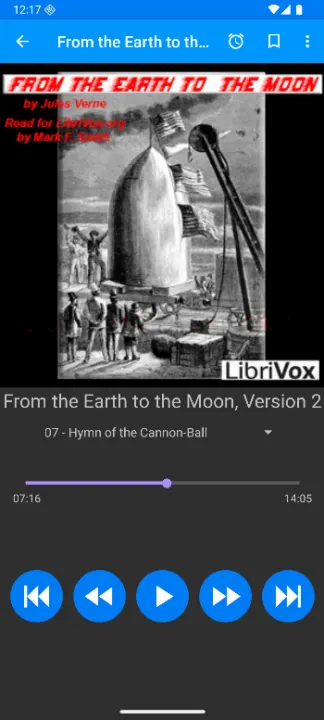
• Dark or Light theme for the app, either depending on the system's theme, or chosen manually.
• Dark or Light theme for the widgets, either depending on the app's theme, or chosen manually.
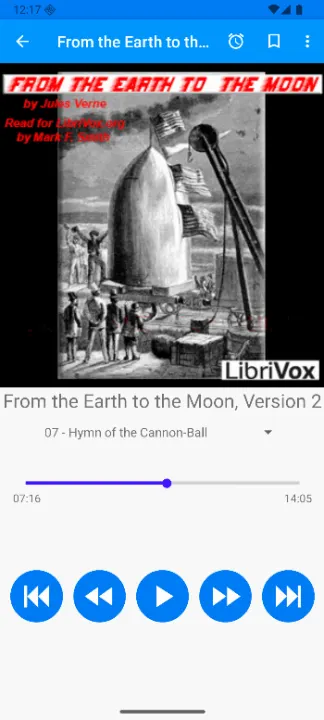
• A sleep timer can be used to automatically fade out and stop playback after a given time.
• Bookmarks can be set at any point within an audiobook, in order to quickly jump to a certain moment.
• When resuming playback, the app will rewind by a few seconds to remind you where you were (configurable).
• No LLMs whatsoever have been used in the creation of this app.
Permissions requested
• READ_PHONE_STATE: Used to automatically pause when the phone rings, and to resume afterwards. Can be denied, this feature will then be unavailable. The app can be prevented from ever requesting it by disabling it in the Settings.
• WAKE_LOCK: Required to prevent the device from going to sleep during playback.
• POST_NOTIFICATIONS: Required for the media controls notification.
• FOREGROUND_SERVICE: Required for the playback service.
• FOREGROUND_SERVICE_MEDIA_PLAYBACK: Required for the playback service.
LiteraPlayer was made to do one thing: play audiobooks from the file system. You give it access to a folder on your device, put audiobooks into it, and it plays them. No internet access, no accounts, no tracking, no ads, no AI slop.
Usage
When you first start the app, you will need to point it to a directory where your audiobooks are stored. Each audiobook must have it's own subfolder within this directory, containing the audio files and optionally a cover image. After that, you should see a list of all of your books. To play one, tap on it's play button on the right. Or tap the entry itself, and start playback from there.
The app will remember the last book you played. You can resume it by pressing the floating play button to the bottom right of the main screen. If you use the homescreen widget, you can also use that to start playback without even opening the app.
If you added new books to your audiobook directory, you might need to resynchronize the app. To do this, simply swipe downwards on the main list, or select "Refresh Audiobooks" from the menu in the top right corner. The app will compare it's internal database to the file system, adding what you added, and removing what you deleted. (The latter can be disabled in the settings)
You can also add more than one source directory. The app will then combine the books of all of them into one unified list. Keep in mind that if you remove a directory, all the books within it will be removed from the app (but not from the file system)!
Features
• Fully offline: the app doesn't even request the internet permission.
• No file manager permission: the app will only request permissions for the folders you give it, not for the entire file system.
• Supports pretty much any format Android is capable of playing.
• Available in three languages: english, german, russian.
• If available, the title and cover of a book are fetched from the audio file metadata. If an image exists within the book's folder, it will always be used instead.
• Media player controls as a notification and on the lockscreen while playback is in progress, with configurable quick actions.
• Playback can also be controlled through buttons on connected headphones, if available.
• A responsive homescreen widget to control playback of the current audiobook.
• Dark or Light theme for the app, either depending on the system's theme, or chosen manually.
• Dark or Light theme for the widgets, either depending on the app's theme, or chosen manually.
• A sleep timer can be used to automatically fade out and stop playback after a given time.
• Bookmarks can be set at any point within an audiobook, in order to quickly jump to a certain moment.
• When resuming playback, the app will rewind by a few seconds to remind you where you were (configurable).
• No LLMs whatsoever have been used in the creation of this app.
Permissions requested
• READ_PHONE_STATE: Used to automatically pause when the phone rings, and to resume afterwards. Can be denied, this feature will then be unavailable. The app can be prevented from ever requesting it by disabling it in the Settings.
• WAKE_LOCK: Required to prevent the device from going to sleep during playback.
• POST_NOTIFICATIONS: Required for the media controls notification.
• FOREGROUND_SERVICE: Required for the playback service.
• FOREGROUND_SERVICE_MEDIA_PLAYBACK: Required for the playback service.
All versions
| Version | Released | Minimum Android | Size |
|---|---|---|---|
| 1.2 | Nov 8, 2026 | Android 13 | 3.4 MB |
How to install an older version of an Android app · How to install an APK file on Android
Similar apps
-
 Screenshot Tile (NoRoot)
Customizable screenshot tool with quick settings shortcut and floating button
-
 Enhanced Music Controller Lite
Remote controller for Onkyo devices
-
 Classical Music Tagger
A plain audio file metadata editor especially for classical music
-
 Kreate
A multilingual YouTube Music frontend for Android, prioritize performance.
-
 Ultrasonic
A music streaming client for Subsonic servers
-
 Sensors2OSC
Send sensor data via Open Sound Control (OSC).
-
 SicMu Player
Folder based music player. Shows and follows folder hierarchy.
-
 RootlessJamesDSP
System-wide JamesDSP implementation for non-rooted devices