

BBQ Timer
A combined interval timer/stopwatch that works on the lock screen
- Developer
- Jerry Morrison
- License
- MIT
- Package
com.onefishtwo.bbqtimer- Category
- Time
- Latest version
- 4.0 · Aug 31, 2022
- Minimum Android
- Android 6
Screenshots
Description
• Combined interval timer/stopwatch = periodic alarms + elapsed time.
• Reminds you periodically to turn the food and tracks the total cooking time.
• Quick access via lock screen notification, pull-down notification, and home screen widget.
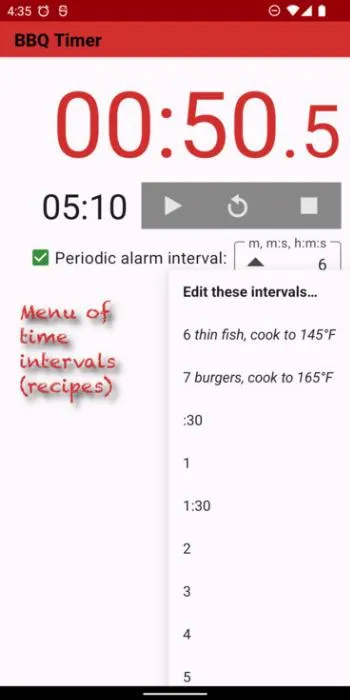
• Editable menu of interval times. Quickly access your favorite timers with notes.
• Changeable alarms while it’s running.
• No ads.
Type in the interval time: minutes, minutes:seconds, or hours:minutes:seconds.
Example intervals
• 10 = 10 minutes
• 7:30 = 7 minutes, 30 seconds
• 3:15:00 = 3 hours, 15 minutes
Short forms
• 12:00 = 12:0 = 12: = 12 = 12 minutes
• 0:09 = :9 = 9 seconds
• 2:00:00 = 2:0:0 = 2:: = 120 = 2 hours
Tips
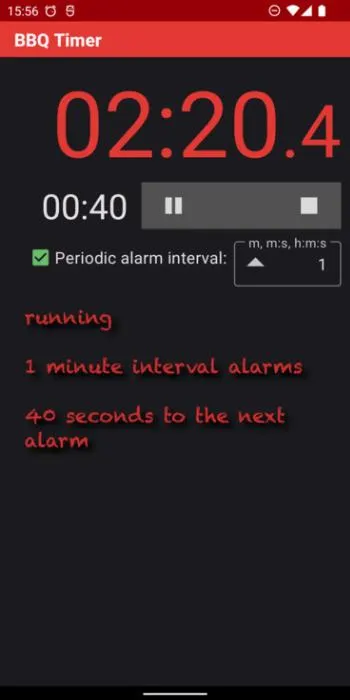
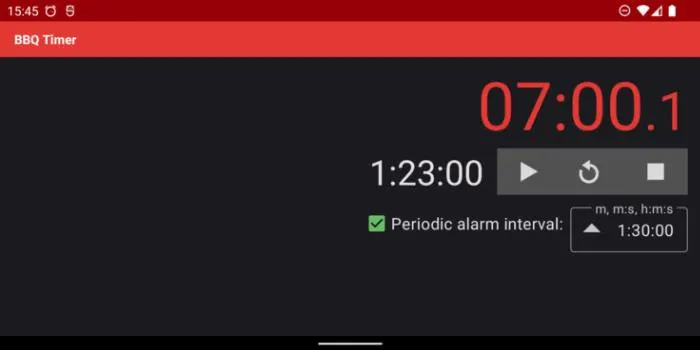
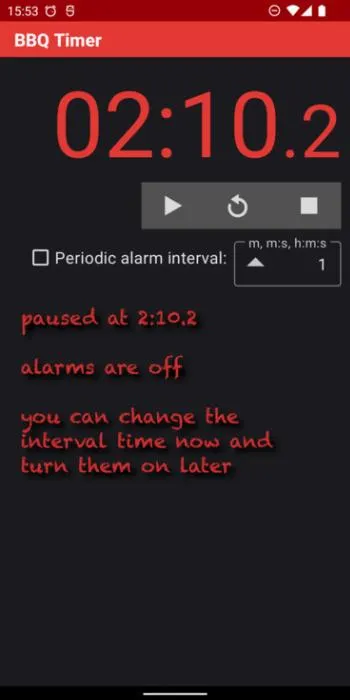
• Tap the checkbox to turn the periodic reminder alarms on/off.
• Tap the time display to cycle between stopped → running → paused → stopped.
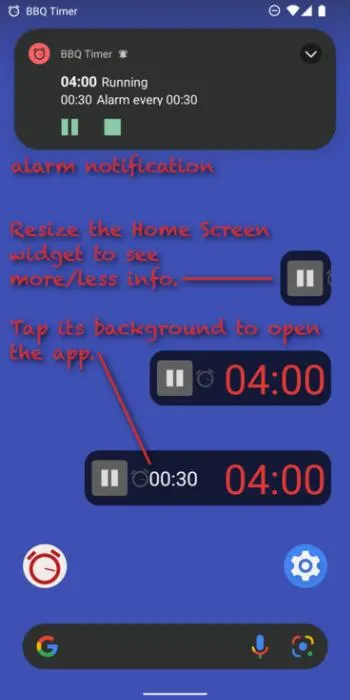
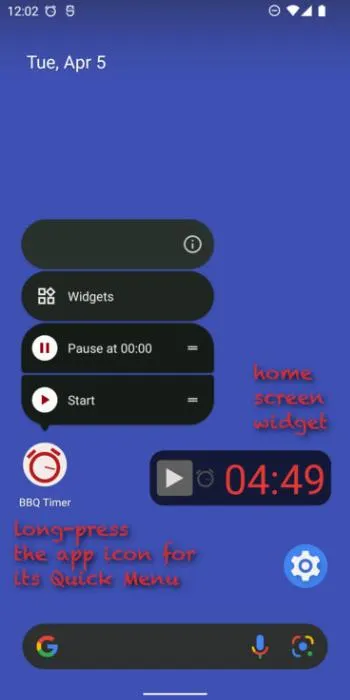
• Add the BBQ Timer widget to the home screen.
• Tap the widget’s elapsed time to start/pause/stop.
• Tap the widget’s background or its countdown time to open the app.
• Resize the widget (long-press it then drag its resize handles) to see more or less info.
• To remove the widget, long-press and drag it to “× Remove”.
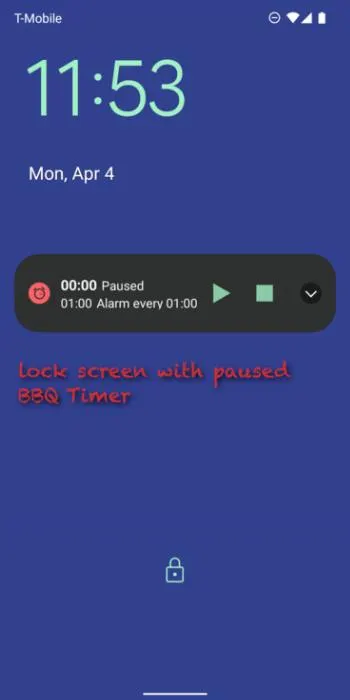
• While BBQ Timer is running or paused, it appears on the lock screen and in the pull-down notification so you can see and control it in those places.
• To put it on the lock screen, put it in Pause or Play mode by tapping buttons in the app or the home screen widget.
• Long-press the app’s home screen icon, then tap the “Pause at 00:00” shortcut (on Android 7.1+) to make it Paused and ready on the lock screen.
• Tap ▲ in the alarm interval text field for the menu of interval times.
• Tap “Edit these intervals…” in the menu to customize the menu.
• Long-press ▲ to customize the menu.
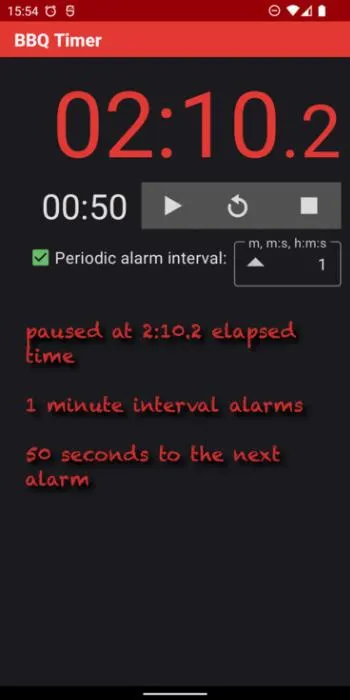
• The app, home screen widget, and pull-down notification show the countdown interval time as well as the total elapsed time (requires Android 7+).
• In the app, the phone’s volume keys adjust the Alarm volume.
• You can change BBQ Timer’s “Alarm” sound in Settings / Notifications. Don’t pick “None” if you want to hear the interval alarms. To restore the app’s cowbell sound, uninstall and reinstall the app.
Note: These System Settings are required to hear and see BBQ Timer alarms:
• Audible “Alarm volume” level.
• Lock screen / Show all or non-private notifications.
• Apps / BBQ Timer “Show notifications”, not Silent. (Optionally override “Do Not Disturb”.)
• Apps / BBQ Timer “Alarm” notification category / “Show notifications”, not “Silent”, “Make sound and pop on screen”, sound choice not “None”, Importance “High” or higher to hear and see on the lock screen and in the notification area.
• Apps / Special app access / Alarms & reminders / Allowed.
• Notifications / App settings / BBQ Timer / On.
• Reminds you periodically to turn the food and tracks the total cooking time.
• Quick access via lock screen notification, pull-down notification, and home screen widget.
• Editable menu of interval times. Quickly access your favorite timers with notes.
• Changeable alarms while it’s running.
• No ads.
Type in the interval time: minutes, minutes:seconds, or hours:minutes:seconds.
Example intervals
• 10 = 10 minutes
• 7:30 = 7 minutes, 30 seconds
• 3:15:00 = 3 hours, 15 minutes
Short forms
• 12:00 = 12:0 = 12: = 12 = 12 minutes
• 0:09 = :9 = 9 seconds
• 2:00:00 = 2:0:0 = 2:: = 120 = 2 hours
Tips
• Tap the checkbox to turn the periodic reminder alarms on/off.
• Tap the time display to cycle between stopped → running → paused → stopped.
• Add the BBQ Timer widget to the home screen.
• Tap the widget’s elapsed time to start/pause/stop.
• Tap the widget’s background or its countdown time to open the app.
• Resize the widget (long-press it then drag its resize handles) to see more or less info.
• To remove the widget, long-press and drag it to “× Remove”.
• While BBQ Timer is running or paused, it appears on the lock screen and in the pull-down notification so you can see and control it in those places.
• To put it on the lock screen, put it in Pause or Play mode by tapping buttons in the app or the home screen widget.
• Long-press the app’s home screen icon, then tap the “Pause at 00:00” shortcut (on Android 7.1+) to make it Paused and ready on the lock screen.
• Tap ▲ in the alarm interval text field for the menu of interval times.
• Tap “Edit these intervals…” in the menu to customize the menu.
• Long-press ▲ to customize the menu.
• The app, home screen widget, and pull-down notification show the countdown interval time as well as the total elapsed time (requires Android 7+).
• In the app, the phone’s volume keys adjust the Alarm volume.
• You can change BBQ Timer’s “Alarm” sound in Settings / Notifications. Don’t pick “None” if you want to hear the interval alarms. To restore the app’s cowbell sound, uninstall and reinstall the app.
Note: These System Settings are required to hear and see BBQ Timer alarms:
• Audible “Alarm volume” level.
• Lock screen / Show all or non-private notifications.
• Apps / BBQ Timer “Show notifications”, not Silent. (Optionally override “Do Not Disturb”.)
• Apps / BBQ Timer “Alarm” notification category / “Show notifications”, not “Silent”, “Make sound and pop on screen”, sound choice not “None”, Importance “High” or higher to hear and see on the lock screen and in the notification area.
• Apps / Special app access / Alarms & reminders / Allowed.
• Notifications / App settings / BBQ Timer / On.
All versions
| Version | Released | Minimum Android | Size |
|---|---|---|---|
| 4.0 | Aug 31, 2022 | Android 6 | 2 MB |
| 3.0 | Apr 30, 2022 | Android 5.0 | 1.9 MB |
How to install an older version of an Android app · How to install an APK file on Android
From the developer (GitHub)
APK files published by the developer on GitHub. They are signed by the developer and may not install over the other builds on this page (different signature). Links open github.com.
Similar apps
-
 World Clock v2
Offline time and online weather for 180+ cities with Material You design.
-
 Tactile Clock
Double click the power button of your device to vibrate the current time
-
 Doable
Beautiful and easy to use Todo app
-
 To-Do Manager
Simple and minimalist To-Do Manager
-
 Note Calendar
An open-source note calendar app
-
 KüA-Plan
Access the KüA-Plan (self-organized acitivities schedule) of the CdE e. V.
-
 Shake Alarm Clock
Dismiss the alarm by simply shaking your phone!
-
 Floating Timer
Features both a countdown timer and stopwatch that will float over other apps.