

Kinetica
Two-thumb keyboard: both thumbs swipe and tap at once. No network access.
- Developer
- Elia Zanella
- License
- GPL-3.0-or-later
- Package
com.kinetica.keyboard- Category
- Keyboard & IME, System
- Latest version
- 2.2.1 · Nov 6, 2026
- Minimum Android
- Android 8.0
Screenshots
Description
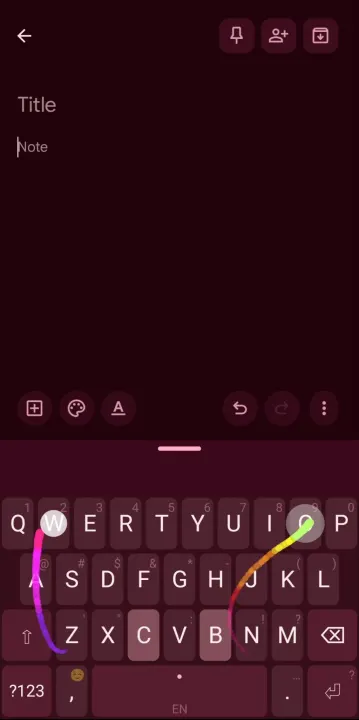
Kinetica is a keyboard for two thumbs at once. Each thumb swipes or taps on its
own, at the same time as the other, and the two streams merge into one word.
Typing "something": the left thumb taps S, then E, while the right thumb swipes
O -> M and then T -> H -> I -> N -> G. Kinetica merges them into S + OM + E +
THING.
It is a spiritual successor to the discontinued Nintype, written from scratch on
Android's public IME APIs: not a fork, and no third-party gesture or prediction
library. The dynamic time warping, the trie search and the two-thumb merge are
all in the app.
The app declares no INTERNET permission, so nothing you type can leave the
phone. Decoding, prediction and learning run on the device, and password or
private fields turn off suggestions, trails and learning.
Features
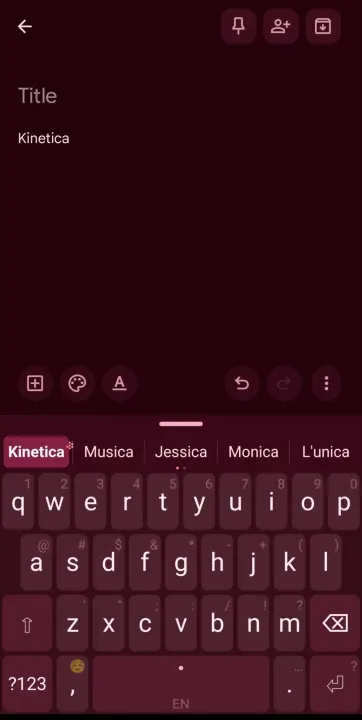
• Two thumbs, each read with its own cursor, so a word can pass between them in
any order; one tap can stand for a double letter
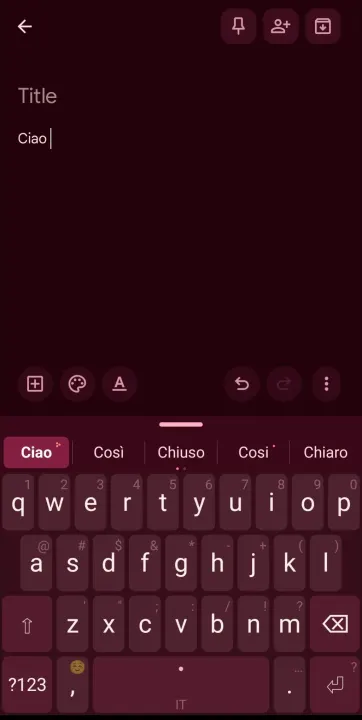
• English, Italian, Spanish, Polish, Czech, Dutch, German, French, Norwegian
and Romanian, plus Russian, Ukrainian, Hebrew and Arabic as experimental: 46k to 50k words
per language with real corpus frequencies. Accented words are drawn on their
base keys and restored on commit
• Several languages at once: mix two in the suggestions, or let the keyboard
follow the language you are typing, each word learned into its own
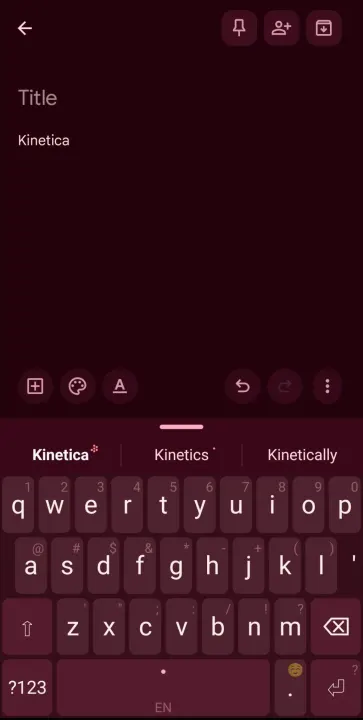
• Next-word suggestions beside the word's corrections, recent words on the
bar, and a correction strip right after each word
• Tap inside a word you wrote to swap it for another; swipe shift to change
its case
• Tap autocorrect with three levels; backspace right after it undoes it
• Your words rank higher as you use them; slide a suggestion to raise, lower or
block it. Names you write with a capital keep it
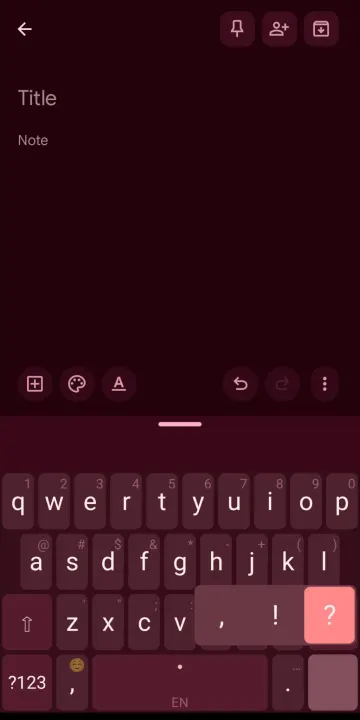
• Chords on ?123 or the spacebar, edge swipes on any key, and text expansions:
type text, run an action, or press Ctrl and a key
• Long-press menus as grids, with your own list for every letter, and symbol
pages you can rewrite as text
• Keys that fit the field: @ in email fields, / and .com in web addresses,
and an optional number pad for numbers
• Clean links: tracking parameters out of a link, as a shortcut or on paste
• Optional numbers row, a wider middle row, landscape split, one-handed for
either hand, split mode, adjustable height and margins; landscape keeps its
own sizes
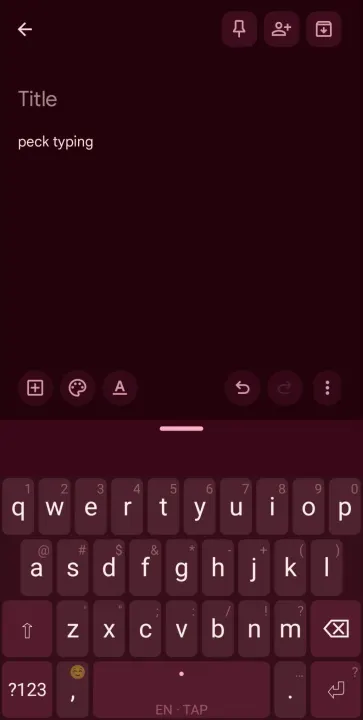
• Peck-type mode for slang and code: every tap types exactly its letter
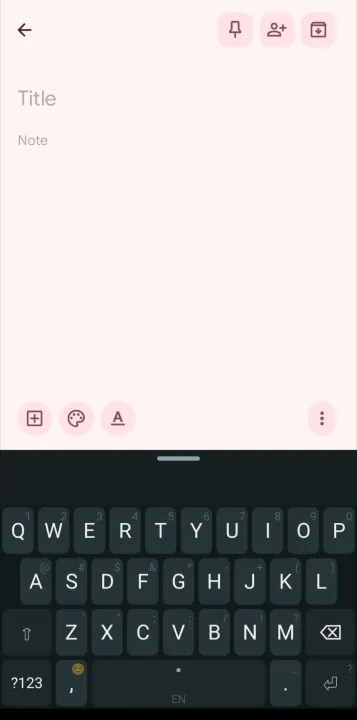
• Dark, light, Material You or your own colour; key borders, keys that light
up along a swipe, and a background image of your own
• Backup of every setting, learned word and shortcut in one file
• Settings in English and Italian, with short tips and a two-thumb tutor
Source, build instructions and the full feature list:
https://github.com/EZ-eta/kinetica
If Kinetica is useful to you: https://ko-fi.com/ez_eta
own, at the same time as the other, and the two streams merge into one word.
Typing "something": the left thumb taps S, then E, while the right thumb swipes
O -> M and then T -> H -> I -> N -> G. Kinetica merges them into S + OM + E +
THING.
It is a spiritual successor to the discontinued Nintype, written from scratch on
Android's public IME APIs: not a fork, and no third-party gesture or prediction
library. The dynamic time warping, the trie search and the two-thumb merge are
all in the app.
The app declares no INTERNET permission, so nothing you type can leave the
phone. Decoding, prediction and learning run on the device, and password or
private fields turn off suggestions, trails and learning.
Features
• Two thumbs, each read with its own cursor, so a word can pass between them in
any order; one tap can stand for a double letter
• English, Italian, Spanish, Polish, Czech, Dutch, German, French, Norwegian
and Romanian, plus Russian, Ukrainian, Hebrew and Arabic as experimental: 46k to 50k words
per language with real corpus frequencies. Accented words are drawn on their
base keys and restored on commit
• Several languages at once: mix two in the suggestions, or let the keyboard
follow the language you are typing, each word learned into its own
• Next-word suggestions beside the word's corrections, recent words on the
bar, and a correction strip right after each word
• Tap inside a word you wrote to swap it for another; swipe shift to change
its case
• Tap autocorrect with three levels; backspace right after it undoes it
• Your words rank higher as you use them; slide a suggestion to raise, lower or
block it. Names you write with a capital keep it
• Chords on ?123 or the spacebar, edge swipes on any key, and text expansions:
type text, run an action, or press Ctrl and a key
• Long-press menus as grids, with your own list for every letter, and symbol
pages you can rewrite as text
• Keys that fit the field: @ in email fields, / and .com in web addresses,
and an optional number pad for numbers
• Clean links: tracking parameters out of a link, as a shortcut or on paste
• Optional numbers row, a wider middle row, landscape split, one-handed for
either hand, split mode, adjustable height and margins; landscape keeps its
own sizes
• Peck-type mode for slang and code: every tap types exactly its letter
• Dark, light, Material You or your own colour; key borders, keys that light
up along a swipe, and a background image of your own
• Backup of every setting, learned word and shortcut in one file
• Settings in English and Italian, with short tips and a two-thumb tutor
Source, build instructions and the full feature list:
https://github.com/EZ-eta/kinetica
If Kinetica is useful to you: https://ko-fi.com/ez_eta
All versions
| Version | Released | Minimum Android | Size |
|---|---|---|---|
| 2.2.1 | Nov 6, 2026 | Android 8.0 | 12.8 MB |
| 2.1.3 | Oct 31, 2026 | Android 8.0 | 12.4 MB |
| 2.1.2 | Oct 29, 2026 | Android 8.0 | 12.3 MB |
| 2.1.0 | Oct 16, 2026 | Android 8.0 | 12.3 MB |
| 2.0.0 | Oct 8, 2026 | Android 8.0 | 12.3 MB |
| 1.1.1 | Oct 6, 2026 | Android 8.0 | 9.2 MB |
| 1.1.0 | Sep 11, 2026 | Android 8.0 | 6.6 MB |
| 1.0.5 | Sep 5, 2026 | Android 8.0 | 6.1 MB |
| 1.0.4 | Aug 27, 2026 | Android 8.0 | 6.1 MB |
| 1.0.3 | Aug 26, 2026 | Android 8.0 | 6.1 MB |
How to install an older version of an Android app · How to install an APK file on Android
From the developer (GitHub)
APK files published by the developer on GitHub. They are signed by the developer and may not install over the other builds on this page (different signature). Links open github.com.
Similar apps
-
 Screenshot Tile (NoRoot)
Customizable screenshot tool with quick settings shortcut and floating button
-
 Coffee
Keep display awake
-
 Mute reminder
Remind you to mute media
-
 Prepaid Balance
Keep track your prepaid balance
-
 Auto Auto-Rotate
Automatically remembers your auto-rotate setting for every app
-
 Drowser
Simple background app killer
-
 Scrambled Exif
Remove the metadata from your pictures before sharing them
-
 WaveUp
Turn on the display by waving