

BroadBoard
Large, high-contrast on-screen keyboard designed for low vision users
- Developer
- Anthony Benbrook
- License
- GPL-3.0-or-later
- Package
com.galagidae.broadboard- Category
- Keyboard & IME
- Latest version
- 2.2 · Sep 9, 2026
- Minimum Android
- Android 8.0
Screenshots
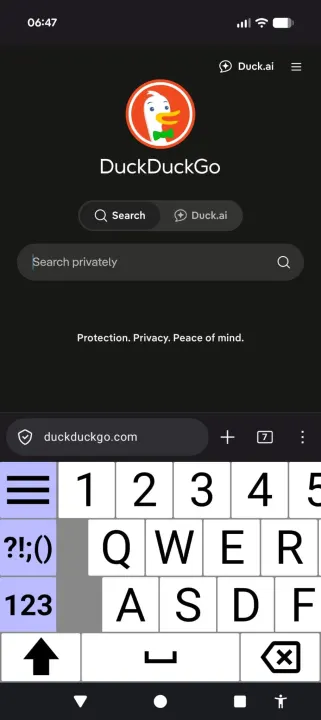
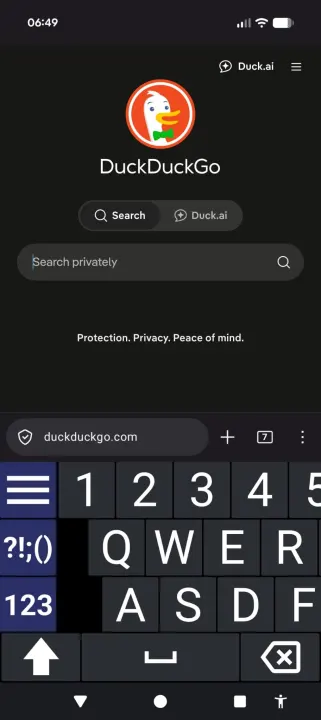
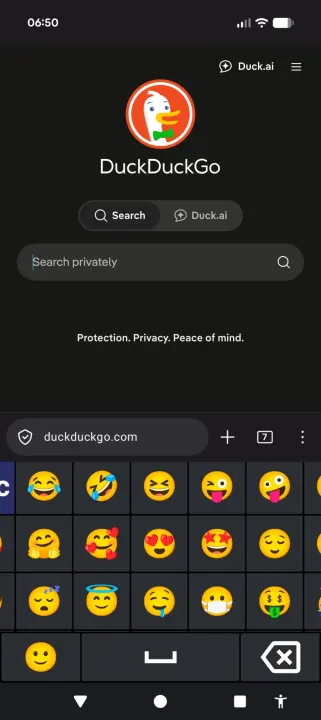
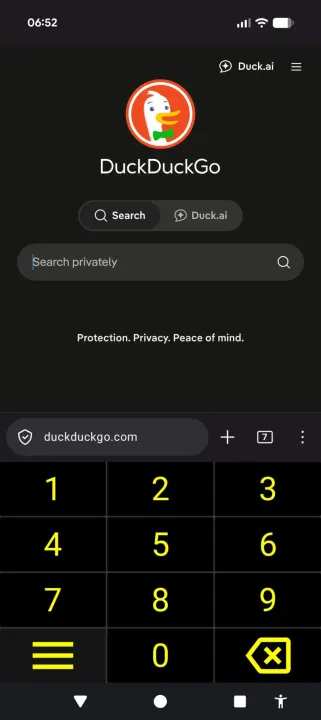
Description
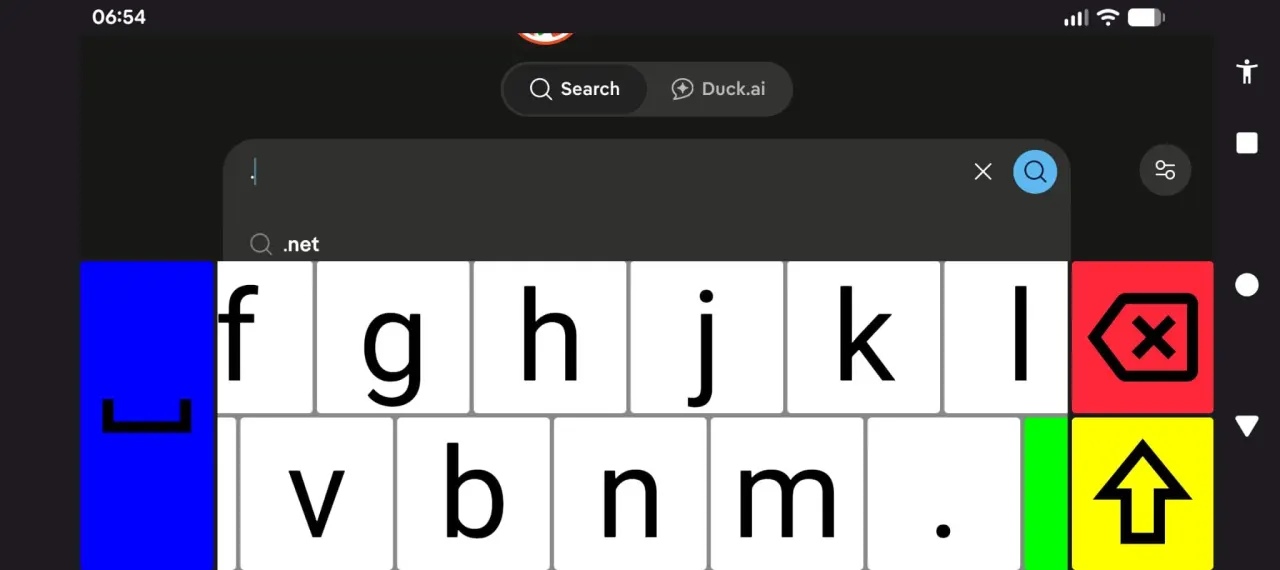
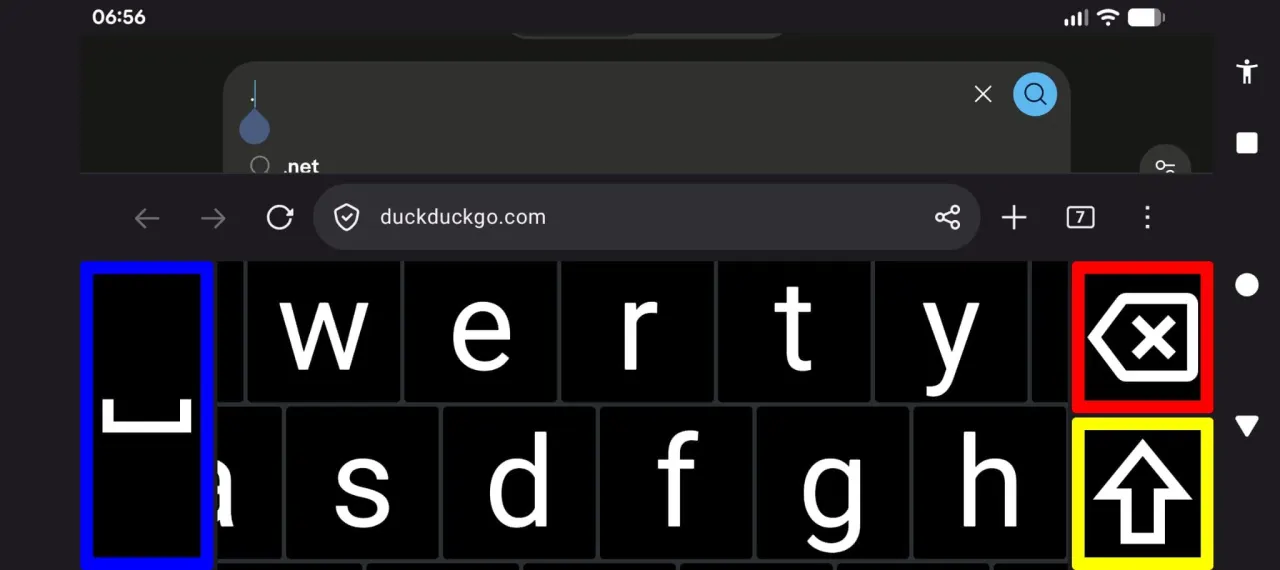
BroadBoard is an on-screen keyboard (IME) designed for people with low vision. Instead of shrinking keys to fit everything on the screen at once, BroadBoard keeps every key big and readable — you simply pan around the keyboard to reach the keys you need, so no key ever has to be small.
Features:
• Large, scrollable keyboard with oversized, high-contrast keys
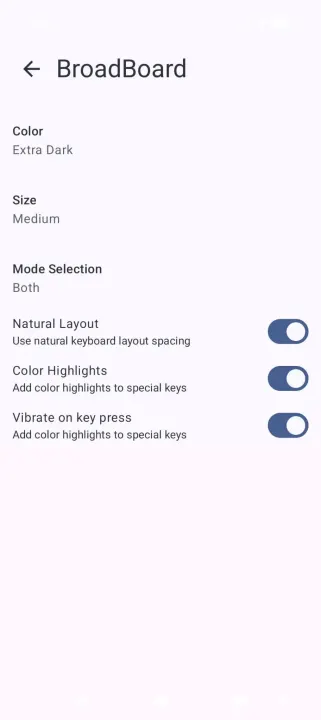
• Multiple color themes, including extra dark and high-visibility options
• Adjustable keyboard sizes, up to extra large
• Optional haptic feedback
• Screen reader friendly
• Multiple locales and layouts supported
Privacy:
BroadBoard collects no data. It has no internet permission, no analytics, no ads, and no third-party components. Nothing you type ever leaves your device.
After installing, BroadBoard must be enabled and selected as your input method:
1. Go to **Settings → System → Languages & input → On-screen keyboard → Manage keyboards**
2. Enable **BroadBoard**
3. Switch to it via the keyboard picker (tap the keyboard icon in the navigation bar, or long-press the spacebar in most apps).
Alternatively, launching BroadBoard from the app tray provides guided links to the correct settings screen and keyboard picker
Features:
• Large, scrollable keyboard with oversized, high-contrast keys
• Multiple color themes, including extra dark and high-visibility options
• Adjustable keyboard sizes, up to extra large
• Optional haptic feedback
• Screen reader friendly
• Multiple locales and layouts supported
Privacy:
BroadBoard collects no data. It has no internet permission, no analytics, no ads, and no third-party components. Nothing you type ever leaves your device.
After installing, BroadBoard must be enabled and selected as your input method:
1. Go to **Settings → System → Languages & input → On-screen keyboard → Manage keyboards**
2. Enable **BroadBoard**
3. Switch to it via the keyboard picker (tap the keyboard icon in the navigation bar, or long-press the spacebar in most apps).
Alternatively, launching BroadBoard from the app tray provides guided links to the correct settings screen and keyboard picker
All versions
| Version | Released | Minimum Android | Size |
|---|---|---|---|
| 2.2 | Sep 9, 2026 | Android 8.0 | 3.9 MB |
| 2.1 | Aug 23, 2026 | Android 8.0 | 3.9 MB |
| 2.0 | Aug 12, 2026 | Android 8.0 | 3.8 MB |
How to install an older version of an Android app · How to install an APK file on Android
From the developer (GitHub)
APK files published by the developer on GitHub. They are signed by the developer and may not install over the other builds on this page (different signature). Links open github.com.
Similar apps
-
 KeePassDX Passkey Vault
Manage Passkey / Password in a local and open-source vault
-
 HeliBoard
Customizable open-source keyboard
-
 Trime
Chinese IME with Rime Input Method Engine
-
 DroidTR IME
 (Turkish F/Q keyboard)
- Kõnele Speech-to-text provider
-
 LeanType
Private, customizable open-source keyboard with smart productivity tools
-
 Morse
Translate text to Morse code or vice versa in real time
-
 Unexpected Keyboard
Lightweight and privacy-conscious virtual keyboard for Android.