

Shade Launcher
Launcher that makes your phone feel like home
- Developer
- Amir Zaidi
- License
- Apache-2.0
- Package
amirz.shade- Category
- System
- Latest version
- 2020-09-01 12:40 · Sep 14, 2020
- Minimum Android
- Android 7.0
Screenshots
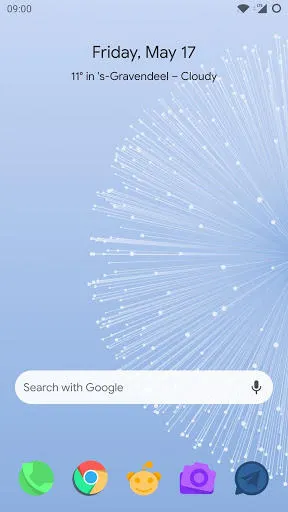
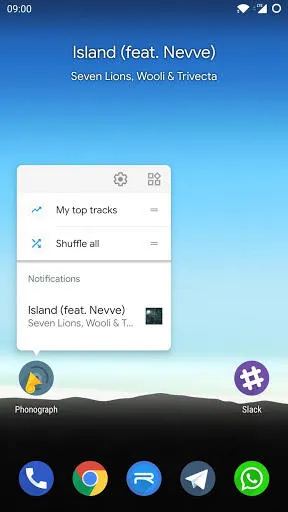
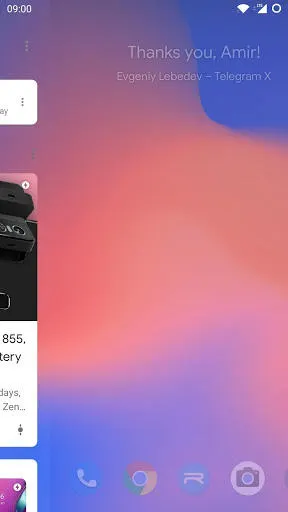
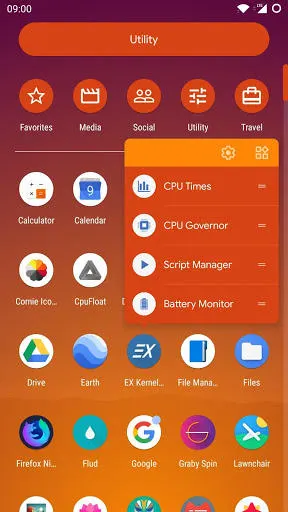
Description
This is the launcher that presents what, in my opinion, a home screen should be. It has only features that matter yet lacks nothing essential.
Features:
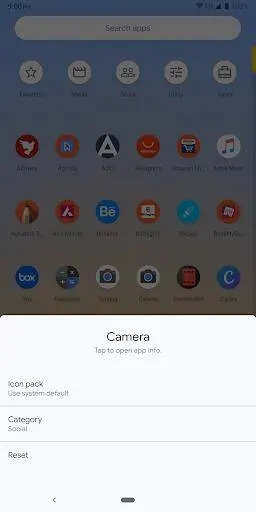
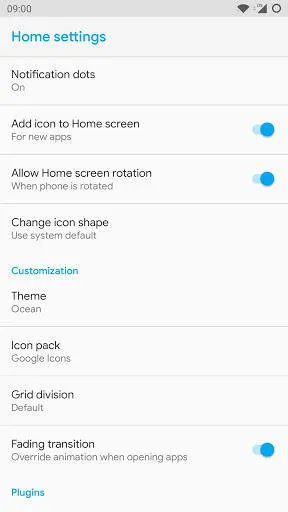
• Adaptive Icon Packs: Choose from many popular icon packs to customize your home screen. Even icon packs with adaptive icons are supported.
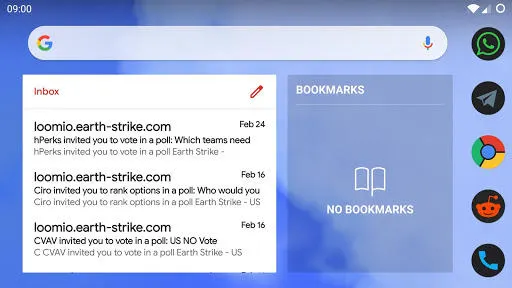
• Smart Unread: The widget on the first page will show the most important notification on your phone. When music is playing, control it by tapping the widget. Tap once to pause, twice to skip, three times to rewind.
• Feed overlay: Swipe right to open a news feed selected in the settings. Any app can implement a feed from now on. To use the Google App, you need Rootless Pixel Bridge v3 or newer from my GitHub
• Themes: When you get bored of the default Android themes, there are many custom launcher themes to choose from in the settings menu. All of them have their own distinct style and feeling.
• Grid division: Choose if you want 4, 5 or 6 columns on your home screen. Or let the launcher decide using your phone’s size.
• Shortcuts: Hold an app icon to show quick shortcuts that immediately jump into the app.
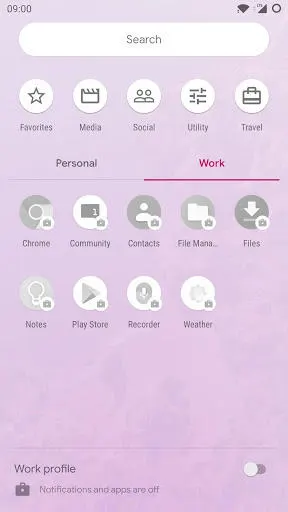
• Categories: Place your apps in categories to quickly find them. Apps can be hidden by placing them in the Hidden category.
• Plugins: Shade will launch a unified open source plugin system that will let other developers create their own additions. They can, for example, create their own weather widget, or add custom shortcuts for applications.
• QuickSwitch Support: Rooted users on Android 9.0 can use the QuickSwitch module to enable integration with the new recents look.
Features:
• Adaptive Icon Packs: Choose from many popular icon packs to customize your home screen. Even icon packs with adaptive icons are supported.
• Smart Unread: The widget on the first page will show the most important notification on your phone. When music is playing, control it by tapping the widget. Tap once to pause, twice to skip, three times to rewind.
• Feed overlay: Swipe right to open a news feed selected in the settings. Any app can implement a feed from now on. To use the Google App, you need Rootless Pixel Bridge v3 or newer from my GitHub
• Themes: When you get bored of the default Android themes, there are many custom launcher themes to choose from in the settings menu. All of them have their own distinct style and feeling.
• Grid division: Choose if you want 4, 5 or 6 columns on your home screen. Or let the launcher decide using your phone’s size.
• Shortcuts: Hold an app icon to show quick shortcuts that immediately jump into the app.
• Categories: Place your apps in categories to quickly find them. Apps can be hidden by placing them in the Hidden category.
• Plugins: Shade will launch a unified open source plugin system that will let other developers create their own additions. They can, for example, create their own weather widget, or add custom shortcuts for applications.
• QuickSwitch Support: Rooted users on Android 9.0 can use the QuickSwitch module to enable integration with the new recents look.
All versions
| Version | Released | Minimum Android | Size |
|---|---|---|---|
| 2020-09-01 12:40 | Sep 14, 2020 | Android 7.0 | 2.6 MB |
How to install an older version of an Android app · How to install an APK file on Android
From the developer (GitHub)
APK files published by the developer on GitHub. They are signed by the developer and may not install over the other builds on this page (different signature). Links open github.com.
Similar apps
-
 Screenshot Tile (NoRoot)
Customizable screenshot tool with quick settings shortcut and floating button
-
 Coffee
Keep display awake
-
 Mute reminder
Remind you to mute media
-
 Prepaid Balance
Keep track your prepaid balance
-
 Auto Auto-Rotate
Automatically remembers your auto-rotate setting for every app
-
 Drowser
Simple background app killer
-
 Scrambled Exif
Remove the metadata from your pictures before sharing them
-
 WaveUp
Turn on the display by waving